
Import a PPTX file
Open a PowerPoint (PPTX) file in the MOVO editor and keep working on it. Files must be 20 MB or less with 50 slides or fewer, including hidden slides.
- Available on
- All plans
- Requires
- Signed in
Bring an existing PPTX into MOVO to edit its text, shapes and images by hand or with AI chat. Unlike attachments, the content isn't rebuilt — your original slides open as they are.
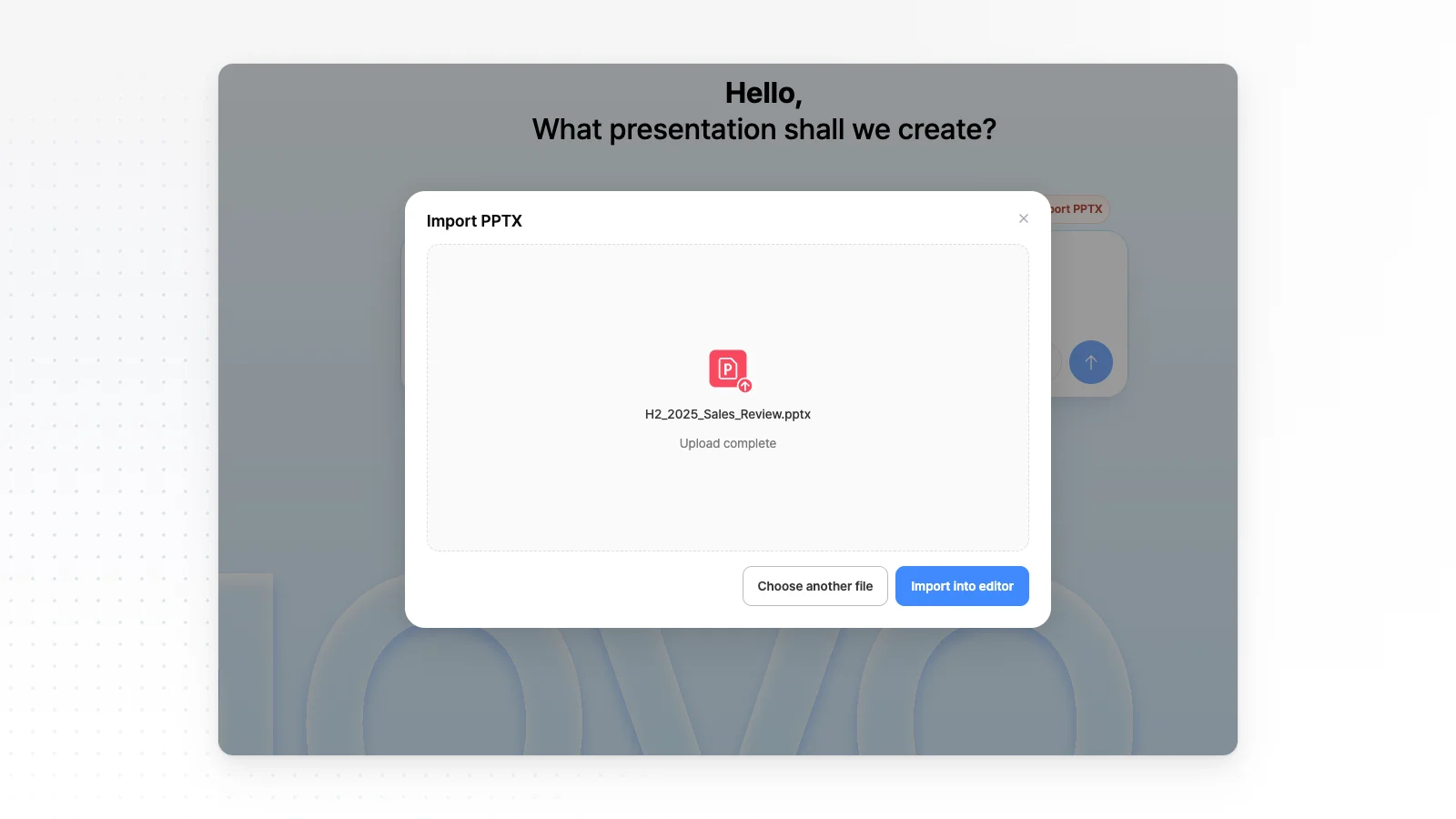
Open the import dialog
- Click Import PPTX next to the format tabs on the dashboard.
- Or click Create in the sidebar, then Import PPTX under Import original file.
Import steps
- Drag a file into the Import PPTX dialog, or click Click here to choose a file.
- Wait for Uploading your file… to change to Upload complete. To swap files, click Choose another file.
- Click Import into editor.
- After Importing into editor…, the editor opens. The imported project is saved under Projects.
Limits
| Item | Limit |
|---|---|
| File type | PPTX |
| File size | 20 MB or less |
| Slides | 50 or fewer, including hidden slides |
| Files per upload | 1 |
When fonts change
Fonts the MOVO AI editor doesn't support may be replaced with Pretendard. If any were, a Font replacement notice appears when the editor opens.
If the import fails
| Message | What to do |
|---|---|
| Please choose a valid PPTX file. | Check the file ends in .pptx. Re-save older .ppt files as .pptx in PowerPoint. |
| This file is too large. Please choose a file of 20MB or less. | Shrink or remove large images and videos, then save again. |
| The contents of this file are too large to import. | Reduce what's in the file and try again. |
| This file has too many slides. | Split it so each file has 50 slides or fewer, hidden slides included. |
| We couldn't convert this file. | The file may be damaged. Re-save it in PowerPoint and upload again. |
| We couldn't read the uploaded file. | Try again in a moment. |
After importing
- Select slides and edit them or polish the design with AI chat. See AI edit.
- Exporting back to PPTX needs Pro or higher. Free exports PDF and PNG.
Updated 2026-11-01