
Gemini in Google Slides Alternative: MOVO vs Gemini Decks
This MOVO team page explains how Gemini in Google Slides builds a deck, which plans and languages it needs, and how to export PPTX. MOVO is our product, and every Google detail links to Google's official help center.

Quick answer
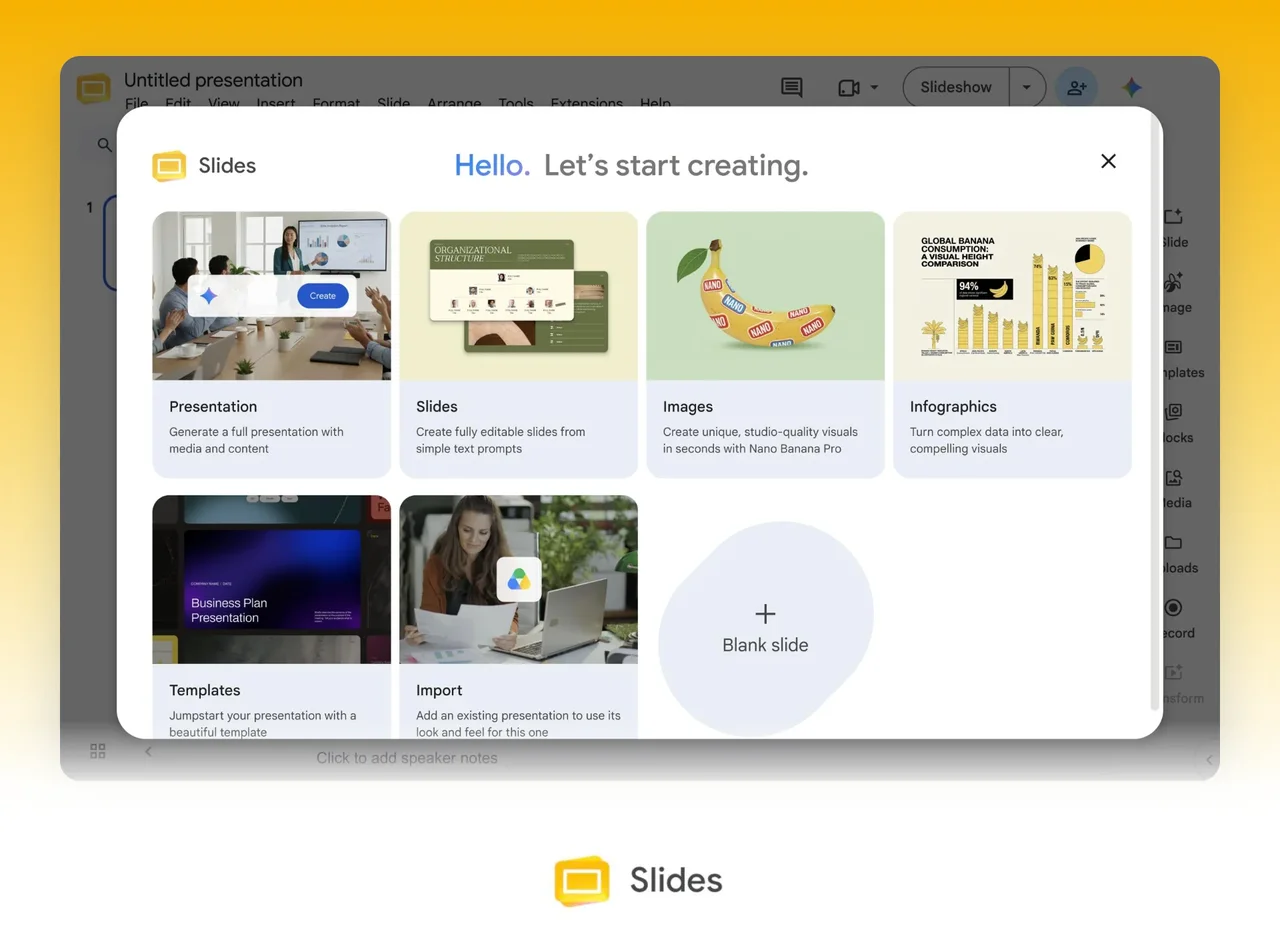
In Google Slides, click Presentation on the start screen or open Ask Gemini in a blank deck, then describe the talk. Gemini asks a few follow-up questions and shows a slide-by-slide plan. Once you approve it, Gemini builds an editable deck, which may take a few minutes.
Google's help says the feature needs an eligible Google Workspace or Google AI plan, and it currently works on desktop in English only. You download the finished deck as a PowerPoint file from File, then Download.
Pick Gemini when your company already runs on Google Workspace and you build English decks from Drive and Gmail material. Pick MOVO when you build work decks from your own reports, review the outline first and hand off PPTX or Figma files.
How to use Gemini in Google Slides, from prompt to PPTX
Create a presentation with Gemini in Slides
On your computer, open Google Slides and click Presentation on the start screen. Or open a blank presentation with no slides and click Ask Gemini at the top right. Describe the deck in the side panel. Google's example asks for a 5-slide talk on quantum computing for a general audience with a modern design.
Optionally add Drive files with Add sources, or pick an existing deck under Match presentation style. You can also let Gemini search and reference the web, Drive, Chat or Gmail.
Answer or skip Gemini's follow-up questions, then click Next to see a plan with an overview, sources and an outline for each slide. Edit the steps, click Update plan if needed, then click Approve. Keep the Slides tab and the Gemini panel open while the deck builds, which may take a few minutes.
Which plans include it
Google's Workspace blog from July 23, 2026 lists Business and Enterprise Standard and Plus plans, plus Google AI Pro and Ultra subscriptions. Google's plan table also leaves Generate and edit slides out of Business Starter and Google AI Plus.
Personal accounts can also get the feature through Google Workspace Experiments, a trusted tester program. You must be 18 or older, and Workspace accounts cannot join. Features there are in development, quality and availability may vary, and if you exit you cannot rejoin.
Language and device limits
Google's help says deck generation, single-slide generation and multi-slide editing are currently available on desktop and in English only. We checked this on Nov 1, 2026.
The Gemini side panel in Slides supports more languages, including Korean, Japanese and Spanish. For English-only features, Google tells Workspace Experiments users to check that their account language is English.
Edit slides one at a time
Open Ask Gemini in a deck and describe a change, such as less text and an added image. Gemini shows a preview that can replace the selected slide or go in as a new one.
New slides are generated one at a time. Editing several slides or a whole deck at once is a beta for Gemini Beta work accounts and Google AI Pro or Ultra users.
Refreshing the browser or closing the deck clears the Gemini conversation history. Google also says images Gemini generates are for use only within Google Slides.
Download the deck as PPTX
In Google Slides, click File, then Download, and choose PowerPoint (.pptx) from the list. Google's help does not explain how fonts or layout change in PowerPoint, so check the file after you download it.
Going the other way, double-click a PPTX in Drive to open it in Slides. Embedded charts and videos become images, and SmartArt becomes Google Drawings.
Make slides in the Gemini app with Canvas
At gemini.google.com, choose Canvas under the text box and ask for a slide presentation about your topic. On a computer, open Share & export in the Canvas panel, then choose Export to Slides or export the slides as a PDF.
Gemini Apps help lists Canvas and slide generation even without a Google AI plan. Usage limits refresh every 5 hours until you reach a weekly limit. The mobile app instructions list Export to Docs but not Export to Slides.
How to make the same deck in MOVO in 4 steps
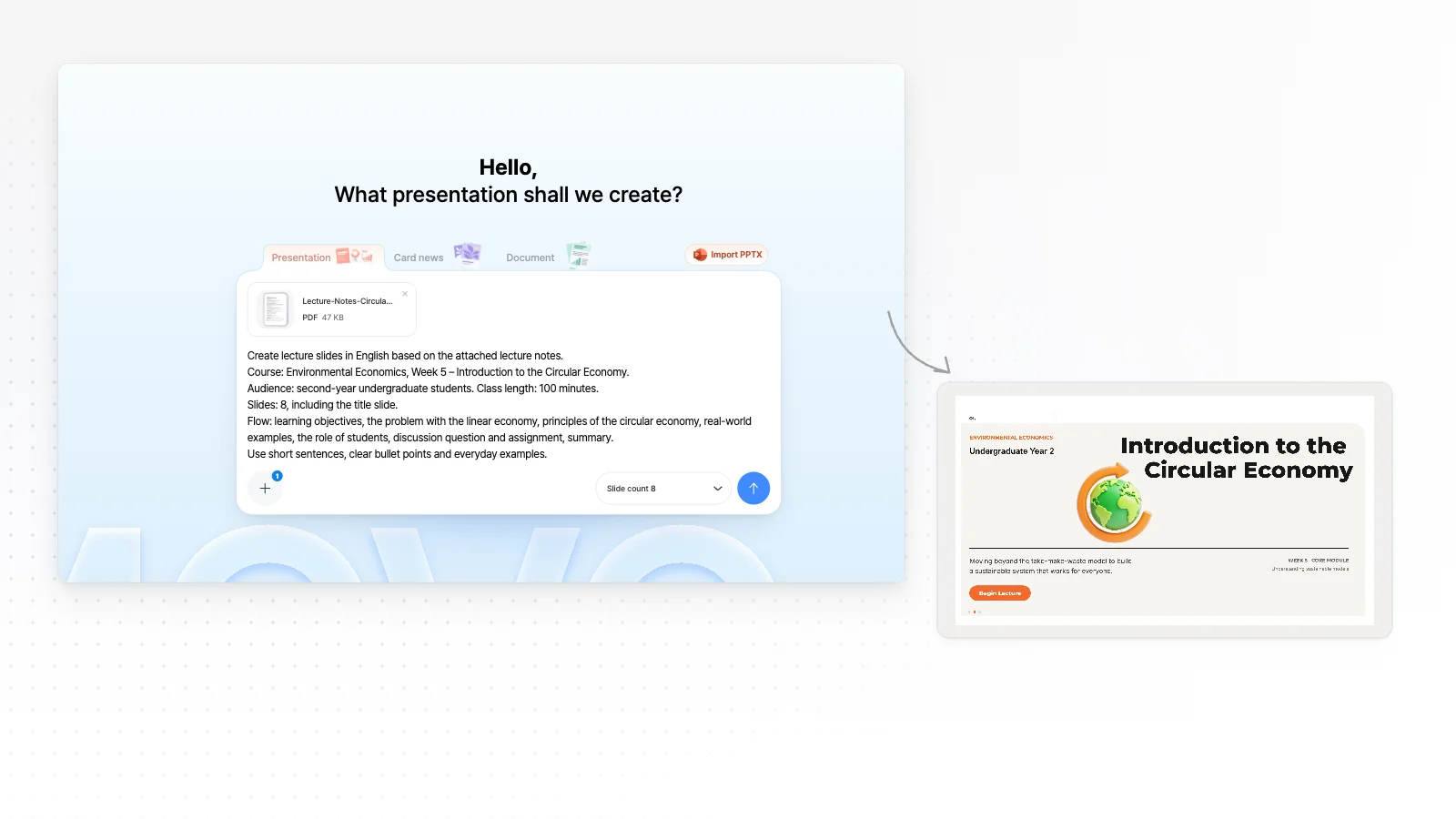
Type a topic or attach your files
Write who the talk is for and what it should cover, or attach PDF, PNG, JPG, WebP, TXT, CSV, DOCX, XLSX files. The Free plan takes up to 3 files of 5 MB each.
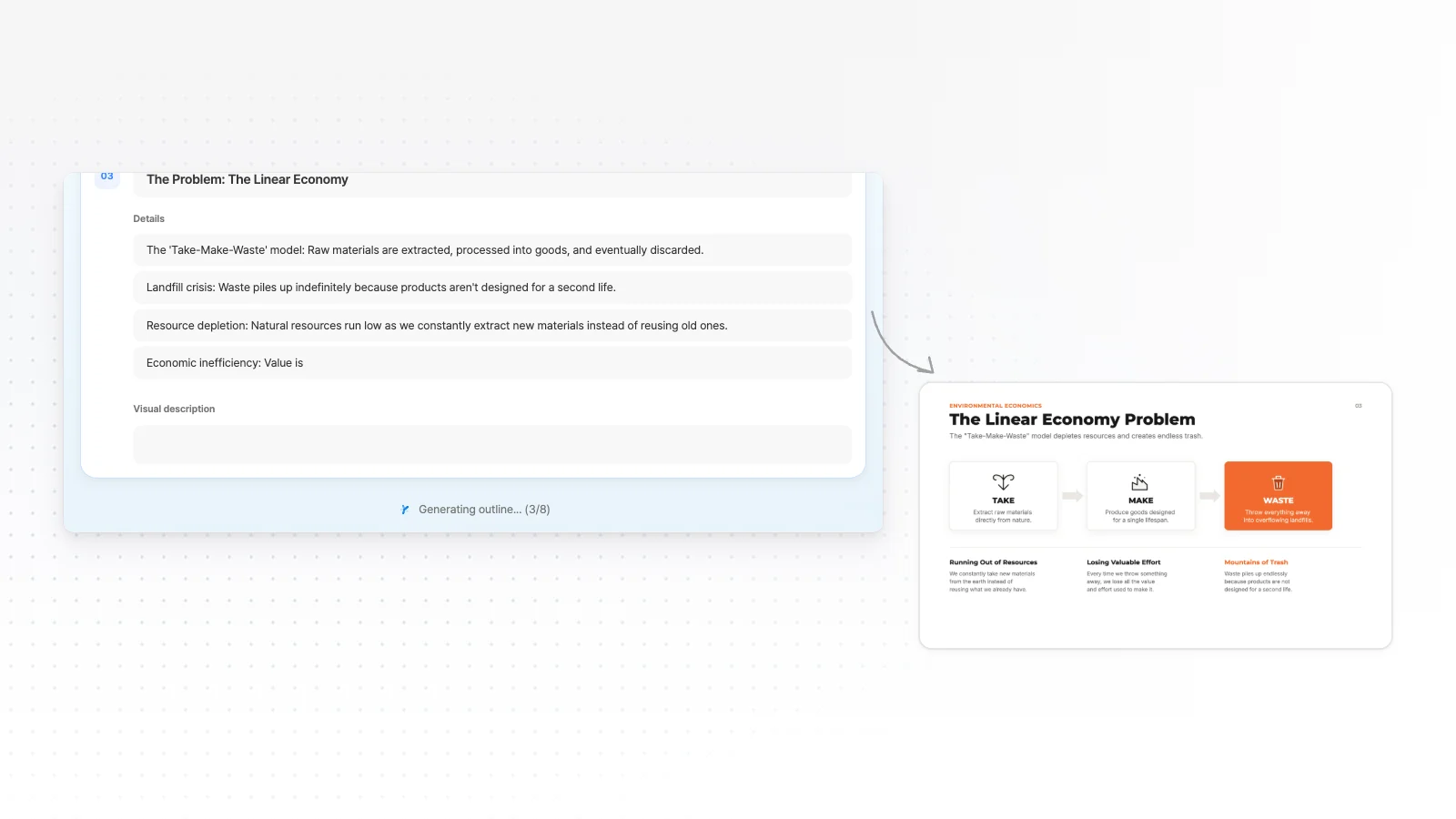
Review the outline first
Before any design, MOVO shows a slide-by-slide outline with titles and key points. Fix gaps and the order here, while changes are cheap.
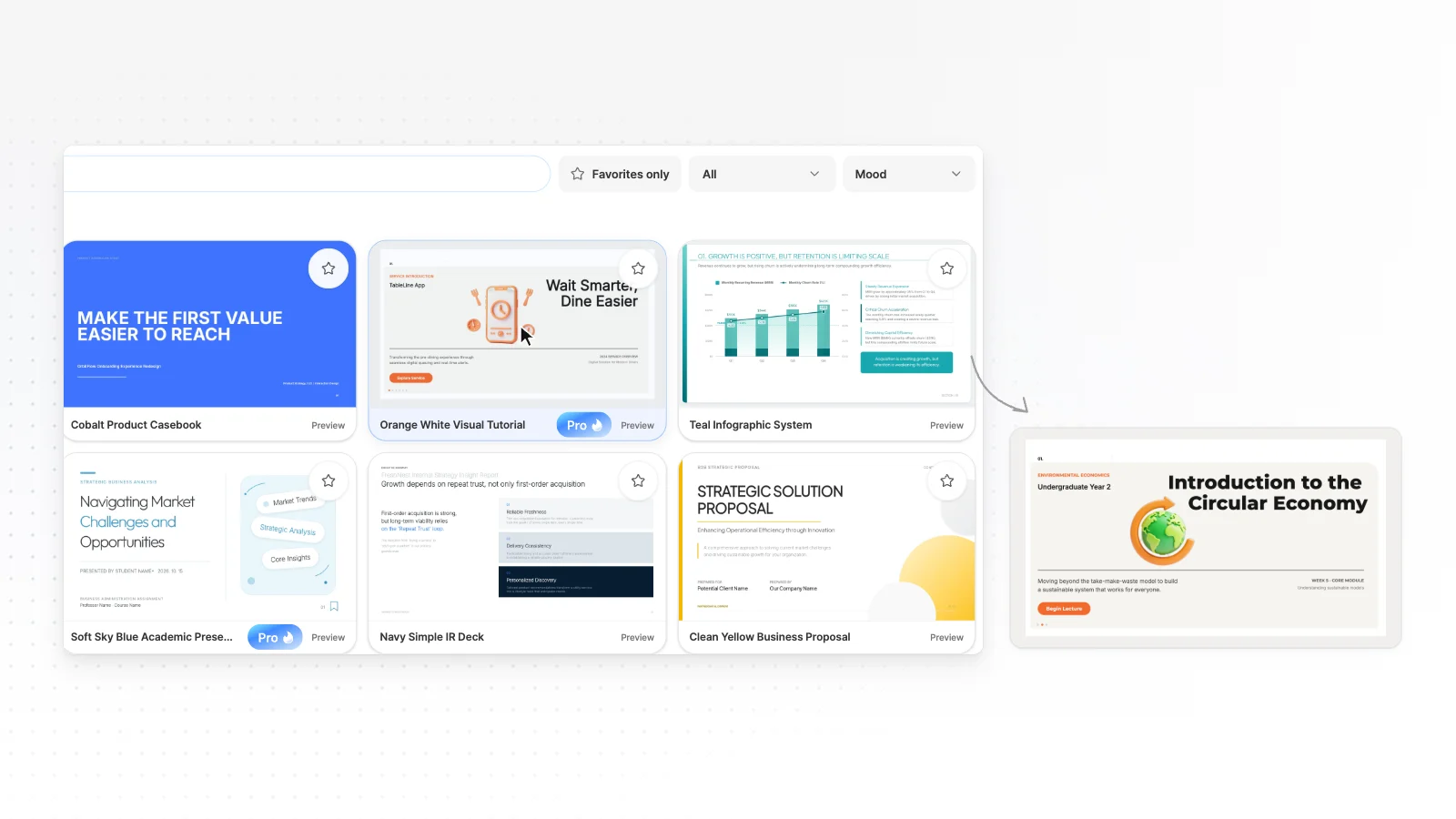
Pick a style and generate
Choose from 200+ presentation styles, set your colors and fonts if you need to, and generate the slides.
Edit by chat and export
Select the slide you are viewing and ask for changes in chat, or edit it by hand. Export to PPTX, PDF, PNG, Figma when it is ready (PPTX, Figma on Pro).
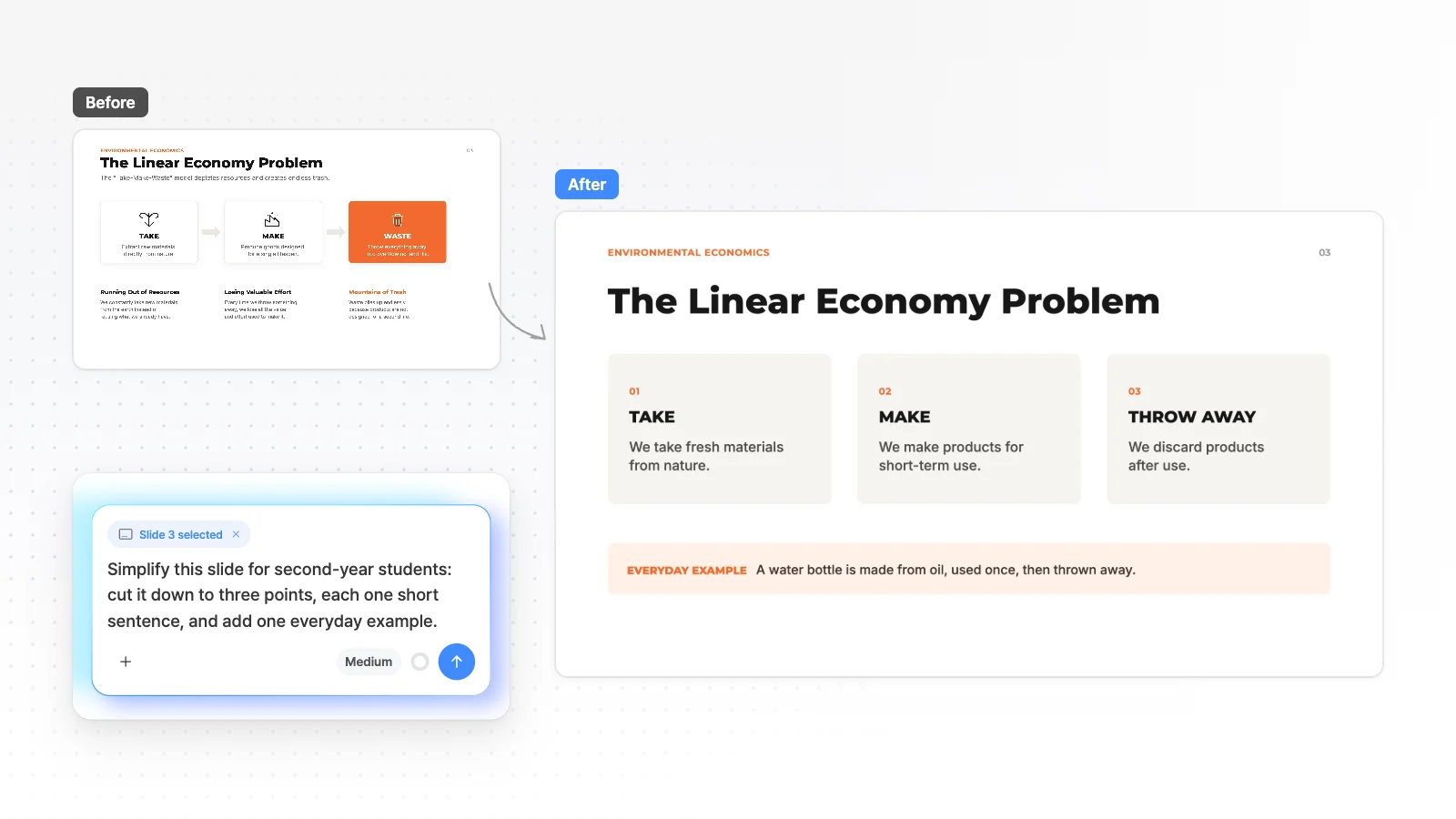
MOVO vs Gemini in Google Slides at a glance
Each cell has an evidence level and a source number. Unknown means we found no explicit statement in the official docs, not that the feature is missing.
| Item | Gemini in Slides | |
|---|---|---|
| Plans and access | ||
| Free usage | 300 credits every month, up to 5 slides per deckMOVO tested[22] | Deck generation needs Workspace Business or Enterprise Standard or Plus, or Google AI Pro or Ultra. Personal accounts can also use Workspace ExperimentsOfficial docs[6][1][7] |
| Where it works | On a phone, AI chat only. Hand editing is on desktopMOVO product[23] | Deck and single-slide generation work on desktop in English only for now. The Slides side panel itself supports Korean and other languagesOfficial docs[1][2][8] |
| Create and edit | ||
| How you start | A topic or PDF, PNG, JPG, WebP, TXT, CSV, DOCX, XLSX files (Free: 3 files of 5 MB)MOVO product[22][23] | Click Presentation on the start screen or Ask Gemini. Add Drive files as references and an existing deck as a style matchOfficial docs[1] |
| Outline before slides | Shows a slide-by-slide outline you edit before generationMOVO product[23] | After follow-up questions, shows a plan with an overview, sources and a per-slide outline. You edit and approve it before generationOfficial docs[1] |
| Editing after generation | Edit the slide you are viewing by chat, and edit text, images and shapes by handMOVO product[23] | Ask Gemini changes one slide at a time with Replace or Insert. Editing many slides at once is in betaOfficial docs[2][3] |
| Finding current information | AI chat searches the web and lists sources under its answerMOVO product[23] | Can search and reference the web, Drive, Chat or GmailOfficial docs[1] |
| Inside the PPTX | ||
| Export formats | PPTX, PDF, PNG, FigmaMOVO tested[22] | File, then Download, saves the deck as PowerPoint (.pptx) or another listed formatOfficial docs[9] |
| Opening in PowerPoint | Text stays in text boxes, shapes become PowerPoint shapesMOVO product[23] | Not stated in the official docs we openedUnknown |
| Fonts in PPTX | Fonts missing on the export server fall back to ArialMOVO tested[23] | Not stated in the official docs we openedUnknown |
| Importing a PowerPoint | Imports a PPTX to keep editing (sign in, up to 20 MB and 50 slides)MOVO product[23] | Opens a PPTX from Drive in Slides. Embedded charts and videos become images, and SmartArt becomes Google DrawingsOfficial docs[10] |
| Price | ||
| Paid price | Pro $19.99 a month ($192 billed yearly)MOVO tested[22] | Workspace Business Standard US$14 per user a month on an annual plan, before tax. Google AI Pro pricing shows at Google One signupOfficial docs[14][13] |
Evidence levels
- MOVO tested
- Measured on the live MOVO product (Aug to Oct 2026)
- MOVO product
- Behavior checked in the MOVO product and code (Nov 1, 2026)
- Official docs
- From the other company's official pricing page or help center. Check dates are under How we compared
- Unknown
- No explicit statement in the official docs we opened, or it needs a login. This does not mean the feature is missing
MOVO and Gemini in Slides in detail
Starting from a topic or from your files
Gemini asks follow-up questions to tune the plan, and you can add Drive files or let it search the web, Drive, Chat or Gmail. Google's Workspace blog names Docs, Sheets, PDFs and previous decks as reference files.
MOVO reads the PDF, PNG, JPG, WebP, TXT, CSV, DOCX, XLSX files you attach and shows a slide-by-slide outline before it builds anything. The Free plan takes up to 3 files of 5 MB each.
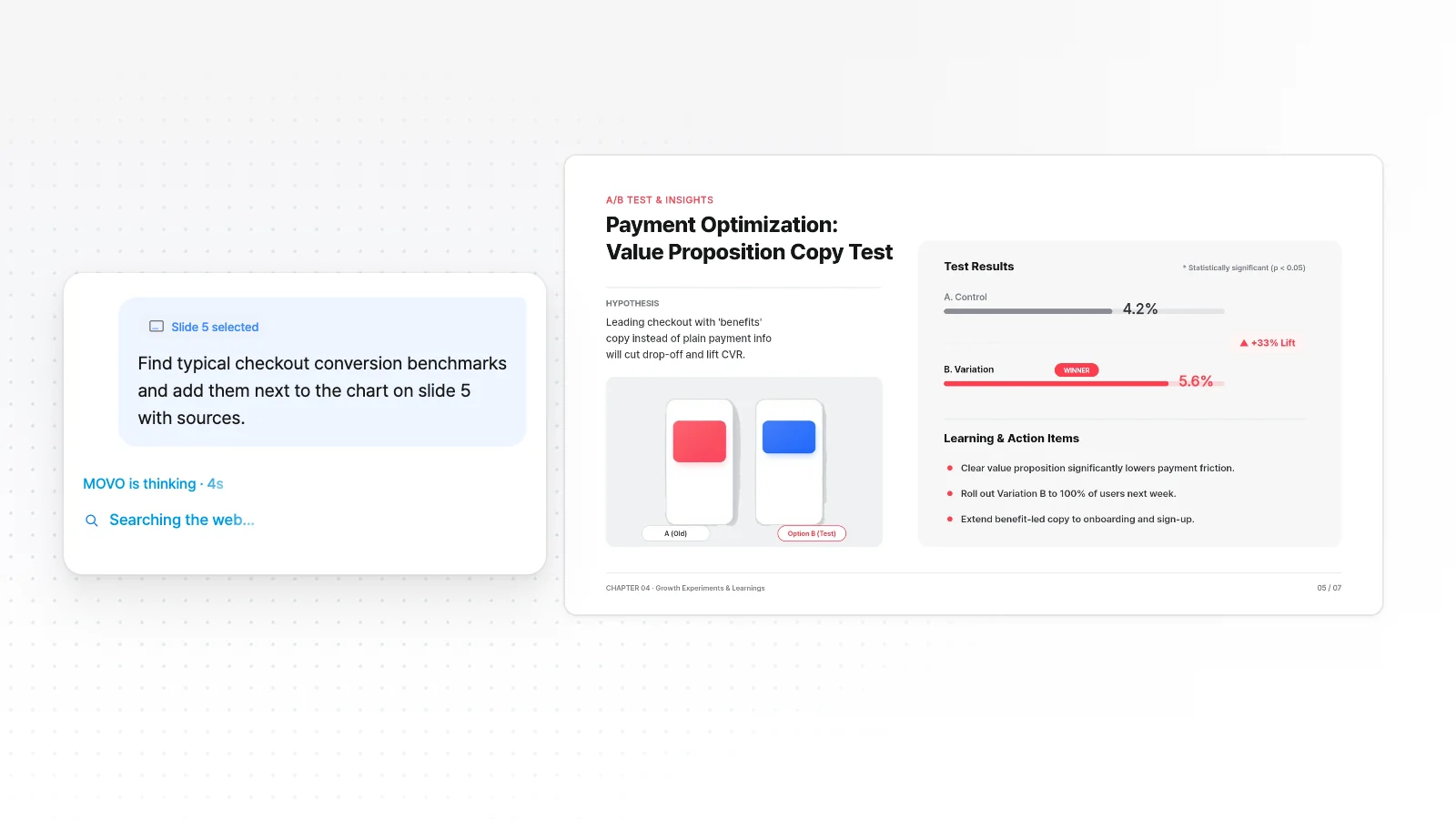
Editing after generation
You can edit any element of a Gemini deck by hand in Google Slides. Ask Gemini previews a changed slide that you use to replace or insert, and multi-slide editing is in beta. All of it currently works on desktop in English only.
MOVO attaches the slide you are viewing to your chat request, and you edit text, images and shapes by hand in the editor. Before export, the layout check marks overlaps and clipping on the slide.
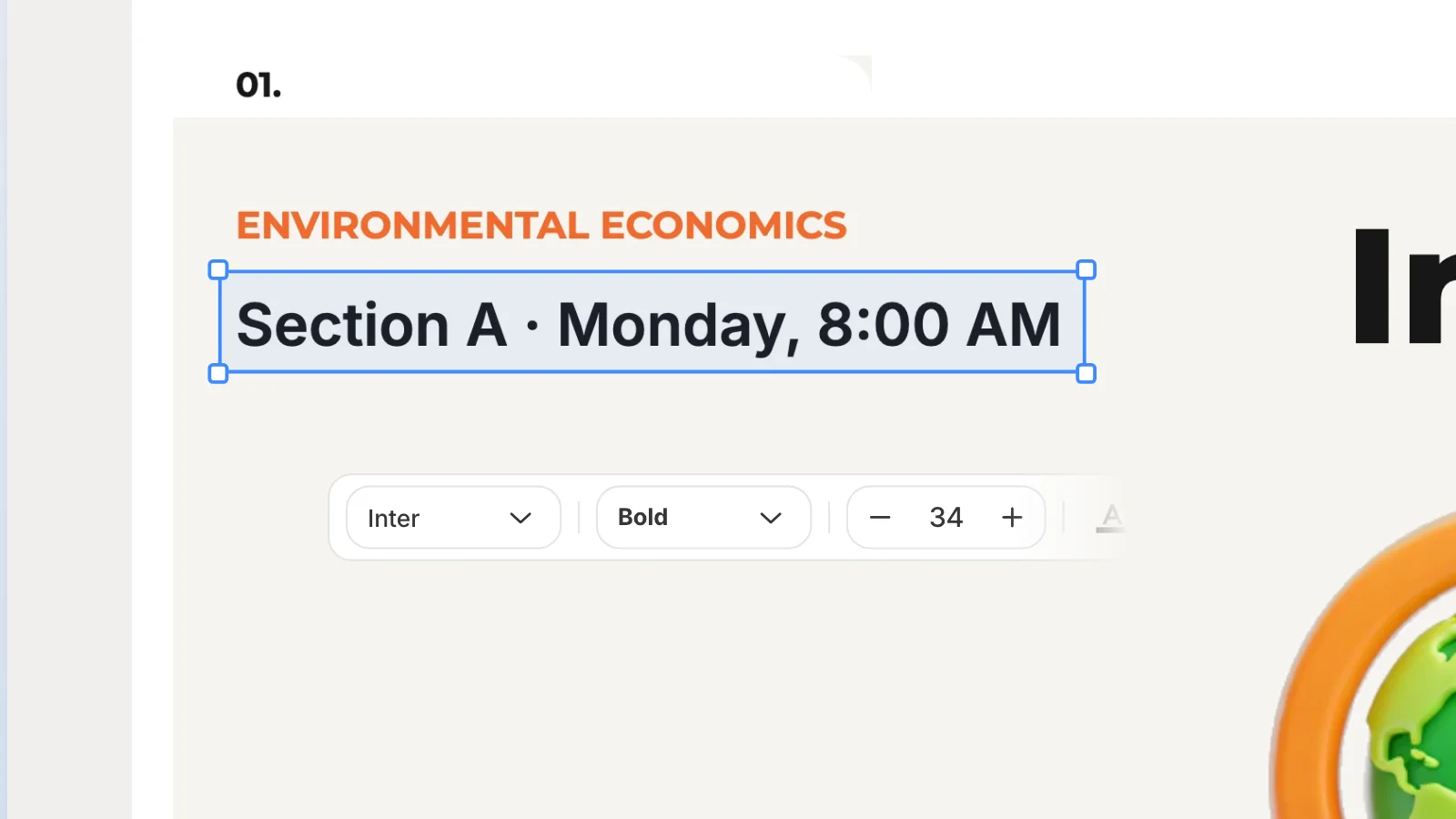
Getting a PPTX file
Google Slides saves a deck as PowerPoint (.pptx) from File, then Download. Google's help does not say how fonts and layout change, and it says Gemini images are for use only within Slides.
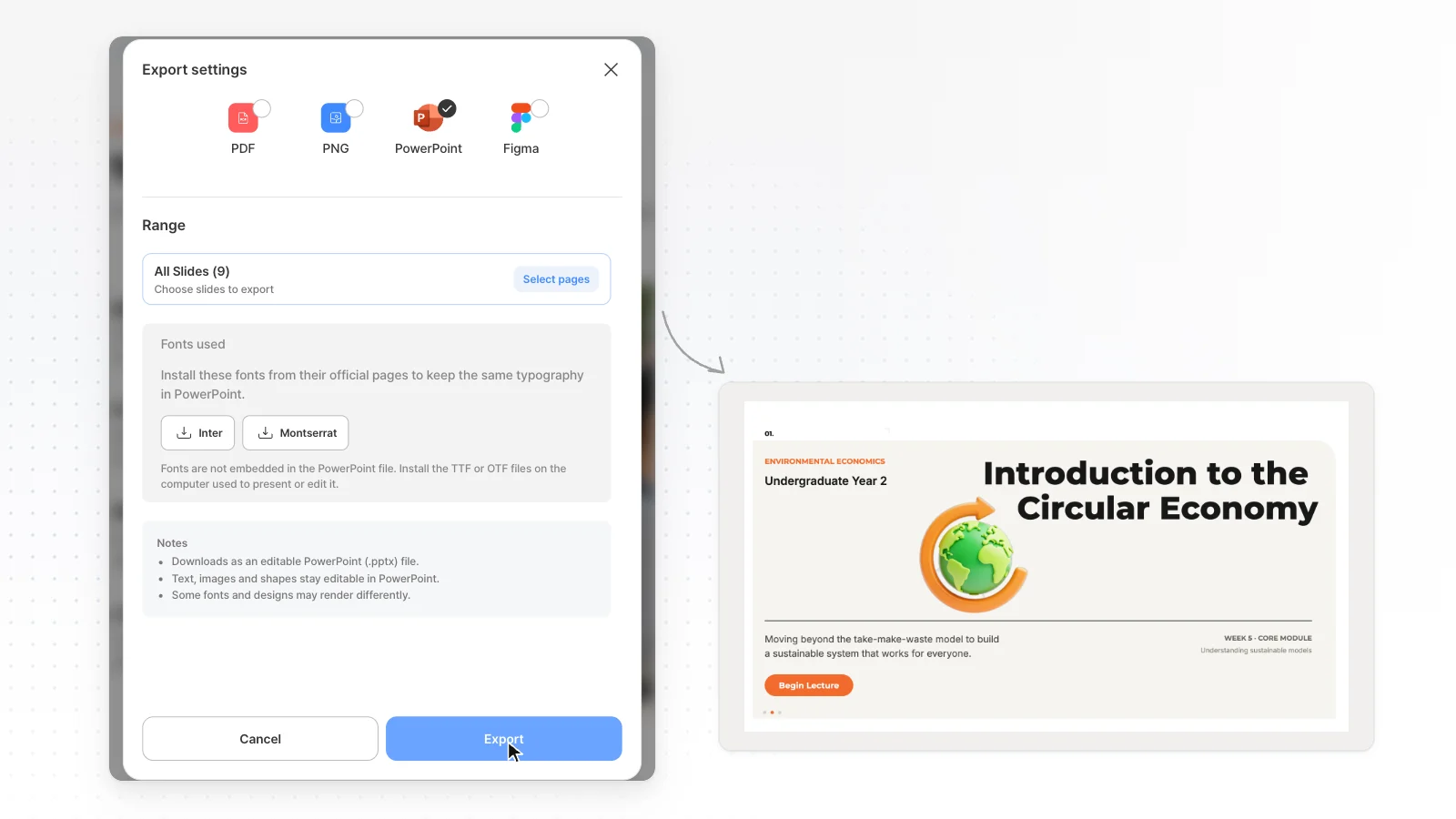
MOVO Free exports PDF, PNG with a watermark, and PPTX, Figma start on Pro. In a MOVO PPTX, text stays in text boxes and shapes stay PowerPoint shapes. Tables and charts become shapes and text, and missing fonts fall back to Arial.
Price
Google Workspace Business Standard costs US$14 per user a month on an annual plan, before tax. New customers see 10% off for 12 months on up to 20 users. We read this on the Workspace pricing page on Nov 1, 2026. Personal accounts get the feature with Google AI Pro or Ultra, and Google One shows the price at signup.
MOVO Pro costs $19.99 a month. The two products count AI usage differently, so we do not compare usage totals. Prices change, so check each official page before you pay.
Other Gemini in Slides alternatives worth a look
Short notes on tools people often weigh against Gemini for AI presentations, based on each vendor's official pages. Check dates are under How we compared.
Gamma
The free plan gives 400 credits at signup that do not refill, and each prompt makes up to 10 slides.
Free decks can export PDF, PPTX, PNG and Google Slides. PDF and PPTX files carry a Made by Gamma badge.
Canva
Magic Design drafts the deck, and you finish it in the full Canva editor with brand kits and stock media.
You can download a PPTX, but Canva's help warns that it may look different in PowerPoint.
Which one fits your work
When Gemini in Google Slides is the better choice
- Your company already runs on Google Workspace Business Standard or higher
- You build English decks on desktop from Drive and Gmail material
- You want a new deck to match the style of an existing one
- You keep editing and sharing the deck in Google Slides
When MOVO is the better choice
- You build work decks from reports, spreadsheets or PDFs you already have, outline first
- You want to fix the slide you are viewing by chat, and edit text, images and shapes by hand
- You hand off decks as Figma files as well as PPTX (Pro and Max)
- You want a layout check for overlaps and clipping before export
Official Google pages
How we compared
- The MOVO team wrote this page, and MOVO is our product.
- Gemini cells come from Google's official help center, the Google Workspace pricing page and the Workspace blog, opened on Nov 1, 2026. The help articles cover deck and slide generation, plans, languages, Workspace Experiments, downloads, Office files, and Gemini app Canvas and usage limits.
- Check the official docs again before you decide.
- Gamma and Genspark were checked on Nov 1, 2026. Canva was checked on Oct 17, 2026 for our Gamma alternatives article.
- MOVO cells are split into values measured on the live product (MOVO tested) and behavior checked in the product and code (MOVO product).
- When the official docs had no explicit statement, the cell says Unknown, which does not mean the feature is missing.
Sources
Numbers in the table and text point to the sources below. Check dates are listed under How we compared, and prices and limits can change.
- Google help: generate presentations with Gemini in Google Slides
- Google help: generate a slide with Gemini in Google Slides
- Google help: generate and edit slides with Gemini (beta)
- Google help: collaborate with Gemini in Google Slides
- Google help: Gemini features and plans
- Google Workspace blog: create presentations with Gemini in Google Slides (Jul 23, 2026)
- Google help: get started with Google Workspace Experiments
- Google help: supported languages for Google Workspace with Gemini
- Google Drive help: download a file in a different format
- Google help: work with Microsoft Office files
- Gemini Apps help: create docs, slides and more with Canvas
- Gemini Apps help: usage limits and feature availability
- Google One help: get a Google AI Pro membership
- Google Workspace pricing
- Google help: manage or cancel your Google AI plan
- Gamma pricing page
- Gamma help: exporting
- Canva AI presentations
- Canva help: download file types
- Genspark help: AI Slides
- Genspark help: credits guide
- MOVO pricing (plan limits, export formats and price)
- MOVO product, code and export checks (Nov 1, 2026)
Frequently asked questions
Is Gemini in Google Slides free?
Google's help says deck generation in Slides needs an eligible Google Workspace or Google AI plan, or Workspace Experiments for personal accounts. Gemini Apps help lists Canvas and slide generation without a Google AI plan, within usage limits. MOVO Free includes 300 credits a month and exports PDF, PNG with a watermark.
How do I create a presentation with Gemini in Google Slides?
Open Google Slides on a computer and click Presentation on the start screen, or open Ask Gemini in a blank deck and describe the talk. Gemini asks follow-up questions and shows a slide-by-slide plan. After you edit and approve the plan, Gemini builds the deck, which may take a few minutes.
Does Gemini in Slides work in other languages or on mobile?
Google's help says creating presentations with Gemini in Slides is currently available on desktop and in English only, as of Nov 1, 2026. The Gemini side panel in Slides supports Korean and other languages, but Google tells Workspace Experiments users to set English for English-only features.
How do I download a Gemini deck as a PowerPoint file?
In Google Slides, click File, then Download, and choose PowerPoint (.pptx) from the list of formats. Google's help does not explain how fonts and layout change in PowerPoint, so open the file and check it before you share it.
How much does Gemini in Google Slides cost, and how do I cancel?
Google Workspace Business Standard costs US$14 per user a month on an annual plan, before tax, and personal accounts use Google AI Pro or Ultra. To cancel a Google AI plan, go to gemini.google.com, open Settings and help, then Manage subscription, which opens Google One settings.
Can I edit a Google Slides PPTX in MOVO?
MOVO can import a PPTX file and keep editing it after you sign in, up to 20 MB and 50 slides. The import may not match the original exactly, so check fonts and layout afterward.
Can MOVO replace Gemini in Google Slides?
MOVO fits when you build decks from your own files, review the outline first and export PDF, PPTX or Figma. Gemini may fit better when your company runs on Google Workspace and you keep editing decks in Slides with Drive and Gmail material.
Who wrote this comparison, and how was it checked?
The MOVO team wrote this page, and MOVO is our product. Gemini cells come from Google's help center, Workspace pricing page and Workspace blog, checked on Nov 1, 2026, and each cell links to its source.
Related pages
MOVO vs Canva
How Canva AI builds a deck, its free limits and PPTX export, compared with MOVO.
MOVO vs Gamma
Free limits, PPTX export and importing files compared with Gamma.
PDF to Presentation
Turn a PDF you already have into new presentation slides.
AI Presentation Maker
Start from a one-line topic and see what you can do next.