
Claude PPT Alternative: Compared with MOVO
The MOVO team's comparison of making a PPT with Claude versus MOVO. MOVO is our product. Claude details come from the official Claude help center and Anthropic's official pages, with a source for every cell.


The short answer
Claude is a general-purpose AI that runs code to make a PowerPoint (.pptx) file when you ask in chat. Per the Claude help center, file creation works on every plan including Free, and Claude for PowerPoint, which runs inside PowerPoint, comes with paid plans.
MOVO only makes presentations. Attach the material you have and it shows a slide-by-slide outline first. After you pick a style, you look at each slide and fix it by chat or edit it directly.
Claude fits if you want to organize and analyze content and make documents, spreadsheets and a PPT in one conversation. Look at MOVO if you need designed presentation slides that you review on screen, fix slide by slide and hand off as PPTX or Figma.
Make a PPT in MOVO from your Claude notes in 4 steps
Attach your Claude notes or files
Paste what you worked out with Claude or attach it as PDF, PNG, JPG, WebP, TXT, CSV, DOCX, XLSX files, and say who the talk is for and what it covers. The Free plan also takes up to 3 files of 5 MB each.

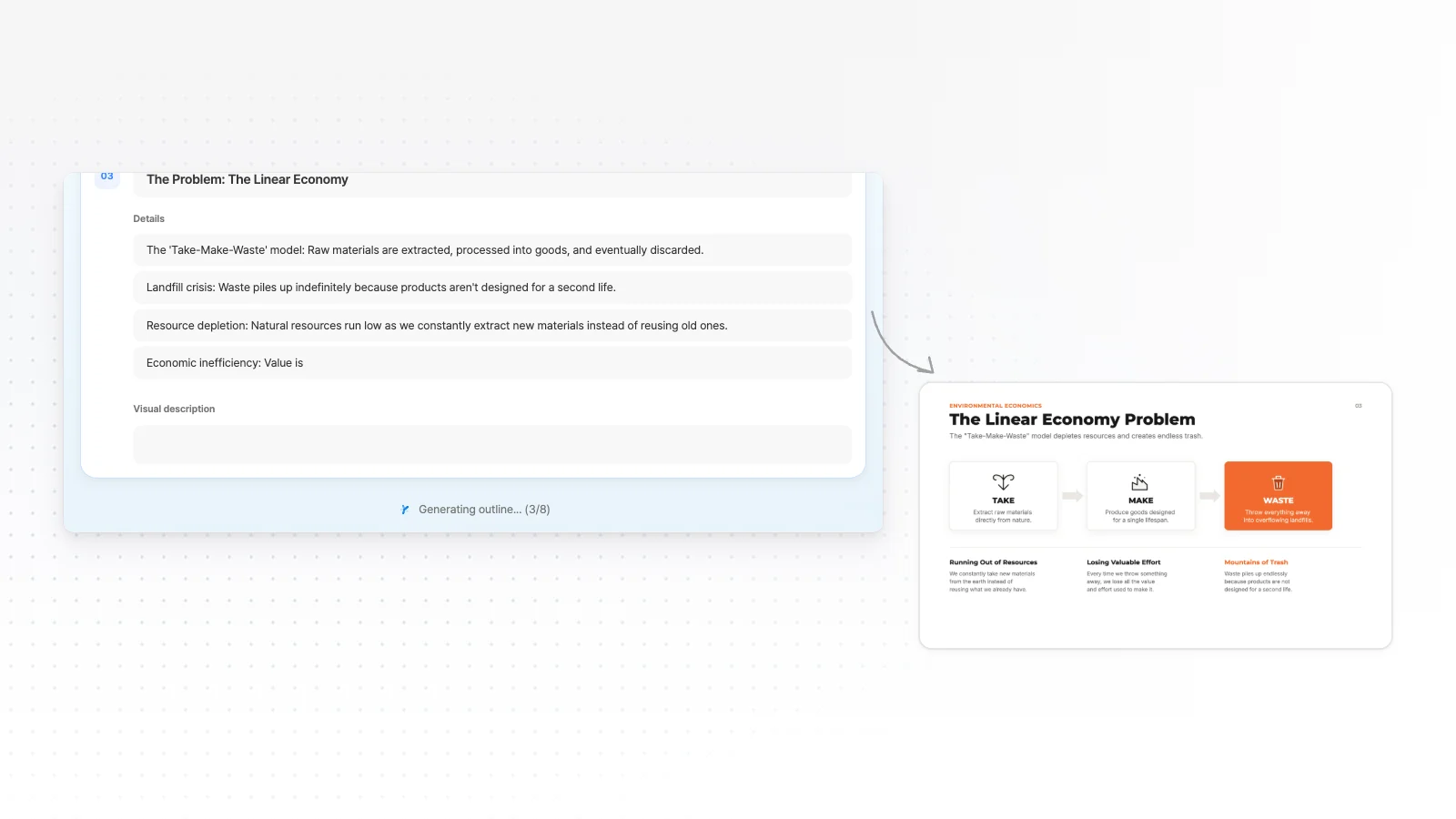
Check the outline first
Before it builds, MOVO shows an outline with each slide's title and key points. Fix missing content or the order here.
Pick a style and build
Choose from 200+ presentation styles, set colors and fonts if you want, and build the slides.

Fix the slide you choose by chat, then export
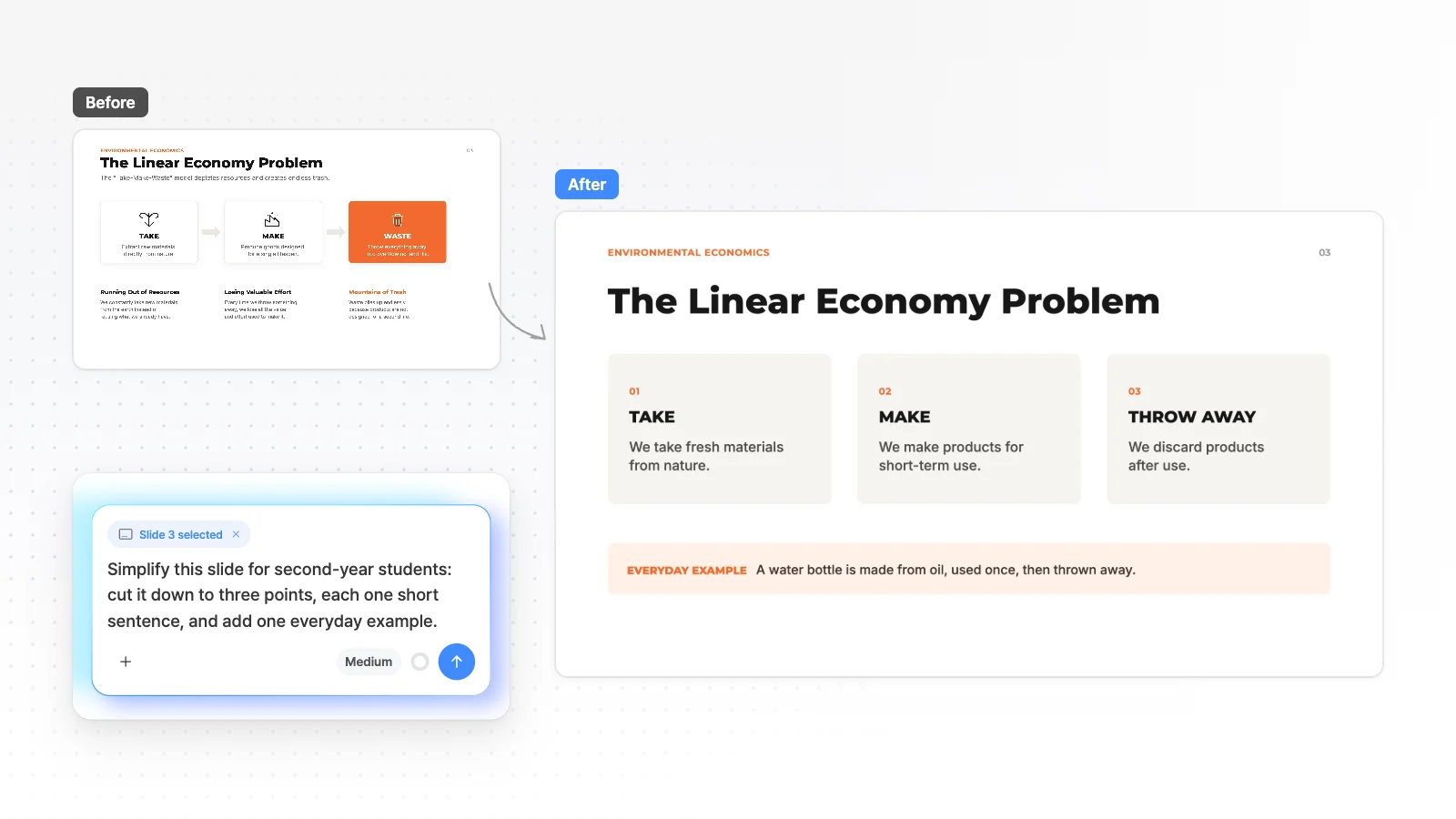
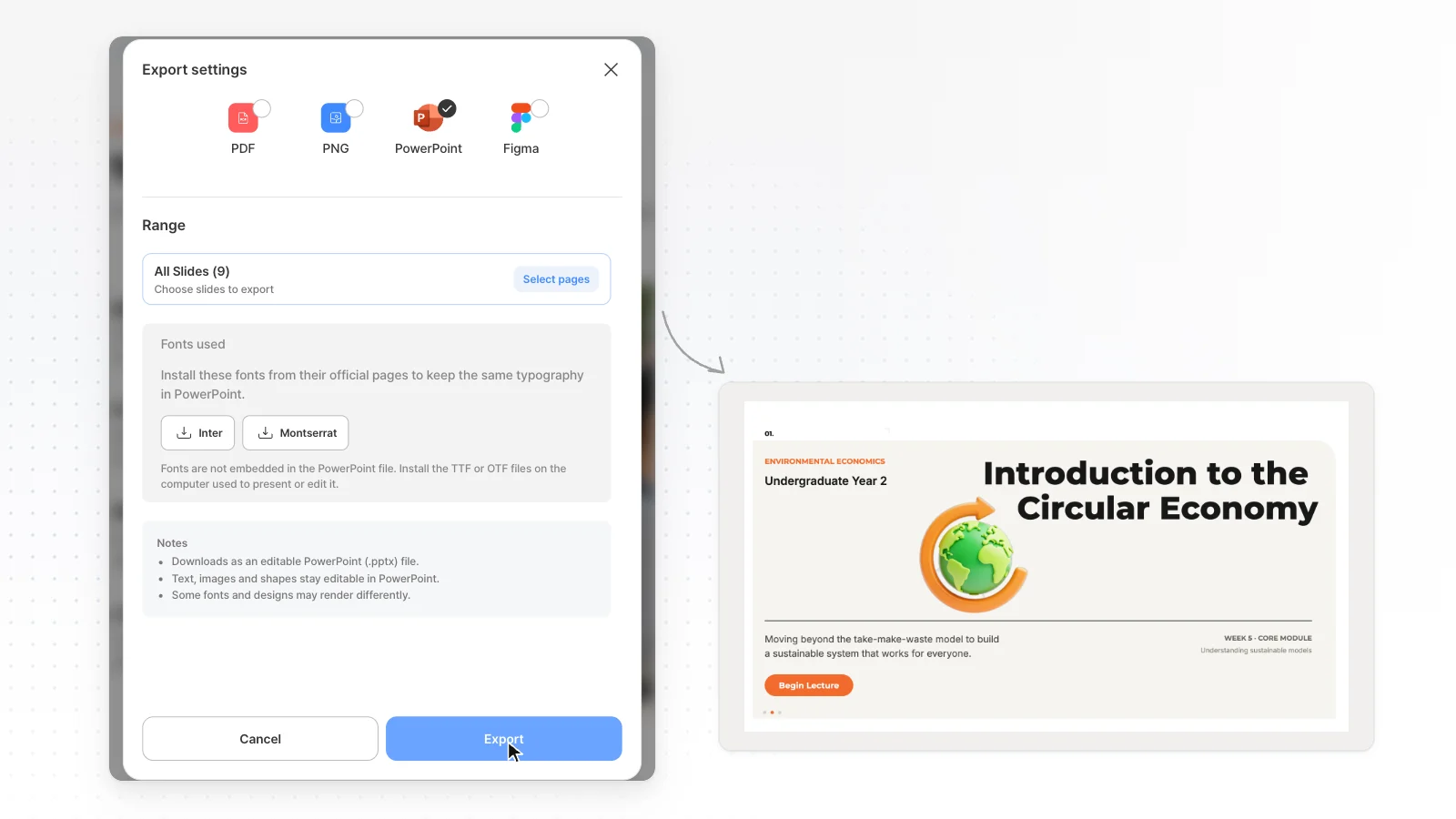
Point to the slide you are viewing and fix it by chat, or edit it directly. When it's done, export to PPTX, PDF, PNG, Figma (PPTX, Figma from Pro).
MOVO vs Claude comparison table
Every cell has an evidence level and a source number. Unknown means we couldn't find an explicit statement in the official docs, not that the feature is missing.
| Item | Claude | |
|---|---|---|
| Free use | ||
| Getting a PPT file for free | PDF, PNG with a watermark. PPTX, Figma from ProMOVO tested[11] | On every plan including Free, makes a .pptx in chat that you download or save to Google DriveOfficial docs[1] |
| What you get for free | 300 credits every month, up to 5 slides per deckMOVO tested[11] | Within your plan's usage limit. Making files uses more of the limit than regular chatOfficial docs[1][4] |
| Creating and editing | ||
| How it builds | Check the slide-by-slide outline → pick a style → designed slides are builtMOVO product[12] | Runs code to make a .pptx file when you ask in chatOfficial docs[1] |
| Attaching files | Attach PDF, PNG, JPG, WebP, TXT, CSV, DOCX, XLSX (Free: 5 MB each, 3 files)MOVO product[11][12] | Up to 30 MB per file for both uploads and downloadsOfficial docs[1] |
| Editing after generation | Point to the slide you are viewing and fix it by chat. Edit text, images and shapes directlyMOVO product[12] | You review the file and refine it in chat. In Claude Design you edit on the canvas directly or leave comments where you want changesOfficial docs[1][2] |
| Design styles | Choose from 200+ presentation stylesMOVO product[12] | Set up and use your own design system in Claude DesignOfficial docs[2] |
| PowerPoint and PPTX | ||
| Working inside PowerPoint | No PowerPoint add-in. Export to PPTX and edit it in PowerPointMOVO product[12] | Claude for PowerPoint on all paid plansOfficial docs[3] |
| Export formats | PPTX, PDF, PNG, FigmaMOVO tested[11] | Makes PPTX, DOCX, XLSX and PDF filesOfficial docs[1] |
| Fonts in the PPTX | Fonts not on the export server fall back to ArialMOVO tested[12] | Not found in the official docsUnknown |
| Price | ||
| Starting paid price (billed monthly) | Pro $19.99/month ($192 billed yearly)MOVO tested[11] | Pro $20 a month (US, local currency prices may differ by region)Official docs[4] |
Evidence levels
- MOVO tested
- Measured on the live MOVO product (Aug to Oct 2026)
- MOVO product
- Behavior checked in the MOVO product and code (Nov 1, 2026)
- Official docs
- From the other company's official pricing page or help center. Check dates are under How we compared
- Unknown
- No explicit statement in the official docs we opened, or it needs a login. This does not mean the feature is missing
The differences in detail
A general-purpose AI vs a presentation-only tool
In one conversation, Claude can organize and analyze your material and then make PowerPoint, Word, Excel and PDF files together. Per the Claude help center, file creation is turned on or off in Settings > Capabilities, and you may need to review the result and refine it until it looks the way you want.
MOVO only makes presentations. When you attach PDF, PNG, JPG, WebP, TXT, CSV, DOCX, XLSX files, it reads them and shows a slide-by-slide outline first. You edit the outline, pick a style and then it builds the slides.
How editing works after generation
You refine a .pptx made by Claude by asking again in chat. Claude Design, where you edit designs directly on a canvas and leave comments where you want changes, is also available on every plan.
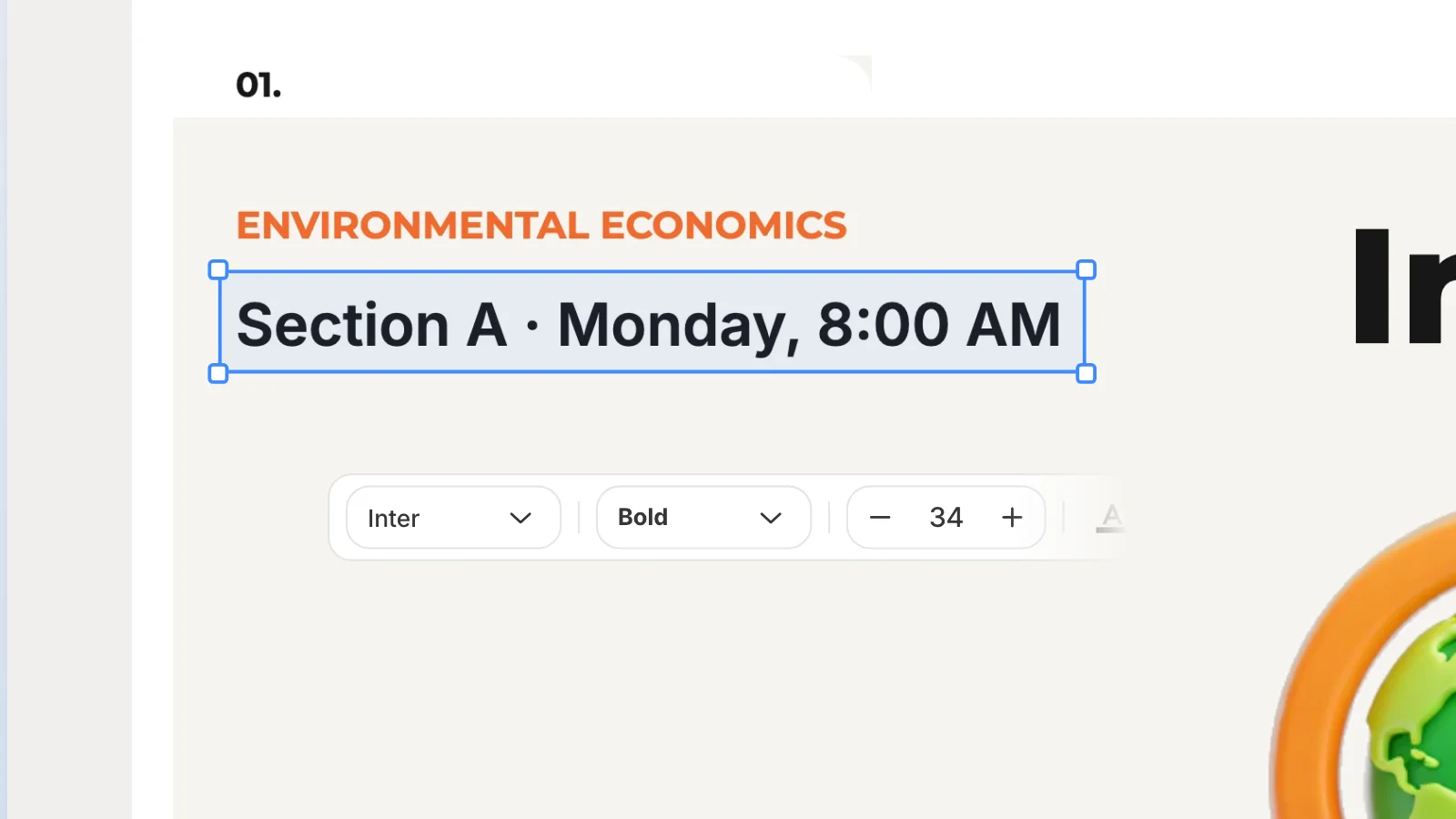
MOVO lets you look at a slide on screen and attach that slide to your request to fix it, and you edit text, images and shapes directly in the editor. Before you export, layout check finds and marks overlaps and cut-off content on the current slide.
Handing off to PowerPoint
On a paid plan, Claude for PowerPoint lets you build and edit slides with Claude inside PowerPoint. A .pptx made in chat is downloaded or saved to Google Drive.
MOVO has no PowerPoint add-in, so you export to PPTX and edit it in PowerPoint. In the PPTX, text exports as text boxes and shapes as PowerPoint shapes, but tables and charts export as shapes and text, and fonts not on the server fall back to Arial.
Price
Claude Pro is $20 a month in the US, and local currency prices and how tax is shown differ by region (checked Nov 1, 2026). Usage depends on message length, attachments and the features you use.
MOVO Pro is $19.99 a month. The two count usage differently, so we don't compare usage amounts. Prices change, so check each official page before you pay.
Other tools people compare with Claude
A short summary, from official docs, of PPT tools often compared with Claude. Check dates are under How we compared below.
Gamma
The Free plan gives 400 credits at signup (they do not refill) and makes up to 10 slides at a time.
Even the Free plan can export to PDF, PPTX, PNG and Google Slides, and PDF and PPTX exports carry a Made by Gamma badge.
Genspark
Give it just a topic and it researches first and then builds slides. Verify Content checks figures and claims against the web or your uploaded files.
Free members get 100 credits a day, but exporting PDF, PPTX or Google Slides files is a paid Plus-and-up membership feature.
Canva
Pick Presentation in Canva AI and describe it, and it suggests an outline before building slides. You then polish them in the Canva editor with templates, photos and your brand kit.
AI presentations use your monthly AI allowance, and Canva notes that a PPTX download may look different in PowerPoint.
Which one fits which case
Claude fits when
- You want to go from organizing and analyzing material to documents, spreadsheets and a PPT in one conversation
- You need a .pptx file even on a free plan
- You want to edit slides with AI inside PowerPoint (paid)
- You set up your own design system and make decks in the same look again and again
MOVO fits when
- You want to check the outline first and get designed presentation slides right away
- You want to look at each slide on screen, point to it and fix it by chat, and edit text, images and shapes directly
- You need to hand off a Figma file as well as a PPTX (Pro and Max)
- You want layout check to catch overlaps and cut-off content before you export
Official Claude links
How we compared
- The MOVO team wrote this page, and MOVO is our product.
- Claude cells come from the official Claude help center (file creation, Claude Design and the Pro plan) and Anthropic's official Claude for Microsoft 365 page, opened on Nov 1, 2026.
- The official docs and the real screens may differ, so check again before you decide.
- The other tools (Gamma, Genspark and Canva) were checked on their official pages on Nov 1, 2026.
- MOVO cells are split into values measured on the live product (MOVO tested) and behavior checked in the product and code (MOVO product). When the official docs had no explicit statement, the cell says Unknown.
Sources
Numbers in the table and text point to the sources below. Check dates are listed under How we compared, and prices and limits can change.
- Claude help: create and edit files
- Claude help: get started with Claude Design
- Anthropic: Claude for Microsoft 365
- Claude help: the Pro plan
- Gamma pricing page
- Gamma help: exporting
- Genspark help: AI Slides
- Genspark help: credits guide
- Canva help: making a presentation with Canva AI
- Canva help: download file types
- MOVO pricing (plan limits, export formats and price)
- MOVO product, code and export checks (Nov 1, 2026)
Frequently asked questions
Can I make a PPT file with Claude for free?
Per the Claude help center, file creation is available on every plan including Free, and Claude makes a .pptx file when you ask in chat (checked Nov 1, 2026). Making files uses more of your plan's usage limit than regular chat.
How do Claude and MOVO differ in making a PPT?
Claude runs code to make a .pptx file when you ask in chat, and you ask again in chat to change it. MOVO shows a slide-by-slide outline first, and after you pick a style you look at each slide on screen and point to the one to fix.
Can I use Claude inside PowerPoint?
Per Anthropic, Claude for PowerPoint is generally available on all paid Claude plans (checked Nov 1, 2026). MOVO has no PowerPoint add-in, so you export to PPTX and edit it in PowerPoint.
Can I edit a Claude PPTX in MOVO?
MOVO can import a PPTX file and keep editing it in the editor after you sign in, up to 20 MB and 50 slides. It is not guaranteed to match the original exactly, so check fonts and layout after importing.
How much does Claude cost?
Claude Pro is $20 a month in the US, and local currency prices and how tax is shown differ by region (checked Nov 1, 2026). MOVO Pro is $19.99 a month, and because the two count usage differently we don't compare usage amounts.
Who wrote this comparison and how was it checked?
The MOVO team wrote this page. Claude cells were copied from the official Claude help center and Anthropic's official pages (checked Nov 1, 2026), and each cell links its source.