
PowerPoint Copilot Alternative: MOVO vs Copilot for Decks
This page from the MOVO team explains how Copilot in PowerPoint builds a deck, which Microsoft 365 plan it needs and where it has limits. MOVO is our product, and every Copilot detail links to Microsoft's official help.
Quick answer
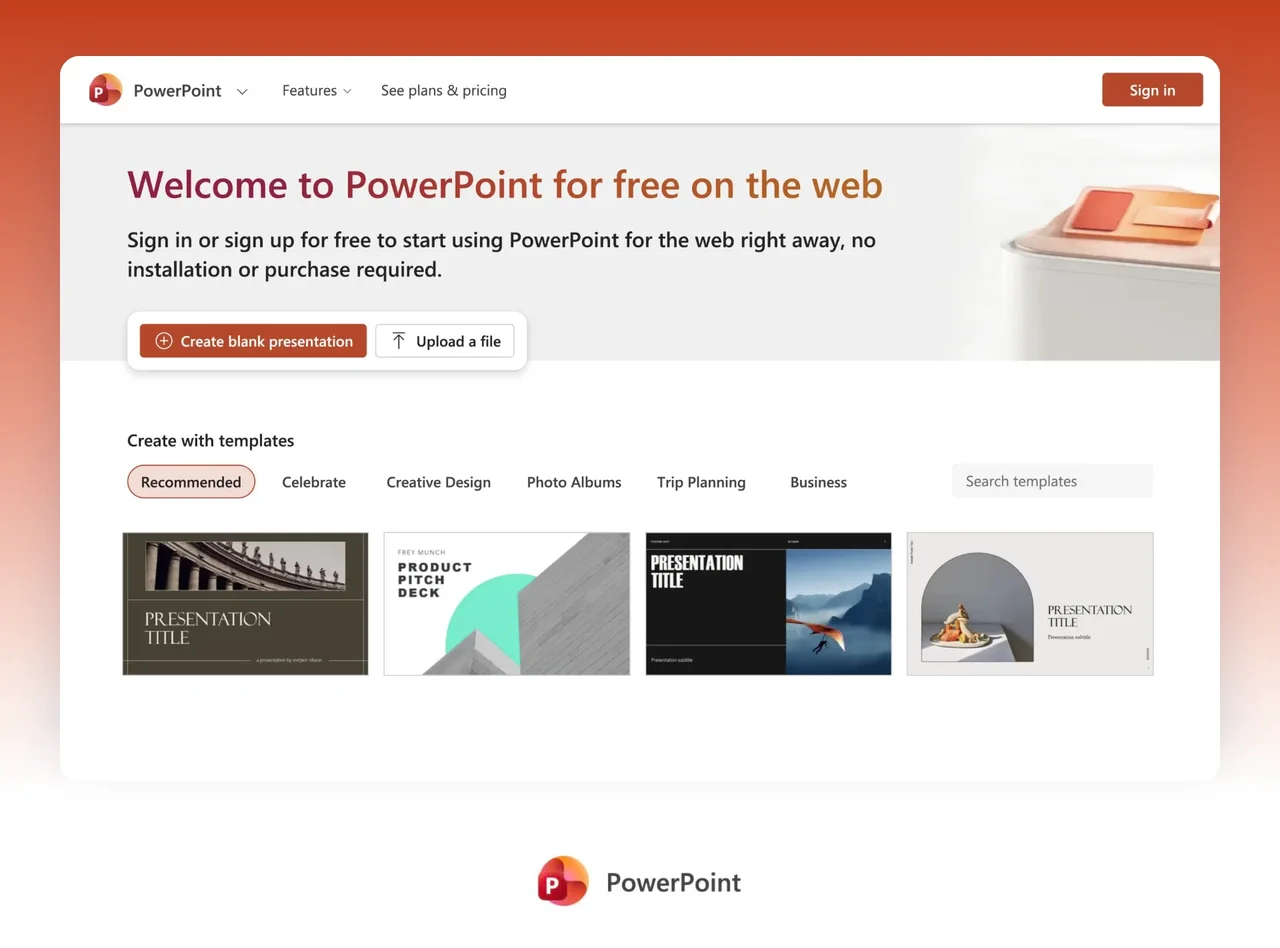
In PowerPoint, open Copilot Chat and describe the deck you want. Copilot may ask about the audience, length and template, then builds the presentation. It can also start from a Word document or add slides from a file.
Microsoft's help says personal accounts need a qualifying Microsoft 365 subscription such as Personal, Family or Premium. AI benefits are for the subscription owner only. Work accounts depend on the license an admin assigns.
Pick Copilot when you already pay for Microsoft 365 and work in PowerPoint with company templates. Pick MOVO when you build work decks from your own reports, review the outline first and hand off PPTX or Figma files.
How to use Copilot in PowerPoint, from prompt to plan
Create a new presentation with Copilot
Start a new presentation in PowerPoint and open Copilot Chat with the Copilot icon at the bottom right. You can pick an AI model in the model selector or leave it on Auto.
Describe the presentation in the prompt box. Copilot may ask about the audience, deck length, template or design direction and imagery. Answer or skip the questions, and Copilot builds the deck with your selected template.
Build from a Word document or a file
Microsoft's FAQ says Copilot can build a presentation from one existing Word document at a time. With a Microsoft Copilot work license, you can also pick a PDF. Type / in the Copilot box to choose the file.
The help suggests Word Styles so Copilot can split the document into slides, and says it tries to include the document's images. Copilot works best with Word documents smaller than 24 MB. In an existing deck, select Reference a file and Copilot drafts a slide from that file.
Edit after generation: slides, images and skills
Copilot Chat can add slides, update content, reorganize sections and create or replace images. It can also answer questions about a deck and summarize decks up to about 40,000 words.
The Skills menu holds built-in skills such as Review this presentation, which run in one click. Microsoft notes that large or complex presentations may exceed system limits.
Use your company template and Brand Kit
If your organization has a standard template, start from that file before you ask Copilot. Copilot keeps the theme and design and builds the deck with the existing layouts.
Organization branding is available to users licensed with Microsoft Copilot. A Brand Kit holds assets like logos, templates, fonts, colors and images, and Copilot applies it when you select it.
Plans you need and where it runs
Personal Microsoft accounts need a qualifying Microsoft 365 subscription such as Personal, Family or Premium. Only the subscription owner can use Copilot in the desktop apps, and Microsoft 365 Basic has no AI features.
Work or school users can check the label under their name at the bottom of the Microsoft 365 home page. Copilot Chat (Basic) means no Copilot in Word, Excel, PowerPoint and OneNote.
Copilot runs in PowerPoint for Windows, Mac and the web, and on iPad for personal subscriptions. It works only with .ppt and .pptx files and needs an internet connection. On iPhone and Android, it summarizes shared decks and answers questions.
Cancel and get a refund
For a Microsoft 365 subscription bought from Microsoft, sign in at account.microsoft.com and select Cancel subscription. If you bought it through Google Play, the App Store or another retailer, contact them instead.
To check refund eligibility, you need to cancel first, and not all cancellations result in a refund. Microsoft says cancellations in some countries, such as Canada, Germany and Korea, may get a prorated refund.
How to make the same deck in MOVO in 4 steps
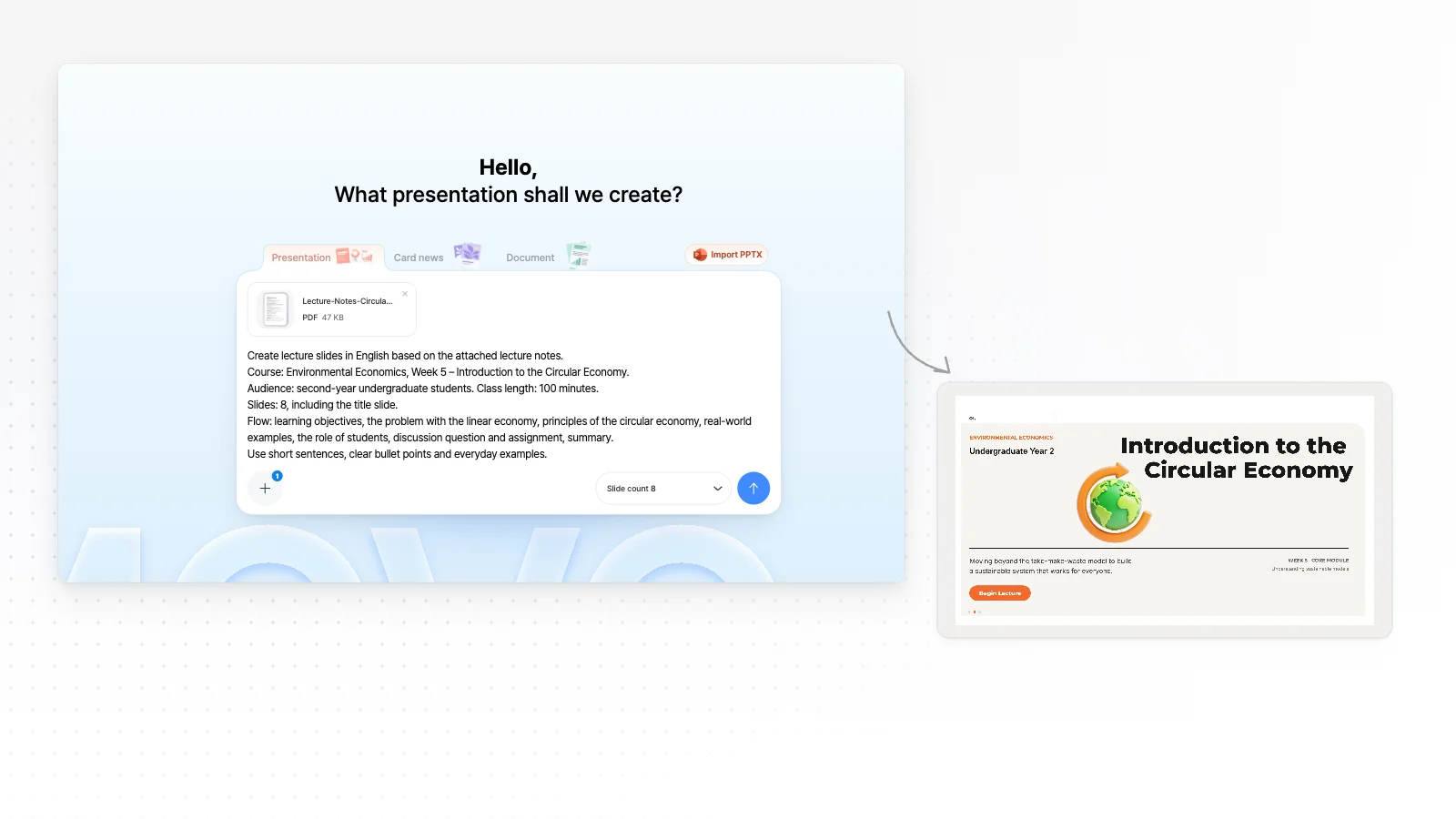
Type a topic or attach your files
Write who the talk is for and what it should cover, or attach PDF, PNG, JPG, WebP, TXT, CSV, DOCX, XLSX files. The Free plan takes up to 3 files of 5 MB each.
Review the outline first
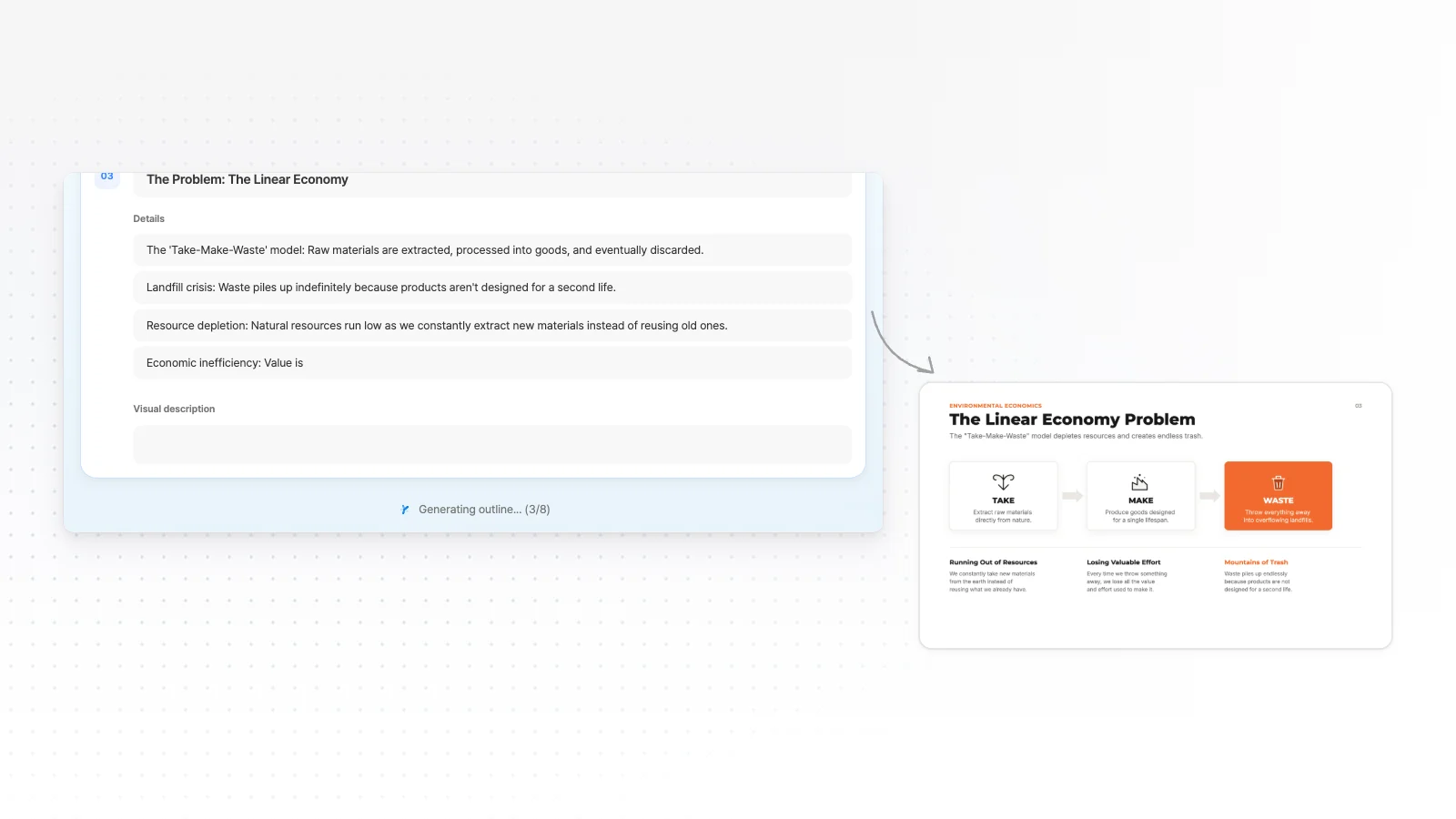
Before any design, MOVO shows a slide-by-slide outline with titles and key points. Fix gaps and the order here, while changes are cheap.
Pick a style and generate
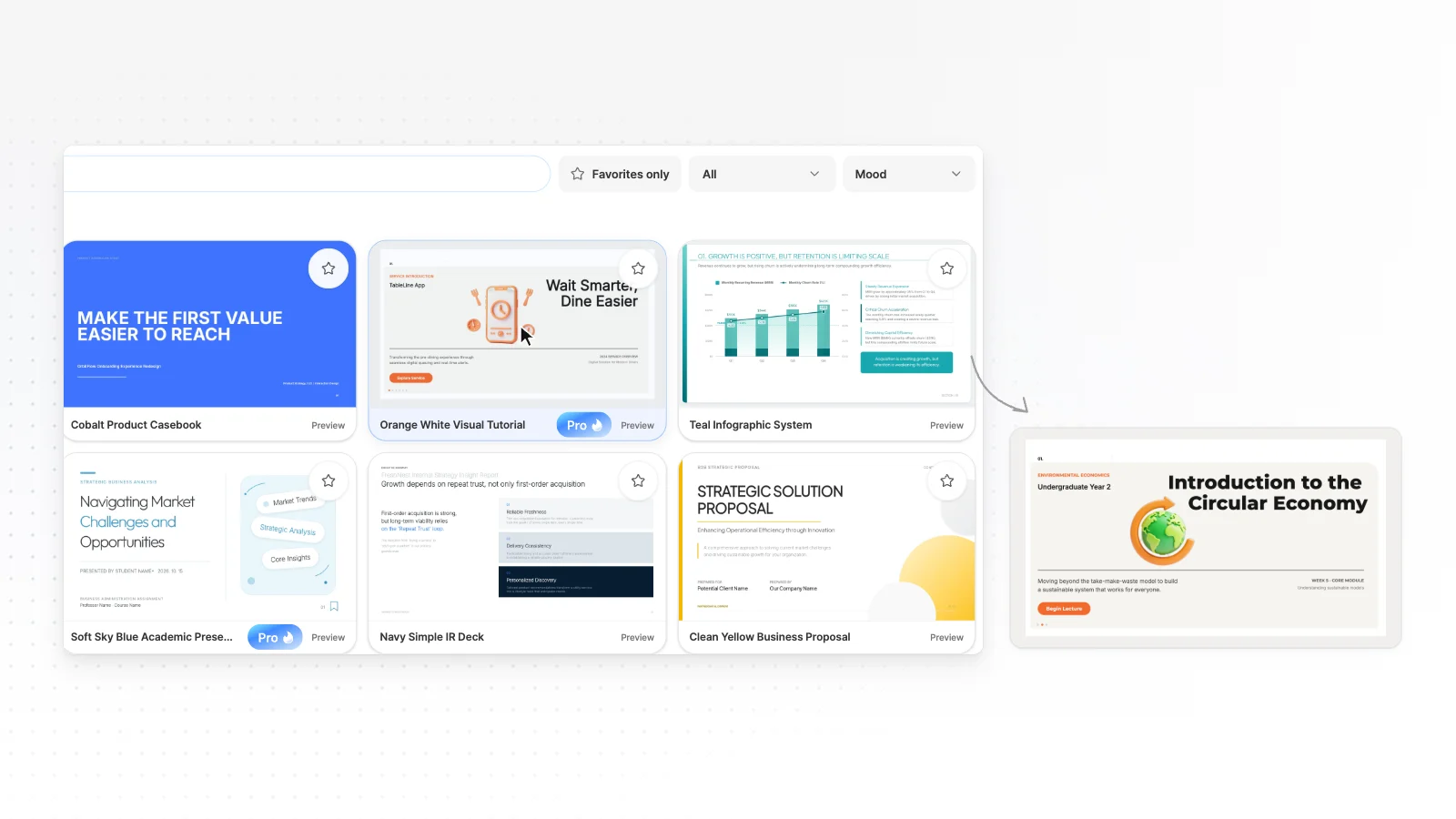
Choose from 200+ presentation styles, set your colors and fonts if you need to, and generate the slides.
Edit by chat and export
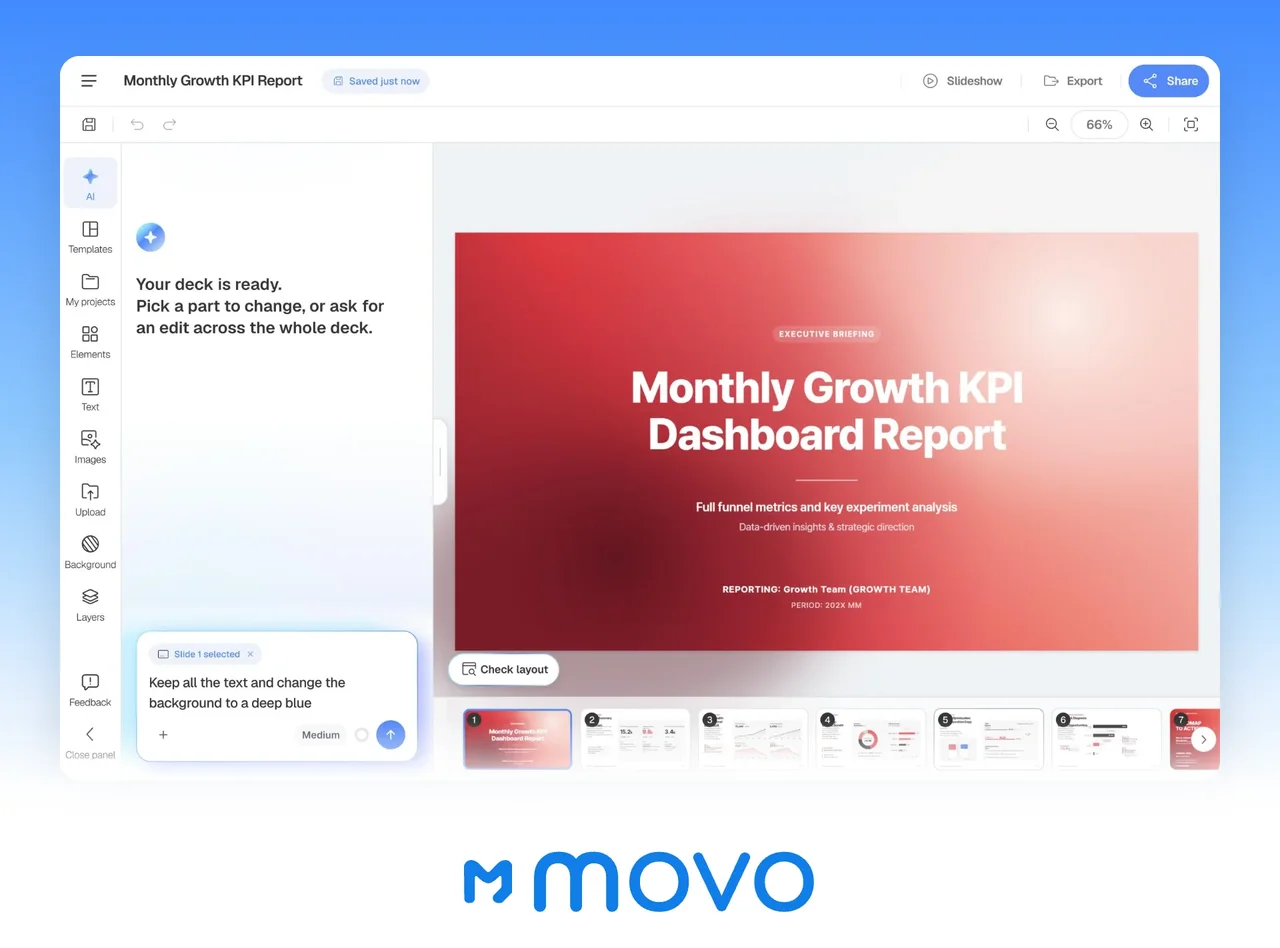
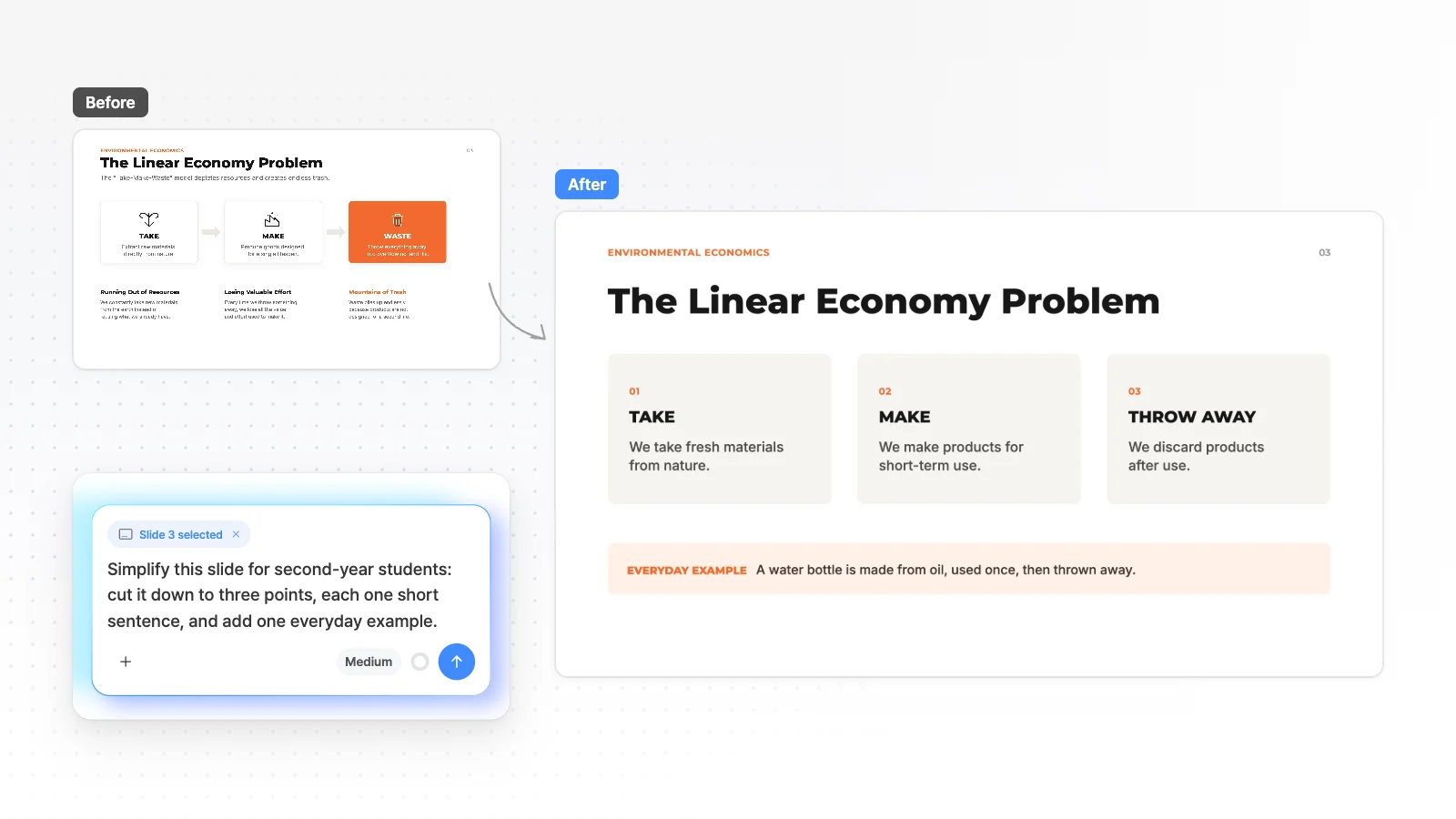
Select the slide you are viewing and ask for changes in chat, or edit it by hand. Export to PPTX, PDF, PNG, Figma when it is ready (PPTX, Figma on Pro).
MOVO vs PowerPoint Copilot at a glance
Each cell has an evidence level and a source number. Unknown means we found no explicit statement in the official docs, not that the feature is missing.
| Item | PowerPoint Copilot | |
|---|---|---|
| Plans and usage | ||
| Free usage | 300 credits every month, up to 5 slides per deckMOVO tested[19] | Needs a qualifying subscription such as Personal, Family or Premium. No AI in Microsoft 365 Basic. The US page offers a one-month free trialOfficial docs[7][9] |
| Paid plan usage | Pro 5,000 credits a month, Max 40,000 credits a monthMOVO tested[19] | Outline and format generation is Higher than free on Personal and Family, Extensive on Premium. AI is for the subscription owner onlyOfficial docs[9][8] |
| Deck size | Up to 5 slides per deck on Free, 30 on Pro and 50 on MaxMOVO tested[19] | No slide cap found in the official docs. Large or complex decks may exceed system limitsOfficial docs[2] |
| Create and edit | ||
| How you start | A topic or PDF, PNG, JPG, WebP, TXT, CSV, DOCX, XLSX files (Free: 3 files of 5 MB)MOVO product[19][20] | Open a new presentation in PowerPoint and describe the deck in Copilot ChatOfficial docs[1] |
| Building from files | Reads your PDF, PNG, JPG, WebP, TXT, CSV, DOCX, XLSX files and shows a slide-by-slide outline firstMOVO product[20] | One Word document at a time, or a PDF with a work license. Works best with Word files under 24 MBOfficial docs[3][1] |
| Outline before slides | Shows a slide-by-slide outline you edit before generationMOVO product[20] | May ask about audience, length, template and imagery first. Skip them and Copilot decidesOfficial docs[1] |
| Design | Choose from 200+ presentation stylesMOVO product[20] | Start from a company template to keep its theme and layouts. Organization branding needs a Microsoft Copilot licenseOfficial docs[1][3] |
| Editing after generation | Edit the slide you are viewing by chat, and edit text, images and shapes by handMOVO product[20] | Copilot Chat adds slides, updates content, reorganizes sections and generates images. Built-in skills such as Review this presentationOfficial docs[2] |
| Finding current information | AI chat searches the web and lists sources under its answerMOVO product[20] | Not stated in the official docs we openedUnknown |
| PowerPoint and devices | ||
| Working inside PowerPoint | No PowerPoint add-in. Export a PPTX and edit it in PowerPointMOVO product[20] | Creates and edits inside PowerPoint for Windows, Mac and the web. Works with .ppt and .pptx files and needs an internet connectionOfficial docs[2][3] |
| Continuing an existing deck | Imports a PPTX to keep editing (sign in, up to 20 MB and 50 slides)MOVO product[20] | Open an existing deck to add a slide from a file, or summarize decks up to about 40,000 wordsOfficial docs[4][5] |
| Phones and tablets | AI chat only on phones. Editing by hand needs a desktopMOVO product[20] | iPad on personal plans. iPhone and Android summarize shared decks and answer questionsOfficial docs[6] |
| Price | ||
| Paid price | Pro $19.99 a month ($192 billed yearly)MOVO tested[19] | Personal US$9.99 a month or US$99.99 a year. Premium US$19.99 a month or US$199.99 a year (checked Nov 1, 2026)Official docs[9] |
Evidence levels
- MOVO tested
- Measured on the live MOVO product (Aug to Oct 2026)
- MOVO product
- Behavior checked in the MOVO product and code (Nov 1, 2026)
- Official docs
- From the other company's official pricing page or help center. Check dates are under How we compared
- Unknown
- No explicit statement in the official docs we opened, or it needs a login. This does not mean the feature is missing
MOVO and PowerPoint Copilot in detail
Starting from a topic or from your files
Copilot builds a deck from a prompt in Copilot Chat or from one Word document, and a work license adds PDF. In an existing deck, it drafts a slide from a file you reference.
MOVO reads the PDF, PNG, JPG, WebP, TXT, CSV, DOCX, XLSX files you attach and shows a slide-by-slide outline before it builds anything. The Free plan takes up to 3 files of 5 MB each.
Editing after generation
Copilot edits inside PowerPoint through Copilot Chat. It adds slides, updates content and gives slide-by-slide suggestions through skills such as Review this presentation. Microsoft says you can choose models such as Claude from Anthropic and ChatGPT from OpenAI.
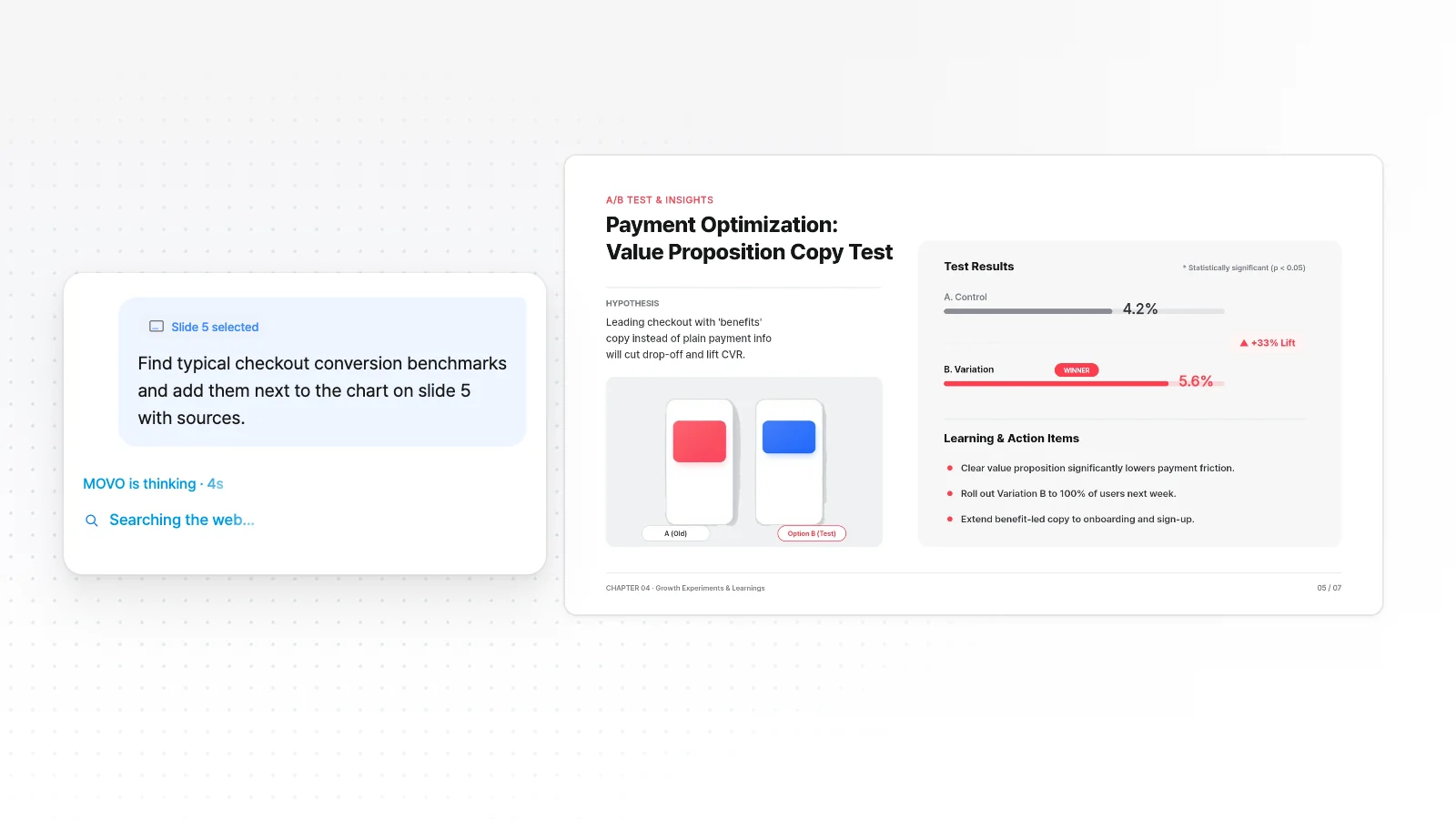
MOVO attaches the slide you are viewing to your chat request, and you edit text, images and shapes by hand in the editor. Before export, the layout check marks overlaps and clipping on the slide.
Working with PowerPoint files
Copilot works only with .ppt and .pptx files and needs an internet connection. It creates and edits directly in PowerPoint, and a company template passes its theme and layouts to the new deck.
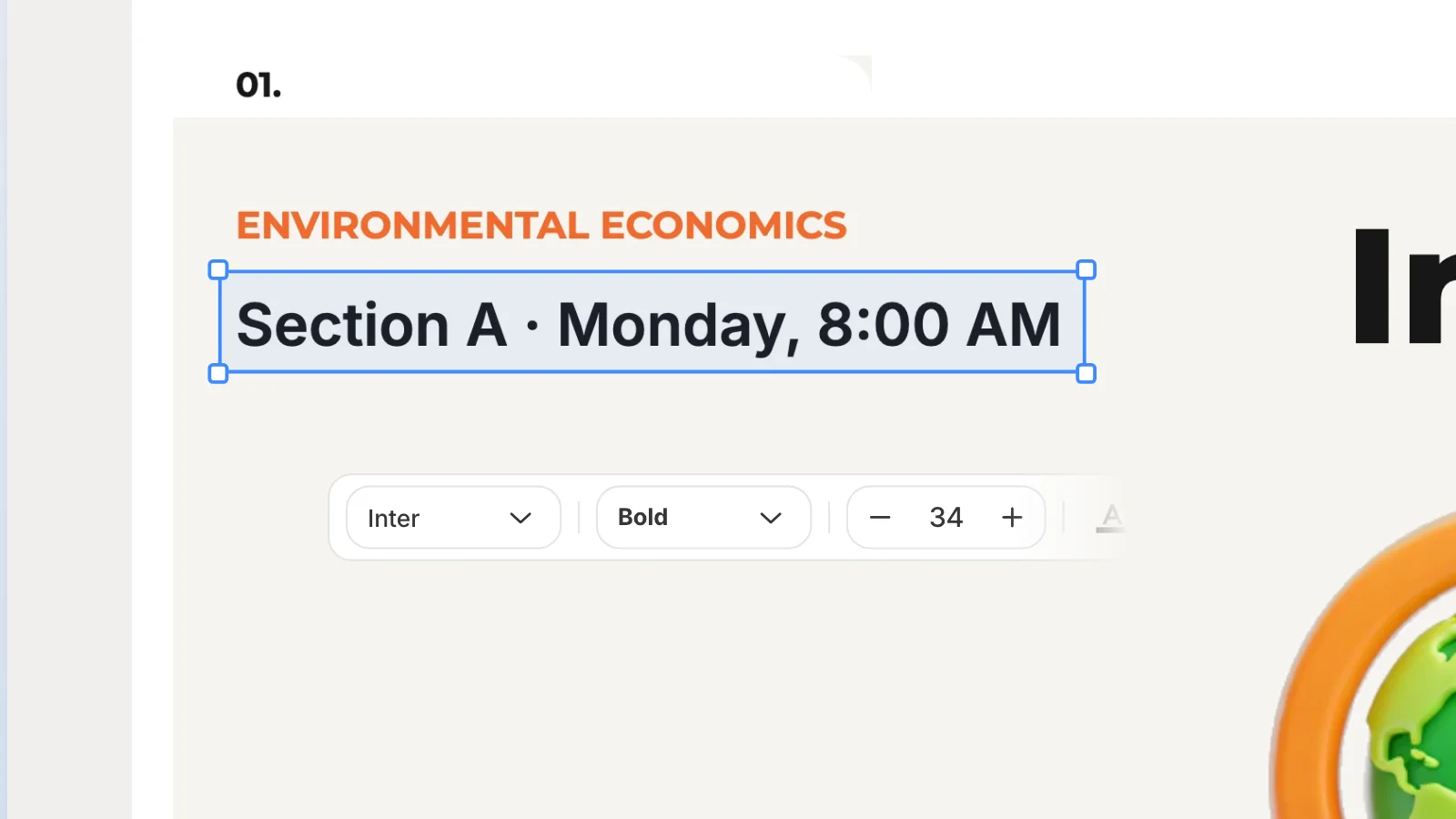
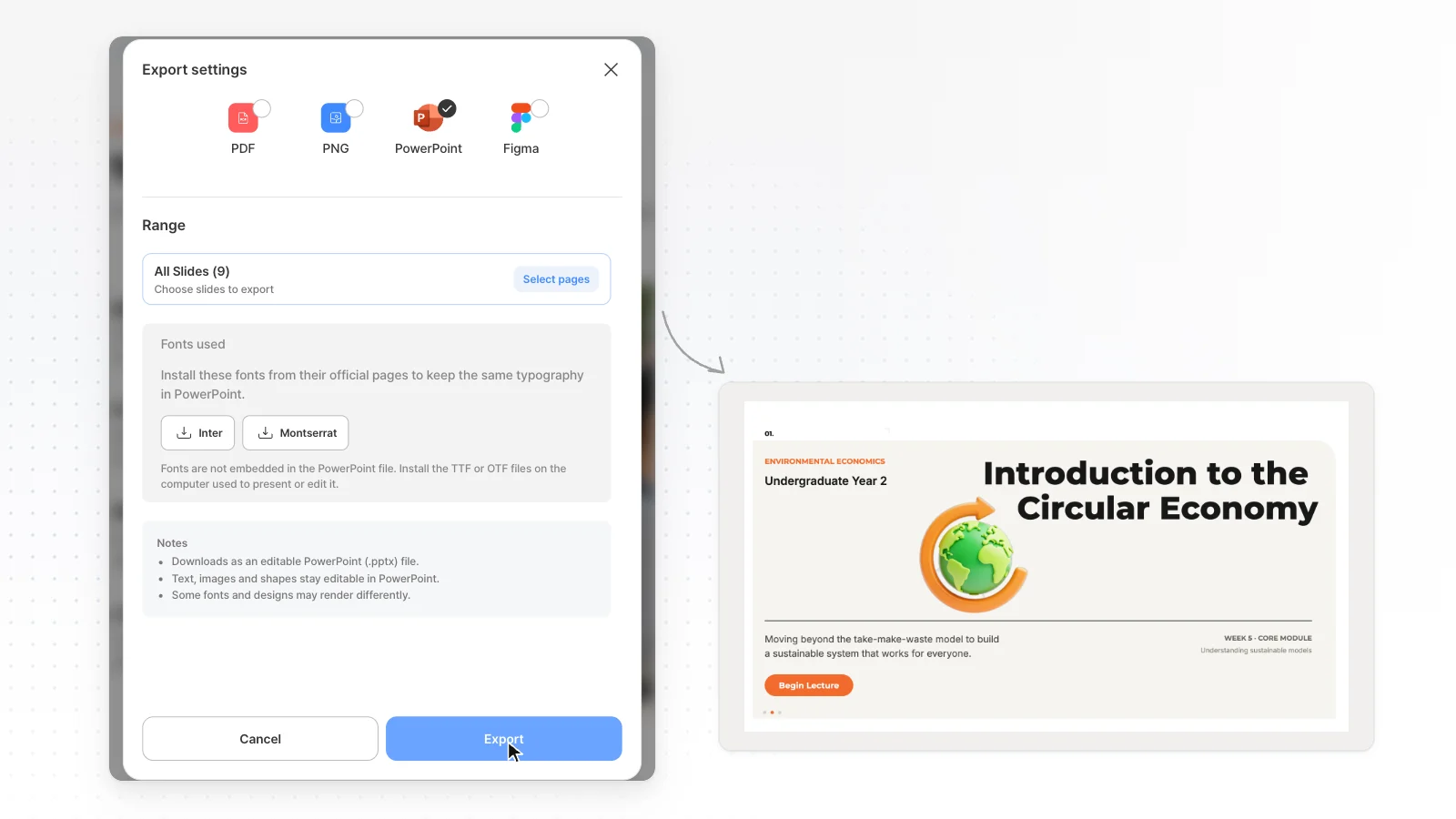
MOVO has no PowerPoint add-in, so you export a PPTX and edit it in PowerPoint. Text stays in text boxes and shapes stay PowerPoint shapes. Tables and charts become shapes and text, and missing fonts fall back to Arial. MOVO Free exports PDF, PNG with a watermark, and PPTX, Figma start on Pro.
Price
Microsoft 365 Personal costs US$9.99 a month or US$99.99 a year. Family costs US$12.99 a month or US$129.99 a year, and Premium US$19.99 a month or US$199.99 a year. We read this on the US plans page on Nov 1, 2026.
For work, the Microsoft 365 Copilot Business add-on is for existing customers on an eligible Business plan. It starts at US$21.00 per user a month, paid yearly, with a first-year promotional price of US$18.00 through Dec 31, 2026.
MOVO Pro costs $19.99 a month. The two products count AI usage differently, so we do not compare usage totals. Prices change, so check each official page before you pay.
Other PowerPoint Copilot alternatives worth a look
Short notes on tools people often weigh against Copilot for AI presentations, based on each vendor's official pages. Check dates are under How we compared.
Gamma
The free plan gives 400 credits at signup that do not refill, and each prompt makes up to 10 slides.
Free decks can export PDF, PPTX, PNG and Google Slides. PDF and PPTX files carry a Made by Gamma badge.
Canva
Choose Presentation in Canva AI and describe the deck. Canva AI proposes an outline, builds the slides, and you finish them in the Canva editor with templates, photos and brand kits.
AI presentations draw from a monthly AI allowance. Canva's help says a PPTX download may look different in PowerPoint.
Which one fits your work
When Copilot is the better choice
- You already pay for Microsoft 365 and work in PowerPoint
- Decks must follow a company template or Brand Kit
- You want to turn an existing Word document into a deck
- You also want the same Copilot in Word, Excel and Outlook
When MOVO is the better choice
- You build work decks from reports, spreadsheets or PDFs you already have, outline first
- You want to fix the slide you are viewing by chat, and edit text, images and shapes by hand
- You hand off decks as Figma files as well as PPTX (Pro and Max)
- You want a layout check for overlaps and clipping before export
Official Microsoft pages
How we compared
- The MOVO team wrote this page, and MOVO is our product.
- Copilot cells come from Microsoft's official help and the US Microsoft 365 and Copilot pricing pages, opened on Nov 1, 2026.
- The help articles cover creating and editing with Copilot, the FAQ, adding slides from files, summaries, mobile, licenses, AI credits, cancellation and refunds.
- Check the official docs again before you decide.
- Gamma, Canva and Genspark were checked on Nov 1, 2026.
- MOVO cells are split into values measured on the live product (MOVO tested) and behavior checked in the product and code (MOVO product).
- When the official docs had no explicit statement, the cell says Unknown, which does not mean the feature is missing.
Sources
Numbers in the table and text point to the sources below. Check dates are listed under How we compared, and prices and limits can change.
- Microsoft help: create a new presentation with Copilot in PowerPoint
- Microsoft help: edit with Copilot in PowerPoint
- Microsoft help: frequently asked questions about Copilot in PowerPoint
- Microsoft help: add a slide from a file with Copilot
- Microsoft help: summarize your presentation with Copilot
- Microsoft help: Copilot in PowerPoint for mobile devices
- Microsoft help: what Copilot license do I have
- Microsoft help: AI credits and limits for Microsoft 365 subscriptions
- Microsoft 365 plans and pricing (US)
- Microsoft Copilot business pricing (US)
- Microsoft help: cancel a Microsoft 365 subscription
- Microsoft help: how to get a refund on a Microsoft subscription
- Gamma pricing page
- Gamma help: exporting
- Canva help: create a presentation with Canva AI
- Canva help: download file types
- Genspark help: AI Slides
- Genspark help: credits guide
- MOVO pricing (plan limits, export formats and price)
- MOVO product, code and export checks (Nov 1, 2026)
Frequently asked questions
Is Copilot in PowerPoint free?
Microsoft's help says personal accounts need a qualifying Microsoft 365 subscription such as Personal, Family or Premium, and Microsoft 365 Basic has no AI features. The US plans page offers a one-month free trial. MOVO Free includes 300 credits a month and exports PDF, PNG with a watermark.
How do I create a presentation with Copilot in PowerPoint?
Start a new presentation, open Copilot Chat from the icon at the bottom right and describe the deck you want. Copilot may ask about audience, length and template. Answer or skip, and Copilot builds the presentation with your selected template.
Can Copilot make a PowerPoint from a Word document or PDF?
Microsoft's FAQ says Copilot builds a presentation from one existing Word document at a time, and a Microsoft Copilot work license also allows PDF. The help says it works best with Word files under 24 MB. MOVO reads attached PDF, PNG, JPG, WebP, TXT, CSV, DOCX, XLSX files and shows a slide-by-slide outline first.
Which plan do I need for Copilot in PowerPoint, and what does it cost?
On the US plans page, Microsoft 365 Personal costs US$9.99 a month and Premium US$19.99 a month, checked Nov 1, 2026. Work and school accounts depend on the Copilot license an admin assigns. MOVO Pro costs $19.99 a month.
Can I get a refund if I cancel Microsoft 365?
Microsoft's help says you must cancel first to check refund eligibility, and not all cancellations result in a refund. Some countries, including Canada, Germany and Korea, may get a prorated refund. For Google Play or App Store purchases, contact that store's support.
Can MOVO replace Copilot in PowerPoint?
MOVO fits when you build decks from your own files, review the outline first and export PDF, PPTX or Figma. Copilot may fit better when you already pay for Microsoft 365 and work in PowerPoint with company templates.
Can I edit a Copilot PPTX in MOVO?
MOVO can import a PPTX file and keep editing it after you sign in, up to 20 MB and 50 slides. The import may not match the original exactly, so check fonts and layout afterward.
Who wrote this comparison, and how was it checked?
The MOVO team wrote this page, and MOVO is our product. Copilot cells come from Microsoft's official help and US pricing pages, checked on Nov 1, 2026, and every cell links to its source.
Related pages
Canva AI PPT guide
How Canva AI builds a deck, its free limits and PPTX export, compared with MOVO.
MOVO vs Gamma
Free limits, PPTX export and importing files compared with Gamma.
PDF to Presentation
Turn a PDF you already have into new presentation slides.
Pricing
Credits, slide limits and export formats for each plan.