
Audience, tone, colors and fonts
In the Settings step you choose the audience, design density and copy tone, plus background color, brand colors, fonts and text sizes. Everything can stay on Auto.
- Available on
- All plans
- Requires
- Signed in
Settings comes right after the outline. The same outline can turn out very differently depending on who it's for and which tone and colors you use. If you have nothing to set, leave everything on Auto and click Next.
Audience
The Audience you pick adjusts the tone and depth of the content. Choosing executives, investors or clients, for example, puts decisions and risks up front.
- General
- Executive
- Technical
- Student/Education
- Investor
- Client
Design density and copy tone
| Setting | Options | What it does |
|---|---|---|
| Design Density | Auto, Airy, Balanced, Dense | Adjusts the spacing between elements. Dense suits text-heavy slides. Airy suits big-screen talks. |
| Copy Tone | Auto, Formal, Friendly, Punchy | Sets the voice of the copy. |
Background and brand colors
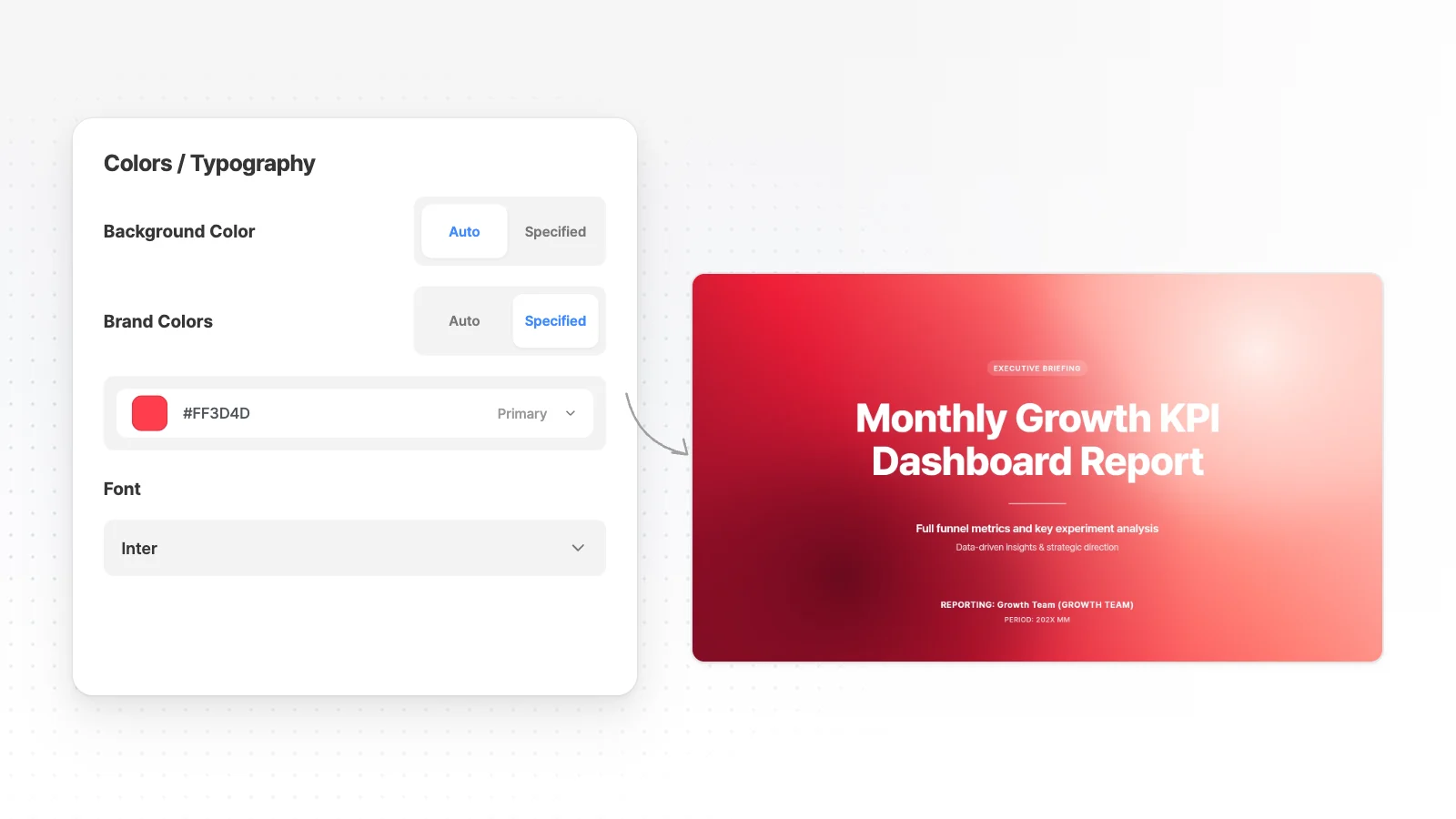
Colors / Typography is Optional. Use it when your company or event already has set colors.
- Under Background Color, choose Auto or Specified. On Auto, the AI adapts the background.
- Under Brand Colors, choose Specified to get Primary, Secondary and Accent slots. On Auto, the AI picks the palette.
- Click Choose color in each slot. Remove colors you don't need.
Fonts and text sizes
- Click Font to open the list. With Auto (AI mix), the AI picks a font pairing that suits the language.
- Type in Search fonts, or browse the Korean, Japanese, Chinese, Latin Sans, Latin Serif and Mono / Display groups.
- Set the Title, Subtitle and Body sizes, or leave them on Auto.
When to leave Auto and when to change it
| Situation | Suggestion |
|---|---|
| Your first deck | Leave everything on Auto |
| You have brand colors | Set Brand Colors to Specified |
| You must use a house font | Search for it under Font |
| Presenting to investors or executives | Set Audience to Investor or Executive |
| Lots of text per slide | Set Design Density to Dense |
Updated 2026-11-01