
Export to PowerPoint (PPTX)
Choose PowerPoint to download an editable .pptx file where text becomes text boxes and shapes become native PowerPoint shapes.
- Available on
- Pro · Max
- Requires
- Pro plan or higher
A PPTX export does not flatten each slide into a picture. You can click any word or shape in PowerPoint and change it, which makes it easy to move slides into a company template or keep working with colleagues.
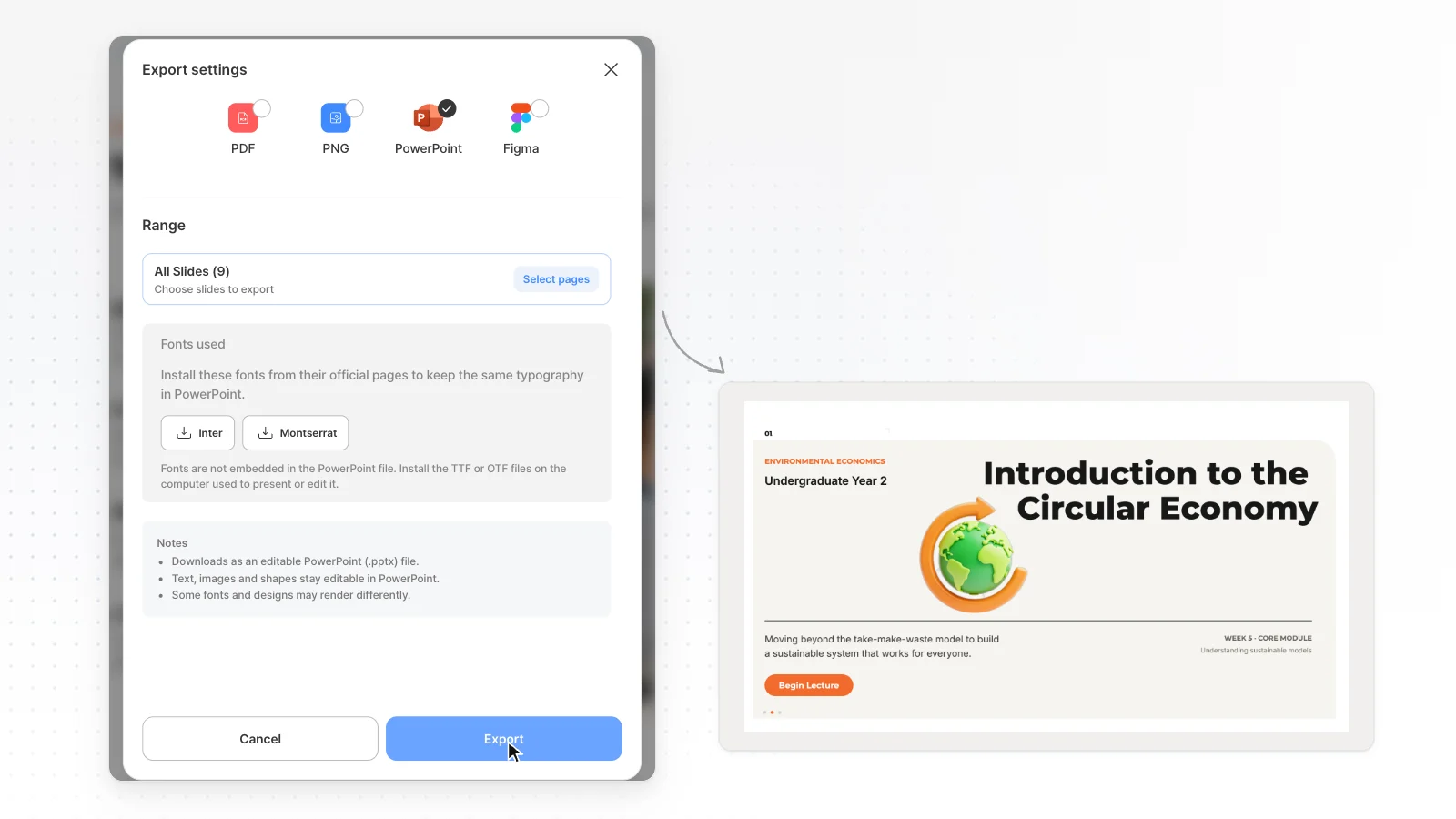
Download a PPTX
- Select Export at the top of the editor.
- In "Export settings", choose PowerPoint.
- Check the slides under Range.
- Review the fonts listed under "Fonts used".
- Select Export and wait for the "Exporting PPTX" dialog to finish.
- When "PPTX export complete" appears, the
.pptxfile has been saved. If nothing downloaded, select Download again in that notice.
What you can edit in PowerPoint
| Element | In PowerPoint |
|---|---|
| Titles and body text | Text boxes you can type into directly. |
| Shapes and chart bars | PowerPoint shapes. Change their color, size and position. |
| Images | Picture objects you can move and resize. |
| Tables and charts | Shapes and text rather than native table or chart objects. Edit each label and bar on its own. |
Some fonts and design details may look different in PowerPoint. For an important presentation, open the file once on the computer you will present from.
Matching fonts
Fonts are not embedded in the PPTX file. If the computer opening it does not have the same font, PowerPoint substitutes another one. The "Fonts used" section of the export dialog links to each font.
- Under "Fonts used", select a font name. Its official page opens in a new tab.
- Download the TTF or OTF file and install it on the computer you will present or edit on.
- Reopen the file in PowerPoint and check the title and body fonts.
Opening in Google Slides or Keynote
Google Slides and Keynote can open PPTX files too, but fonts and some details may look different. Open the file in the app you will present with before the big day.
Bringing an edited file back to MOVO
Use Import PPTX on the dashboard to open a file you edited in PowerPoint and keep editing it with AI. Files up to 20 MB and 50 slides are supported.
Updated 2026-11-01