
Add up-to-date facts with web search
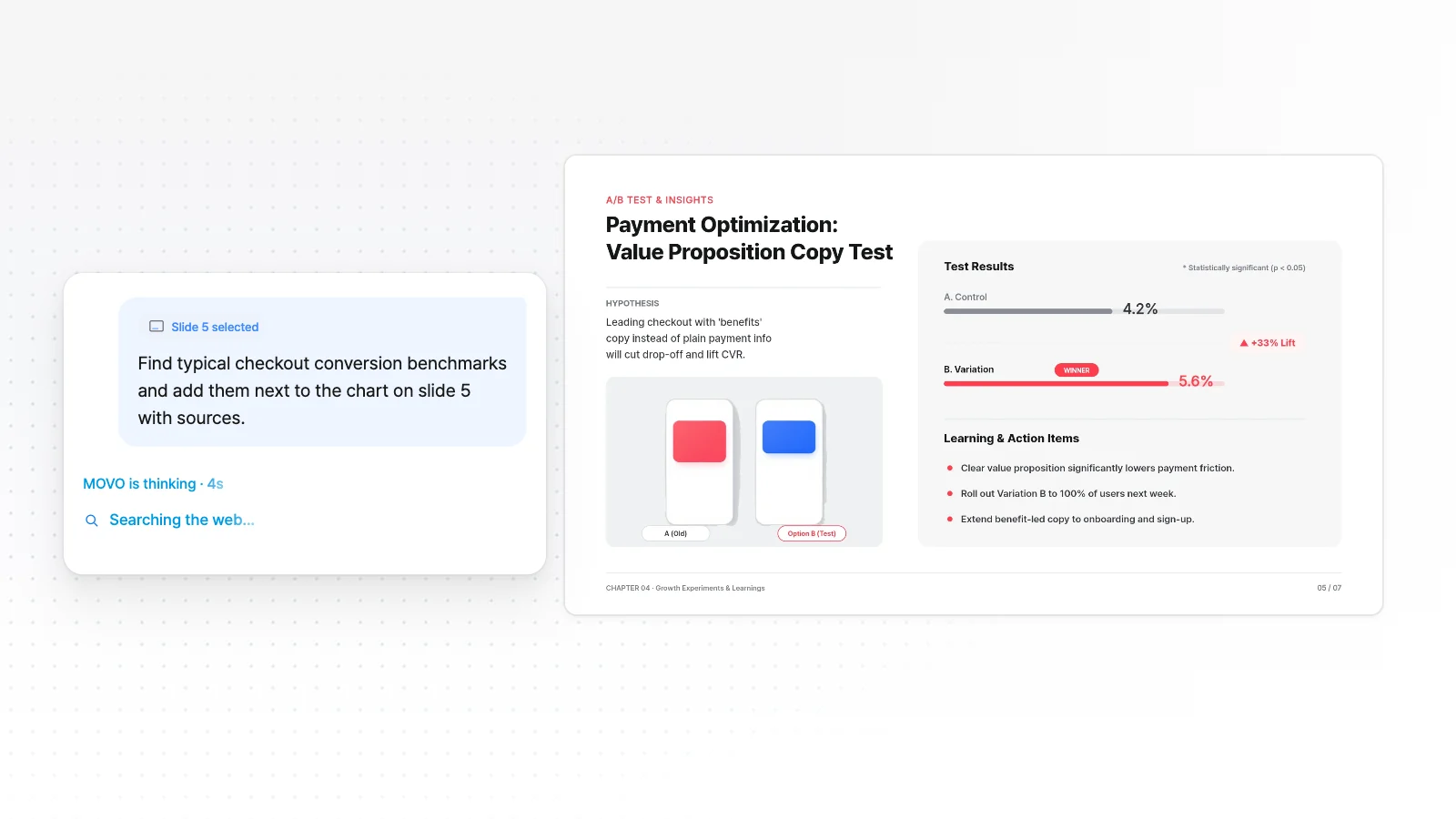
When a request needs current numbers or facts, the AI searches the web on its own, puts the result on the slide and lists its sources under the reply.
- Available on
- All plans
- Requires
- Signed in · your own project
There's no switch for web search. When the AI decides a request needs current information, it searches, adds what it found to the slide and shows where it came from.
Send a request that needs a search
- Show the slide that should get the numbers and check for 'Slide 4 selected'.
- Say what to find and where to put it. For example: 'Find the average share of organic search traffic in Korea and add it next to the chart on slide 4 with the source'.
- After you send it, the chat shows 'Searching the web', then the slide is updated.
- Check the pages it used in the Sources row under the reply.
Check the sources
- The Sources row shows each site as a chip. Click a chip to open that page.
- With more than 6 sources, a count such as '+3' appears. Click it to see them all.
- If the AI narrowed the search to specific sites, they appear in a separate Searching in row.
Point the AI to the right place
- Name a trusted source, such as 'use official government statistics' or 'based on the company's own site', and the AI looks there first.
- Give a time frame, such as 'as of 2025' or 'over the last 3 years'.
- Paste a web page address into the box and the AI reads that page directly. The chat shows 'Fetching web reference material' or 'Viewing the web page in the browser'.
Requests that search well
- Find the share of single-person households in 2025, put it in the first line of slide 3 and cite the source
- Look up the current pricing of 3 competitors and add a comparison slide
- Check whether the numbers on this slide are current. Update any that changed and tell me what you changed
Turn found numbers into a chart
Follow up with 'Make a bar chart from these numbers' and the AI draws one. Charts and labels the AI draws are shapes and text boxes, so you can edit them directly on the canvas.
Updated 2026-11-01