AI Portfolio Prompts for 5 Job Roles
Five copy-ready AI prompts for a job portfolio deck, one each for product managers, marketers, UX designers, software engineers, and researchers, with what to replace, the slides to expect, and a matching template.
Type "make me a portfolio" into an AI tool and you get ten slides that could describe anyone. A hiring manager wants to know which problem you took on, what you did, and what happened, and none of that is in the prompt. When the gaps are wide, the AI may fill them with plausible claims or numbers, and a deck like that misrepresents your work.
MOVO takes your prompt plus the material you already have, such as project notes or a results spreadsheet, and shows a slide-by-slide outline before it builds anything. Fix anything untrue in the outline, pick a design, and the slides are built; if one slide is wrong, you fix only that slide. This guide covers what an AI portfolio prompt needs, five copy-ready prompts for product managers, marketers, UX designers, software engineers, and researchers, requests that fix the output, the MOVO workflow, and templates by role.
What should an AI portfolio prompt include?
Name the target role and the reader; for each project, give the problem, your role, what you did, and the result; set the slide count and order; and list what the AI must not invent. Tell it to use only numbers from your attached files.
| Include | Vague prompt | Specific prompt |
|---|---|---|
| Role and reader | Make my portfolio | Product manager applying to a B2B SaaS company; read by the head of product |
| Project facts | Improved onboarding | Invoicing app onboarding, one PM, two designers, five engineers; I ran the customer interviews and wrote the spec |
| Result and source | Great results | First-week retention from the attached metrics file, with the date range and baseline |
| Slides and order | (none) | 10 slides: problem, hypothesis, prioritization, execution, results, retrospective |
| Guardrails | (none) | Don't add numbers, employers, or awards I didn't give you; mark gaps as [needs source] |
Hiring guidance points the same way. Nielsen Norman Group suggests that each case study cover the problem, your specific role and how you collaborated, how you reached the solution, how it solved the problem, the challenges and the concepts you dropped, the effect on users and the business, and what you learned (NN/g, 2019). Amazon's interview guide asks candidates to describe collaborative work with "I" statements for their own contributions and to include precise metrics (Amazon). A prompt that carries those facts leaves the AI far less to guess.
How do you write a product manager portfolio prompt?
Go deep on one flagship project. How you found the problem, what you bet on, and why you chose one option over the others show your product judgment.
Situation (fictional example): A product manager with three years at a small invoicing startup is applying for a PM role at a larger B2B SaaS company. One project will carry the deck: raising first-week retention for new accounts. There are interview notes and a metrics spreadsheet.
Build a 10-slide portfolio for a product manager applying to a B2B SaaS company. The readers are the head of product and the interview panel.
Flagship project: raising first-week retention for new accounts in an invoicing app (March–August 2025). Team: me as the only PM, two designers, five engineers.
What I did: analyzed activation data, interviewed 15 customers, wrote the spec for a guided first invoice, and designed the A/B test.
Results: use only the values in the "retention" sheet of the attached metrics file, with the date range and the baseline.
Order: cover, about me, project overview, problem, hypothesis and metrics, prioritization, execution, results, retrospective, closing.
Keep team results apart from my contribution, and write what I did with "I." Don't add numbers, employers, or awards I didn't give you, and mark anything unsupported as [needs source].
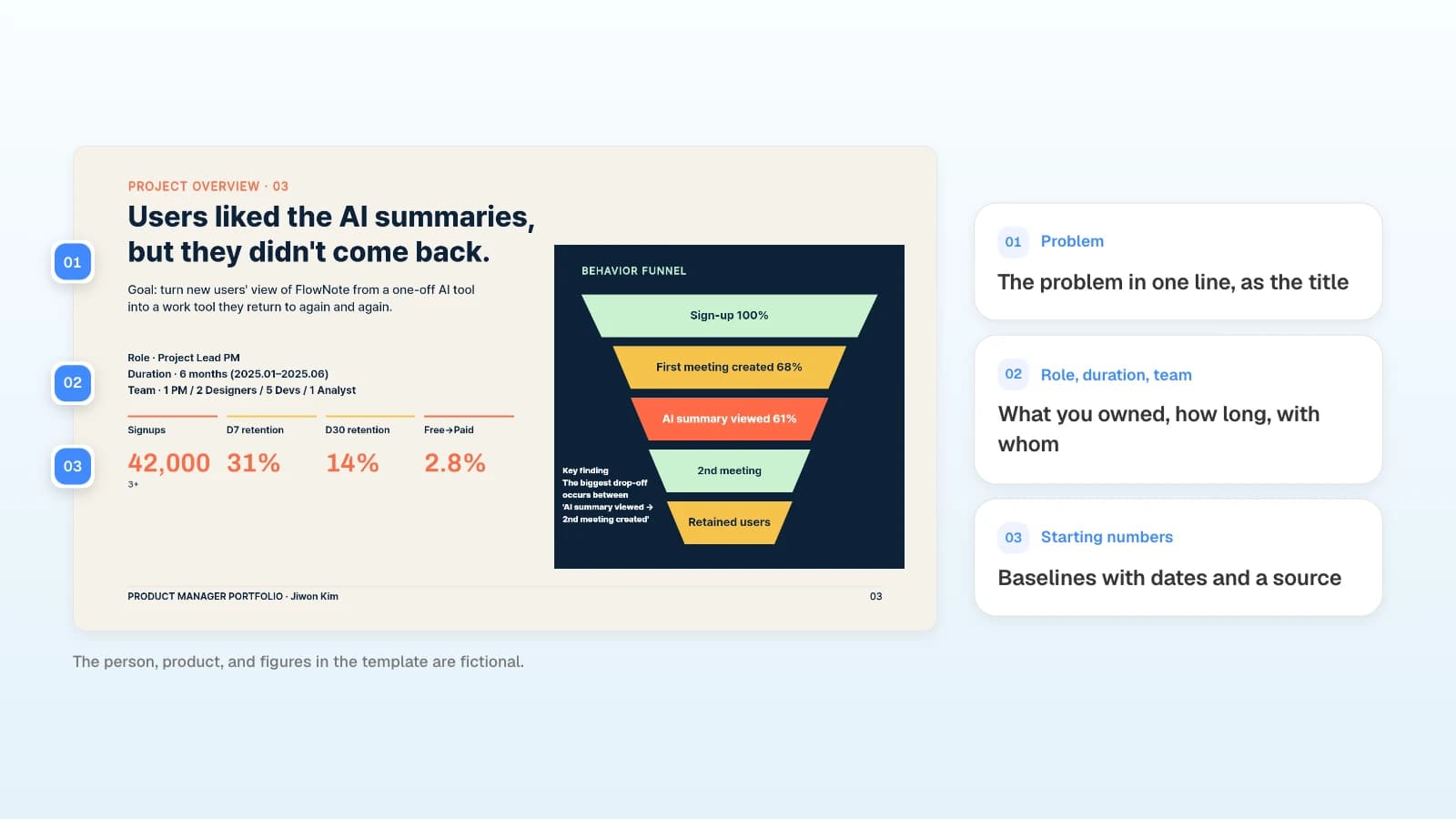
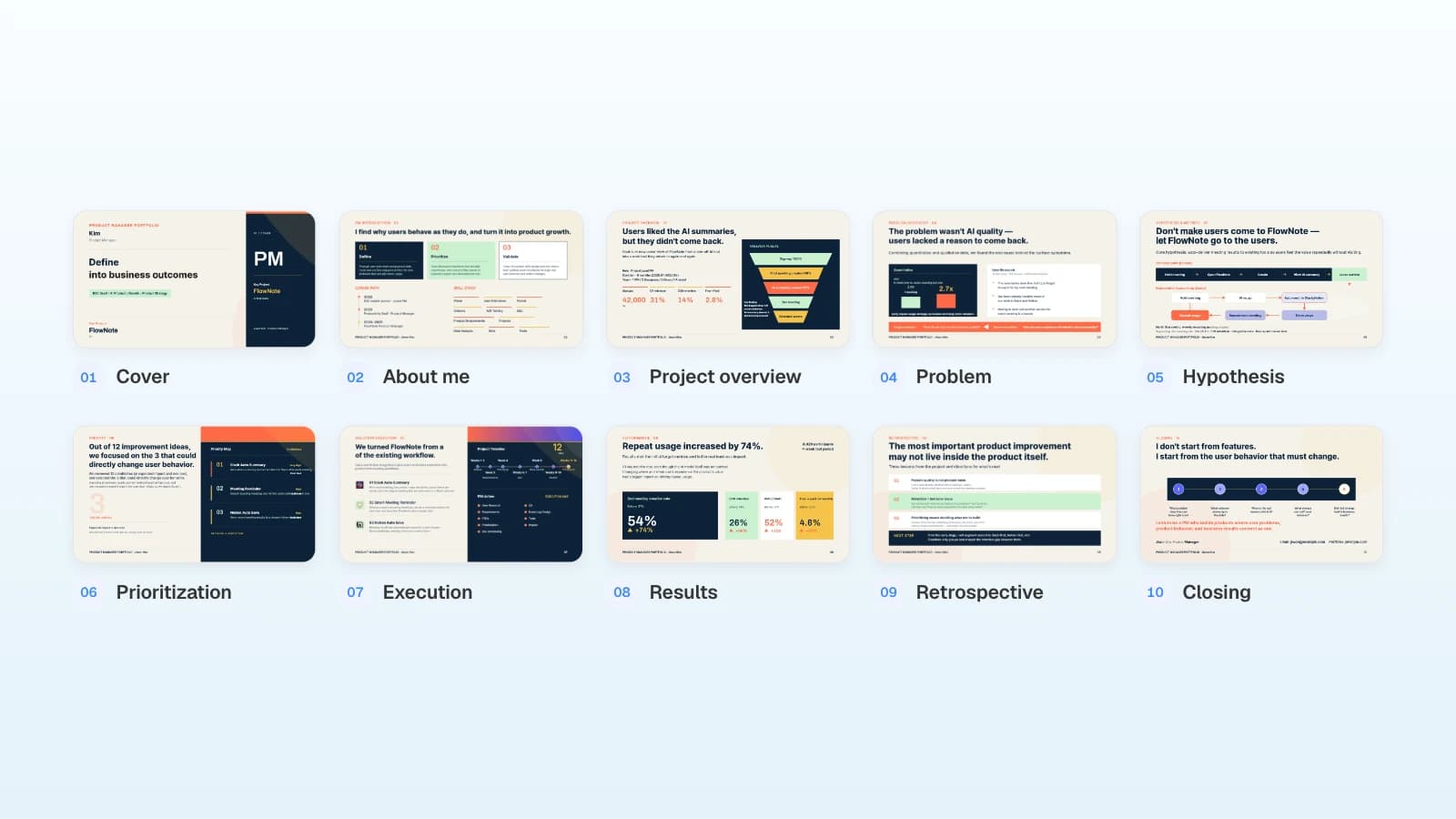
Slides to expect (10): Cover · About me · Project overview · Problem · Hypothesis and metrics · Prioritization · Execution · Results · Retrospective · Closing
Replace with your own facts
- The project, dates, team, and what you personally owned
- The metric and sheet names (activation, conversion, churn)
- If you have no measured result, turn the results slide into a validation plan: the metric you would watch and why
Template: View the PM Portfolio · Warm Tone template (10 slides). It follows one case from overview to retrospective, with slides for problem discovery, hypotheses, and prioritization, which is where a PM's judgment shows.
How is a marketer's portfolio prompt different?
A marketer shows range and results. Put every campaign in the same order (goal, channel, test, result, lesson) and give every number a definition and a period.
Situation (fictional example): A content marketer with four years in B2B SaaS is applying for a content lead role. One case study, an SEO program, carries the results; the rest of the deck shows range: a webinar series, a research report, and campaigns for other markets.
Build a 9-slide portfolio for a content marketer applying to a B2B SaaS company. The reader is the head of marketing.
Case study: an SEO program built from questions in recorded sales calls (January–June 2025). My role: topic research, writing 24 articles, and the internal linking plan.
Results: use only the attached content-results.xlsx, and give each metric its definition and period (for example, organic sign-ups per month, January–June 2025). Mark any number that isn't in the file, such as pipeline or revenue, as [needs source].
Also include my career timeline, a webinar series and a research report I wrote, campaigns adapted for three markets, and the tools I use.
Order: cover, about me, experience, case study, results, creative work, cross-market work, tools, closing.
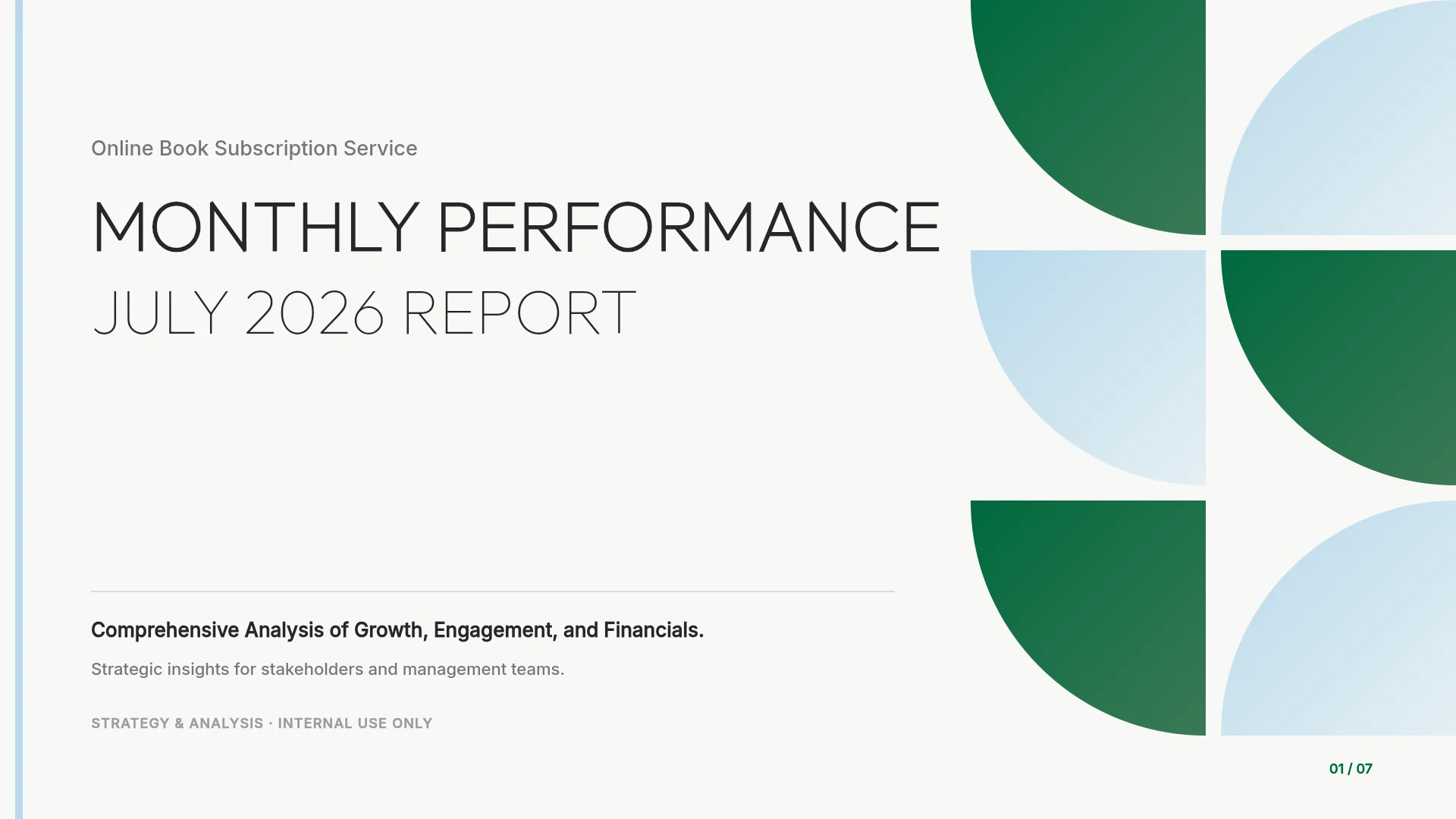
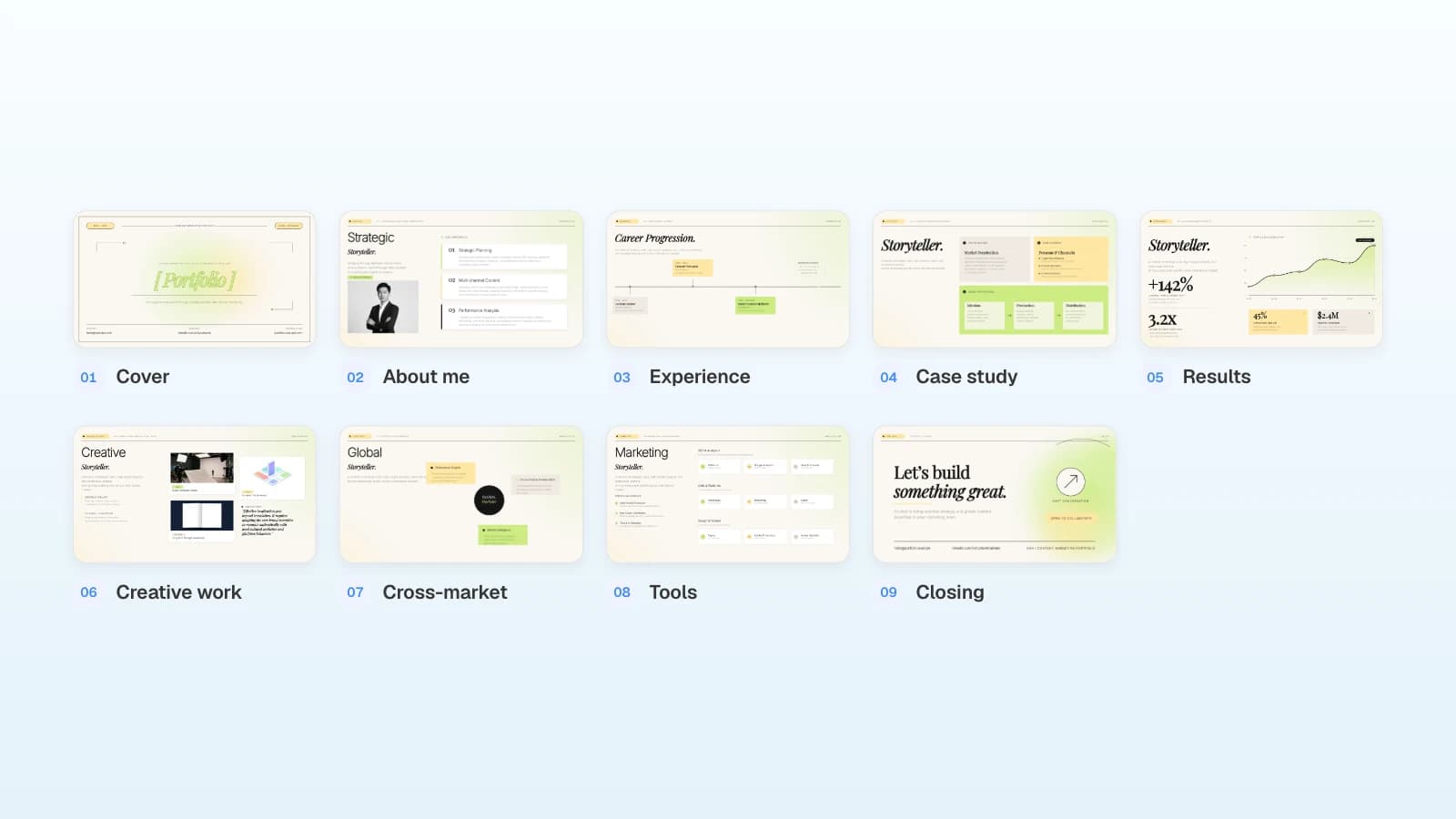
Slides to expect (9): Cover · About me · Experience · Case study · Results · Creative work · Cross-market work · Tools · Closing
Replace with your own facts
- The case study and your role in it
- Metric names, definitions, and date ranges from your own reports
- Work samples you are allowed to share
Template: View the Global Content Marketer Portfolio template (9 slides). It combines a career timeline, one campaign case study, a results slide with a trend chart and metric cards, and a tools slide, which suits a marketer who needs to show both depth and range.
What goes into a UX designer's portfolio prompt?
What you learned in research, and why you designed the screens the way you did. Meta's product design interview guide, for example, gives candidates 30 minutes to present at least two case studies, suggests a narrative-style deck instead of scrolling through a portfolio, and asks for an overview of your role, how long the project took, and who you worked with (Meta Careers). Before a review like that, a short deck that introduces you and one project gives the team a first look.
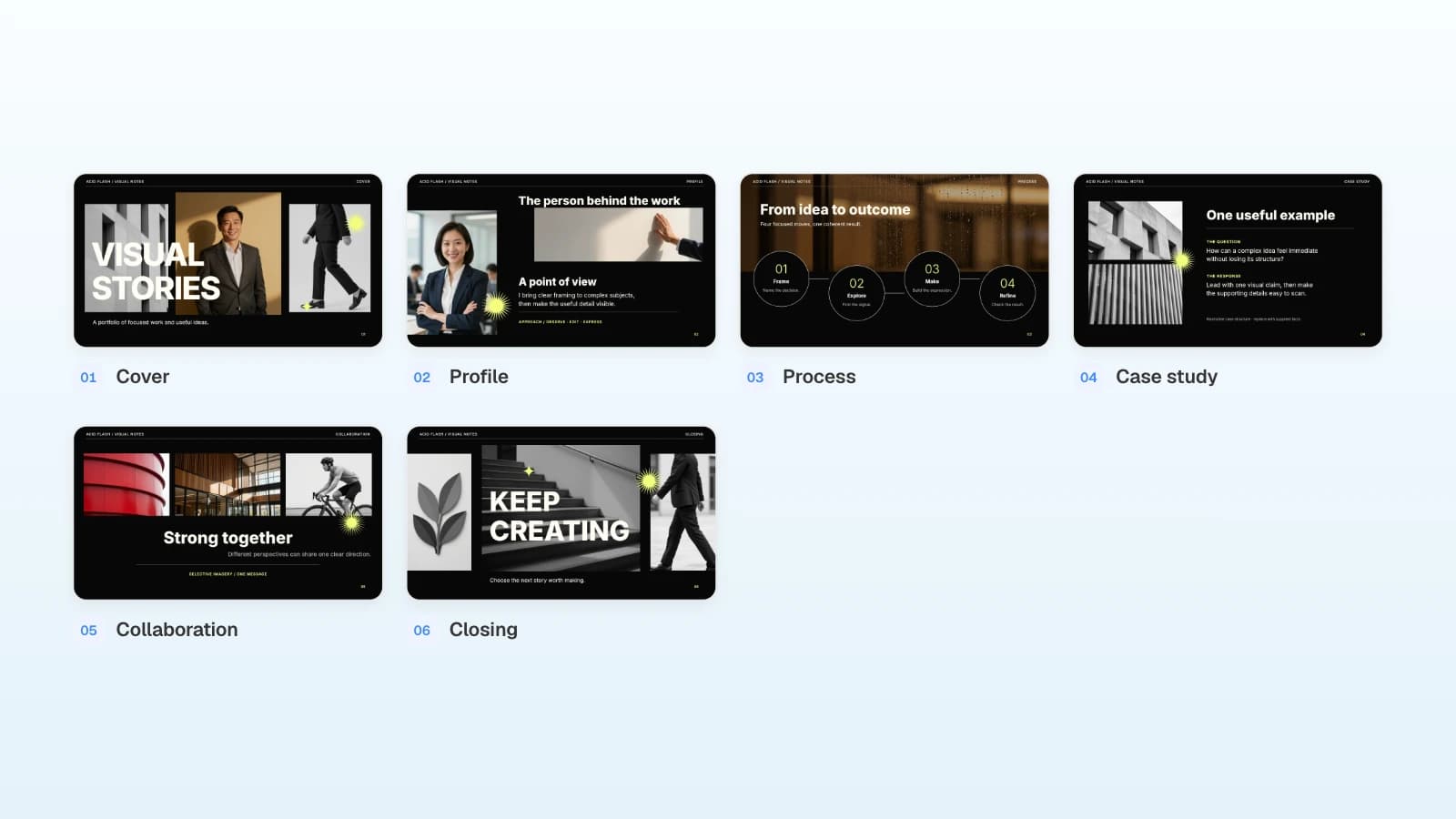
Situation (fictional example): A product designer with four years in B2B SaaS has a portfolio review next week. The recruiter asked for a short deck ahead of time that introduces them and one project: an onboarding redesign for a project management tool.
Build a 6-slide portfolio deck for a product designer to send before a portfolio review. The readers are a design manager and a recruiter.
About me: product designer, four years in B2B SaaS, focused on onboarding and activation.
Process: how I work in four steps (frame the problem, explore options, make and test, refine), with one real moment from the case below for each step.
Case study: onboarding redesign for a B2B project management tool (six months in 2025). I was the lead designer, working with one PM and four engineers. Research: funnel analysis and eight interviews with new sign-ups; people quit during workspace setup. Use only the attached case-notes.docx for results.
Order: cover, about me, process, case study (the question, what I did, the result), collaboration (who I worked with and my part), closing.
Leave labeled placeholders for screens. Don't add metrics, clients, or awards that aren't in my notes.
Slides to expect (6): Cover · About me · Process · Case study · Collaboration · Closing
Replace with your own facts
- Your focus area, years, and the kind of product you design
- The four process steps in your own words, each tied to a real project moment
- Your real screens: after the deck is built, upload PNG or JPEG files from "Upload" on the editor's left rail and drop them into the placeholders
Template: View the Acid Flash Portfolio template (6 slides). A high-contrast visual portfolio with a profile slide, a four-step process slide, a case study slide that pairs the question with the response, and a collaboration slide. It suits designers who lead with their work and want a short deck before a longer review.
How do you write a software engineer portfolio prompt?
Show one project in depth: the problem, the architecture, what you changed, and how you measured it. GitHub's own guidance suggests pinning three to five projects, including some you contributed to, and writing READMEs with key features, setup steps, a demo, and testing instructions (GitHub Docs). A deck lets you walk an interviewer through one of them.
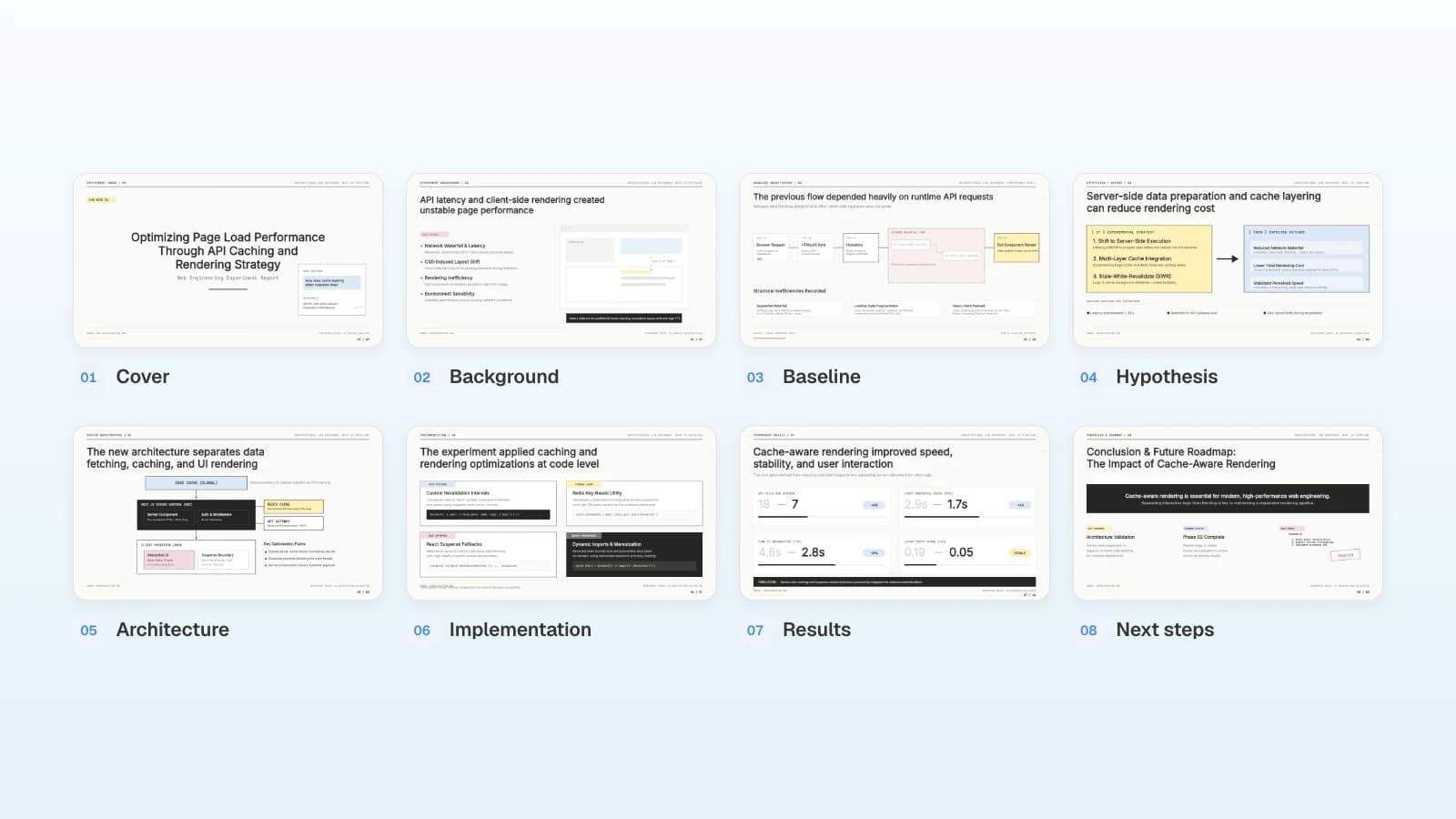
Situation (fictional example): A frontend engineer with two years of experience wants to show how they sped up a slow analytics dashboard. They have load-test results in a spreadsheet and the repository README.
Build an 8-slide project deep dive for a software engineer interview. The readers are engineers on the web platform team.
Project: cutting the load time of a Next.js analytics dashboard (2025). My role: profiling, the caching design, and the implementation; one teammate reviewed the code and wrote the tests.
Stack: Next.js, React Server Components, Redis, PostgreSQL. Repository: (my GitHub link)
Problem and fix: client-side data fetching caused request waterfalls, so I moved data preparation to the server and added a cache layer. Use only the before-and-after measurements in the attached perf-results.xlsx, with the test conditions.
Order: cover, background, baseline architecture, hypothesis and method, new architecture, implementation, results, next steps.
Keep code snippets under 15 lines. Separate my work from my teammate's, and don't add benchmarks I didn't run.
Slides to expect (8): Cover · Background · Baseline · Hypothesis · Architecture · Implementation · Results · Next steps
Replace with your own facts
- The project, stack, and repository link
- The problem, cause, and fix in one line each
- Test conditions and results from your own measurement file
Template: View the Web Performance Optimization Experiment Report template (8 slides). It has baseline and new architecture diagrams, code blocks, and a results slide that pairs each metric with its old value. New grads with a hardware or systems project can also look at the Engineering Capstone Final Presentation (9 slides).
How do you write a researcher or PhD portfolio prompt?
Fit one paper to the time you have. Keep the question, the data and method, the key result, and the limits, and make every number follow the paper's tables and figures. MIT EECS faculty advise keeping a faculty job talk to about 35 to 40 minutes, going deep on one contribution rather than rushing through several, and replacing text with diagrams and images (MIT EECS). A shorter slot calls for even fewer slides.
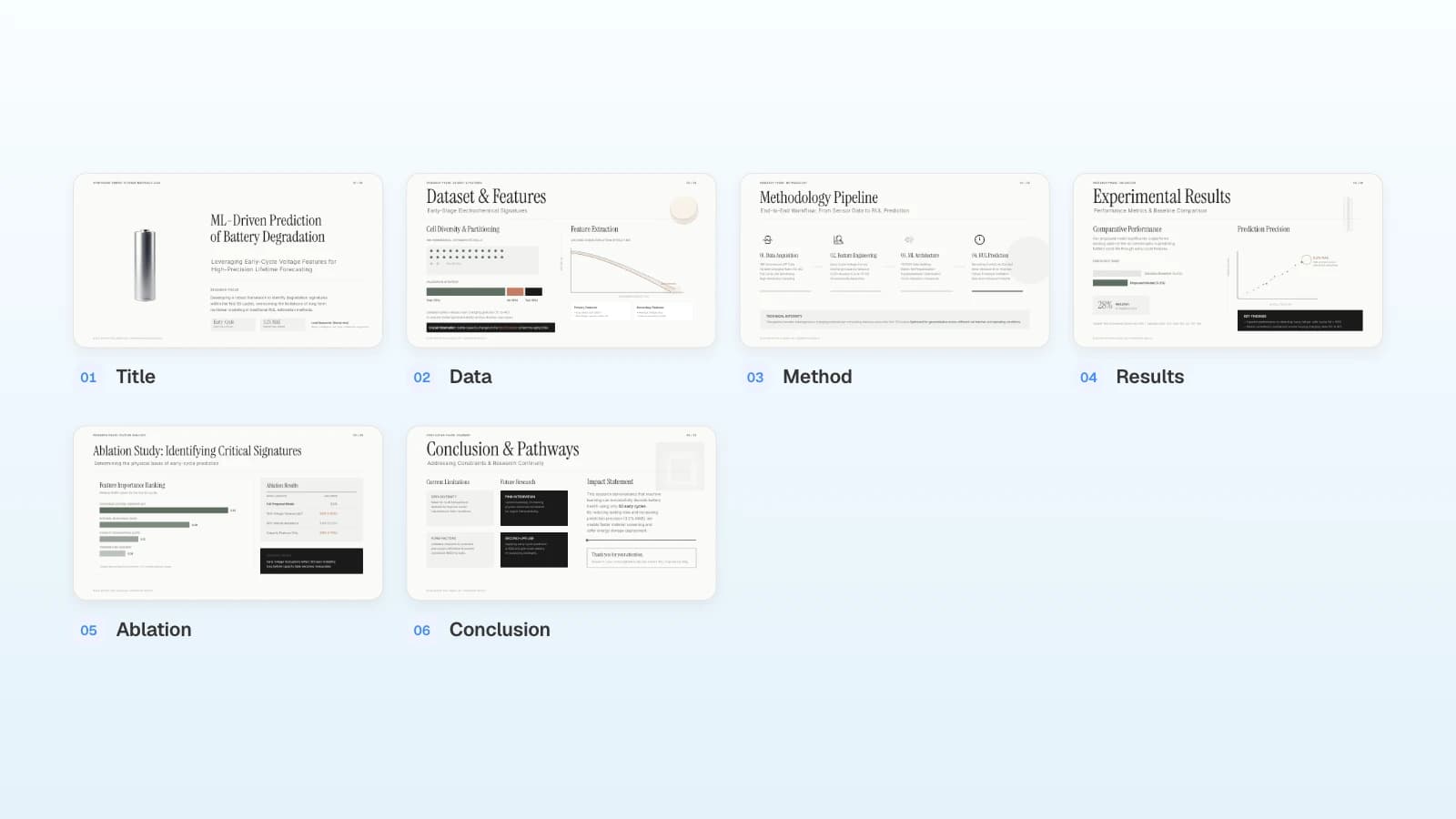
Situation (fictional example): A PhD candidate needs a 10-minute version of their dissertation research for a first-round interview with an industry research team. They have the main paper as a PDF.
Build a 6-slide, 10-minute research talk for a research scientist interview. The audience is researchers in adjacent fields.
Research: early detection of motor failures from acoustic data (the main paper of my dissertation, 2025). Use only the attached paper.
My role: data collection design, model implementation, and all experiments. Mark my advisor's and co-authors' contributions separately.
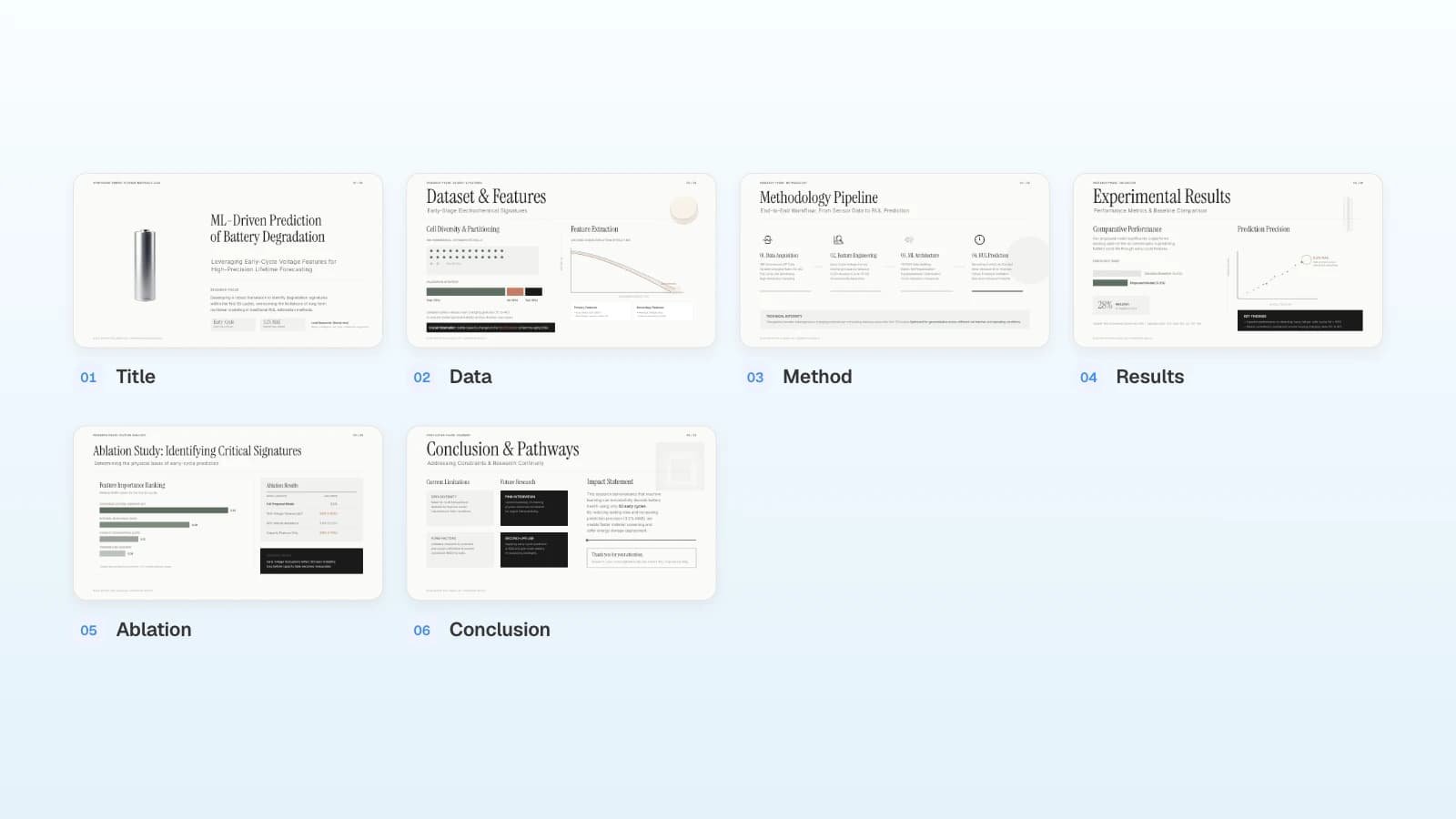
Order: title, data, method, results, ablation, conclusion and future work.
Copy results exactly from the paper's tables and figures, with the table or figure number. Don't add interpretation or numbers that aren't in the paper, and keep each slide to three lines of text or fewer.
Slides to expect (6): Title · Data · Method · Results · Ablation · Conclusion
Replace with your own facts
- Title, data, method, and the time you have
- Your contribution and your co-authors'
- The paper: MOVO reads PDFs up to 100 pages, so attach the paper or chapter rather than a longer full dissertation
Template: View the Academic Symposium Presentation template (6 slides). Data, method, results, ablation, and conclusion each get one slide, which suits a short talk on one paper.
How do you fix what the AI got wrong?
Fix one slide at a time and say what must stay the same. In the MOVO editor, select a slide and your AI request applies only to that slide.
| Problem | Request |
|---|---|
| Numbers don't match the source | "Check the numbers on this slide against the 'retention' sheet and replace any that differ with the source value" |
| Team results written as yours | "Rewrite this slide to separate what the team did from what I did" |
| Too much text | "Keep the numbers and names, and cut the body to three lines" |
| Empty adjectives | "Replace unsupported words like 'massive' or 'revolutionary' with plain facts" |
| Different emphasis per company | "Suggest an order that puts the work closest to this job description first: (paste the description). Don't add work I didn't do" |
For another company, use "Make a copy" in the editor menu and edit the copy. Keep dates, roles, and numbers identical, and change only the order and emphasis.
What does MOVO change for a portfolio deck?
- Start from what you have: attach a resume PDF (up to 100 pages), project notes in Word, results in Excel (up to 20 sheets), and screens as PNG or JPEG. Save PowerPoint or Keynote files as PDF first. The Free plan takes up to three files of 5 MB each per request.
- Check the outline first: MOVO shows every slide's title and details before building, so you can delete invented results before any design work.
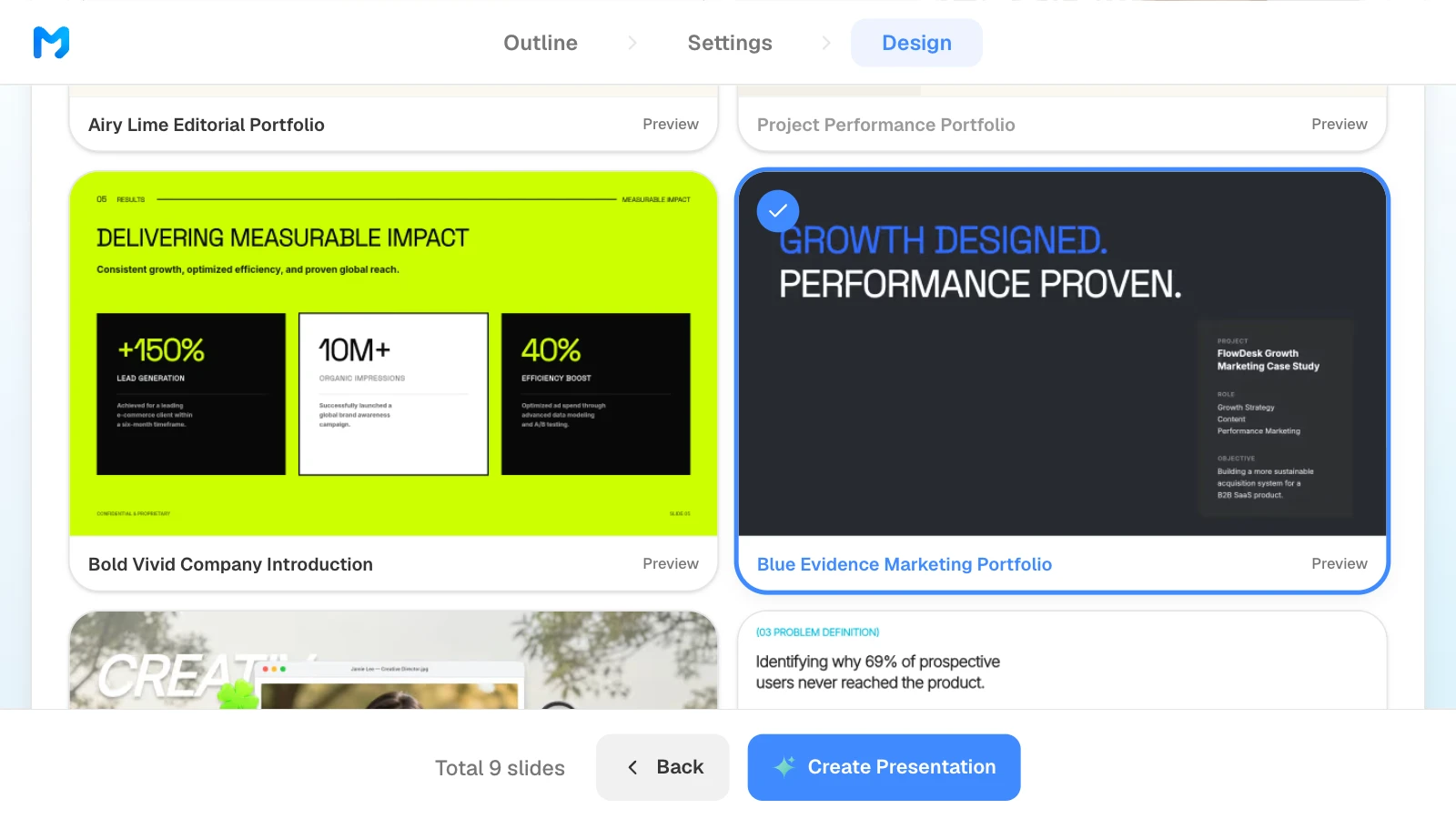
- Portfolio styles: in the design step, the "Brand / Introduction" and "Process / Validation" document types include portfolio styles such as "Blue Evidence Marketing Portfolio" and "Chromatic UX Casebook." Styles marked "Pro" are for paid plans.
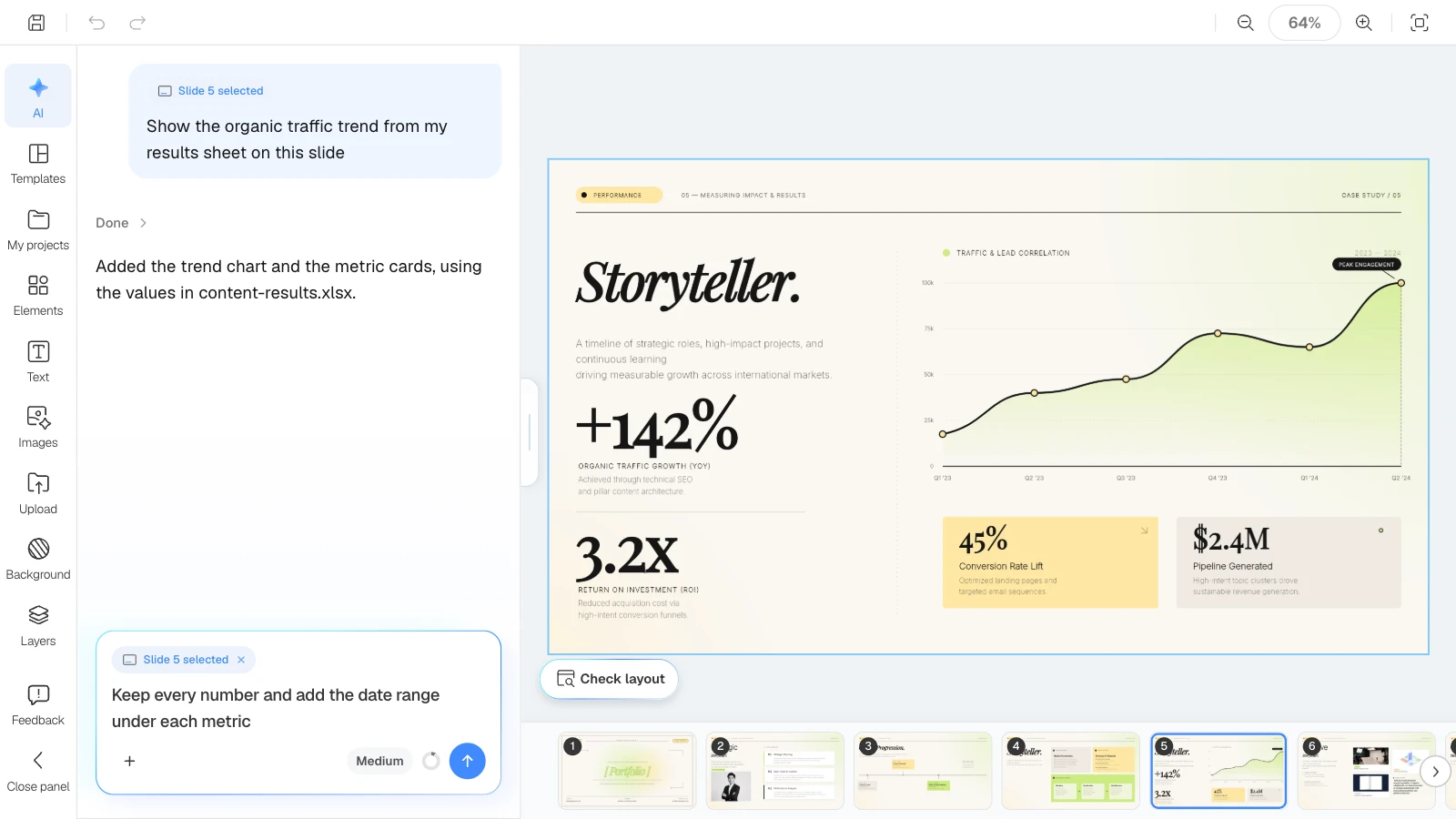
- Fix one slide at a time: select a slide and ask for a change; only that slide changes. "Check layout" finds overlapping or spilling text boxes.
- Export files: PDF and PNG on every plan, with a MOVO watermark on the Free plan; PPTX and Figma on paid plans. The Free plan builds up to 5 slides per deck.
How to build a portfolio deck in MOVO
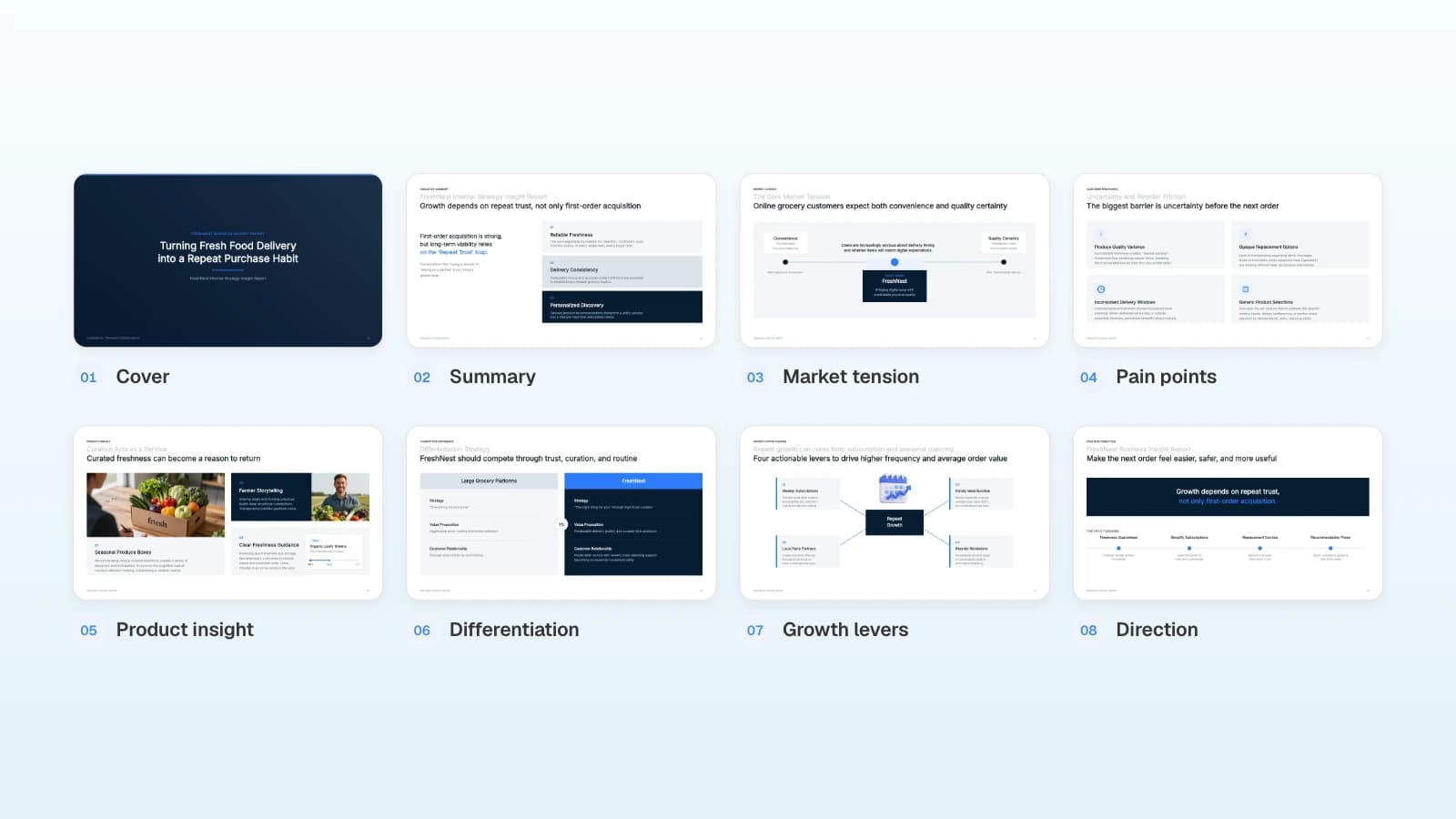
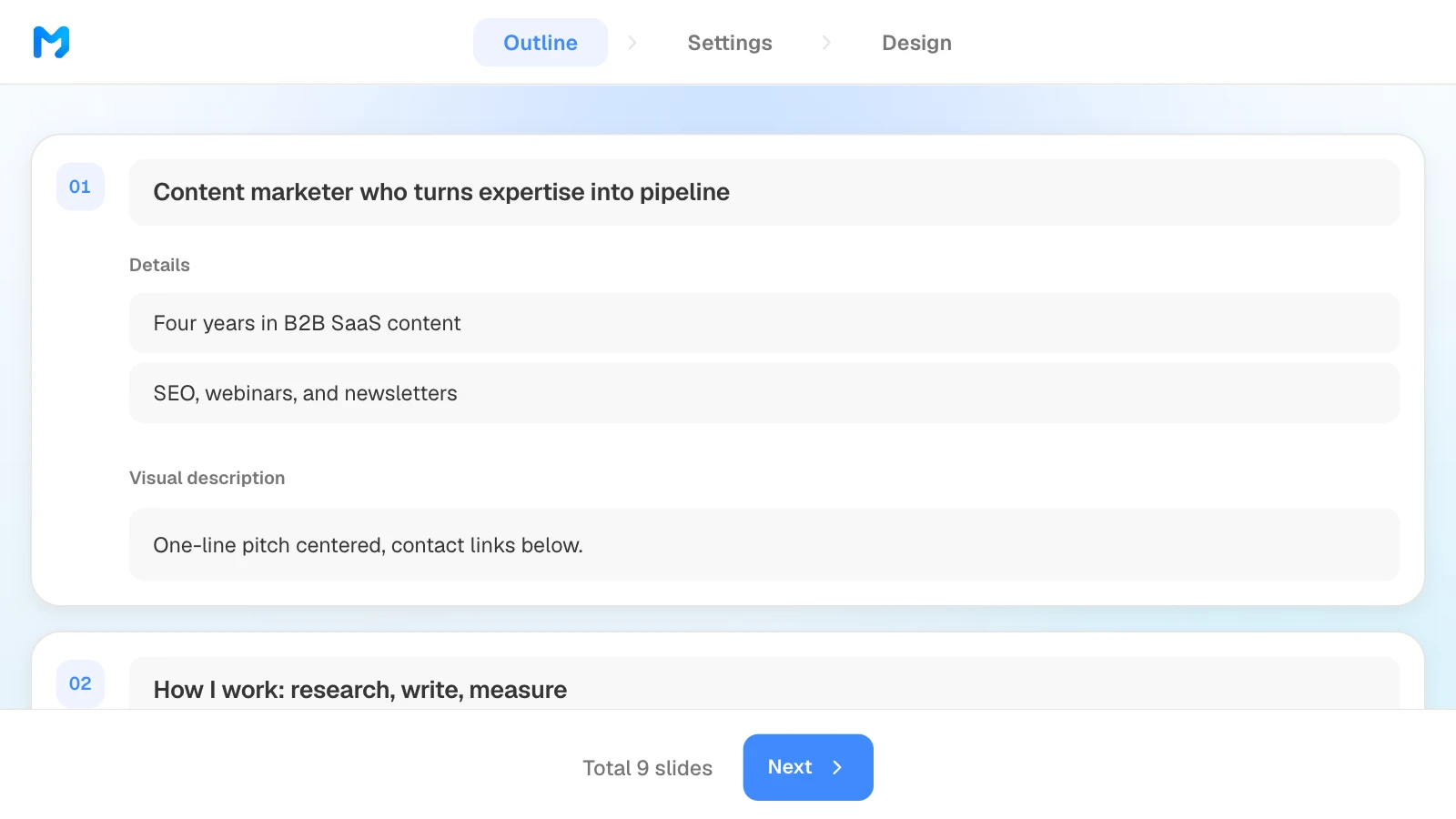
The pictures below show MOVO's screens filled with this article's marketer example. They illustrate the steps; they are not a recording of a real session.
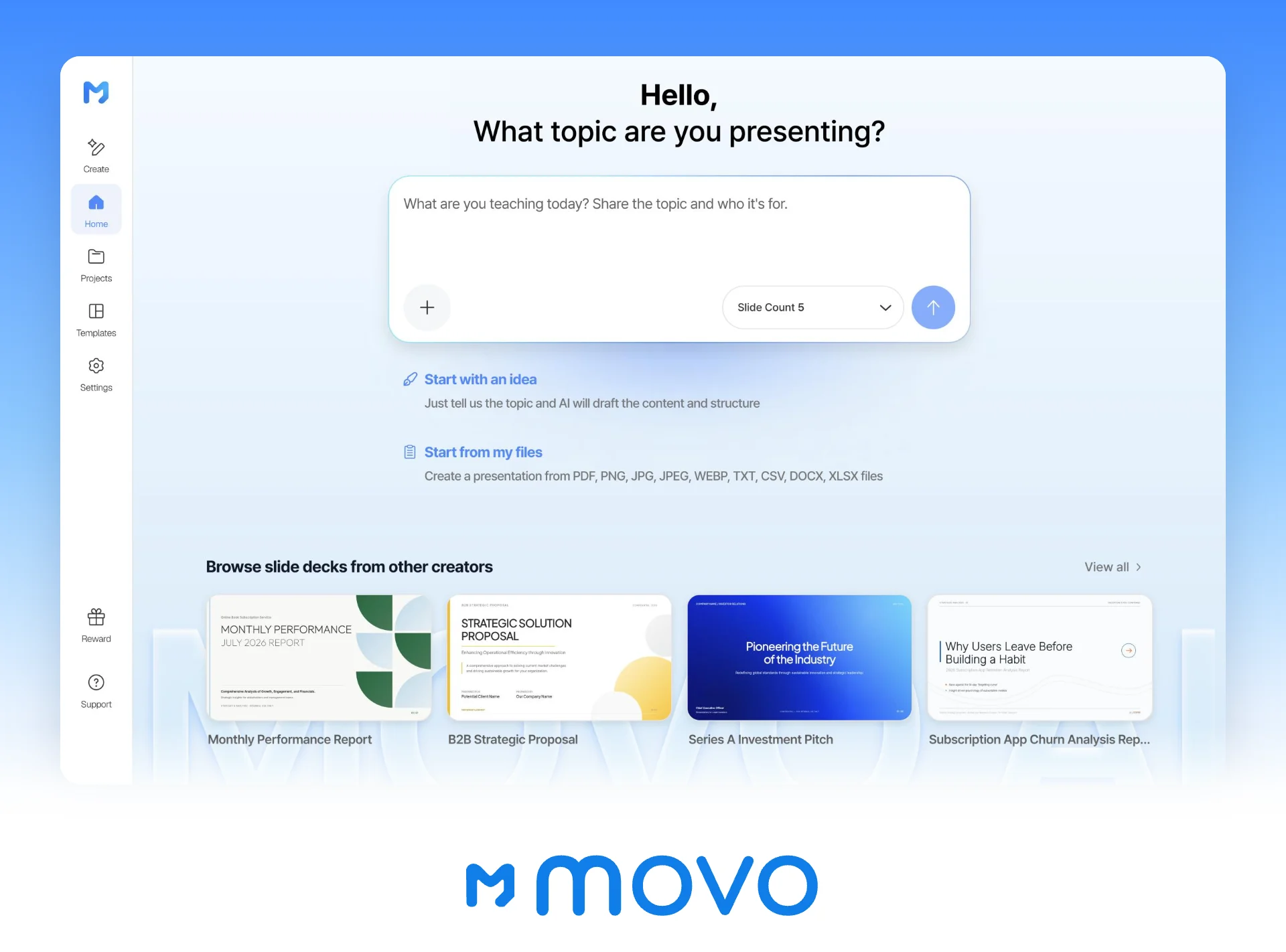
1. Paste the prompt and attach your files
Paste the prompt into the dashboard input and attach your resume and results sheet. Set the slide count here too.

A shorter version of the marketer prompt:
Build a 9-slide portfolio for a B2B SaaS content marketer role from my resume and results sheet: one case study with results, plus experience and tools. Use only numbers from the sheet and mark anything missing as [needs source].
2. Check the facts in the outline
Read each slide's title and details. Delete anything you didn't do and any number that isn't in your files, and drag slides to change their order. The number of slides comes from Slide Count in step 1. What you change here is what gets built.
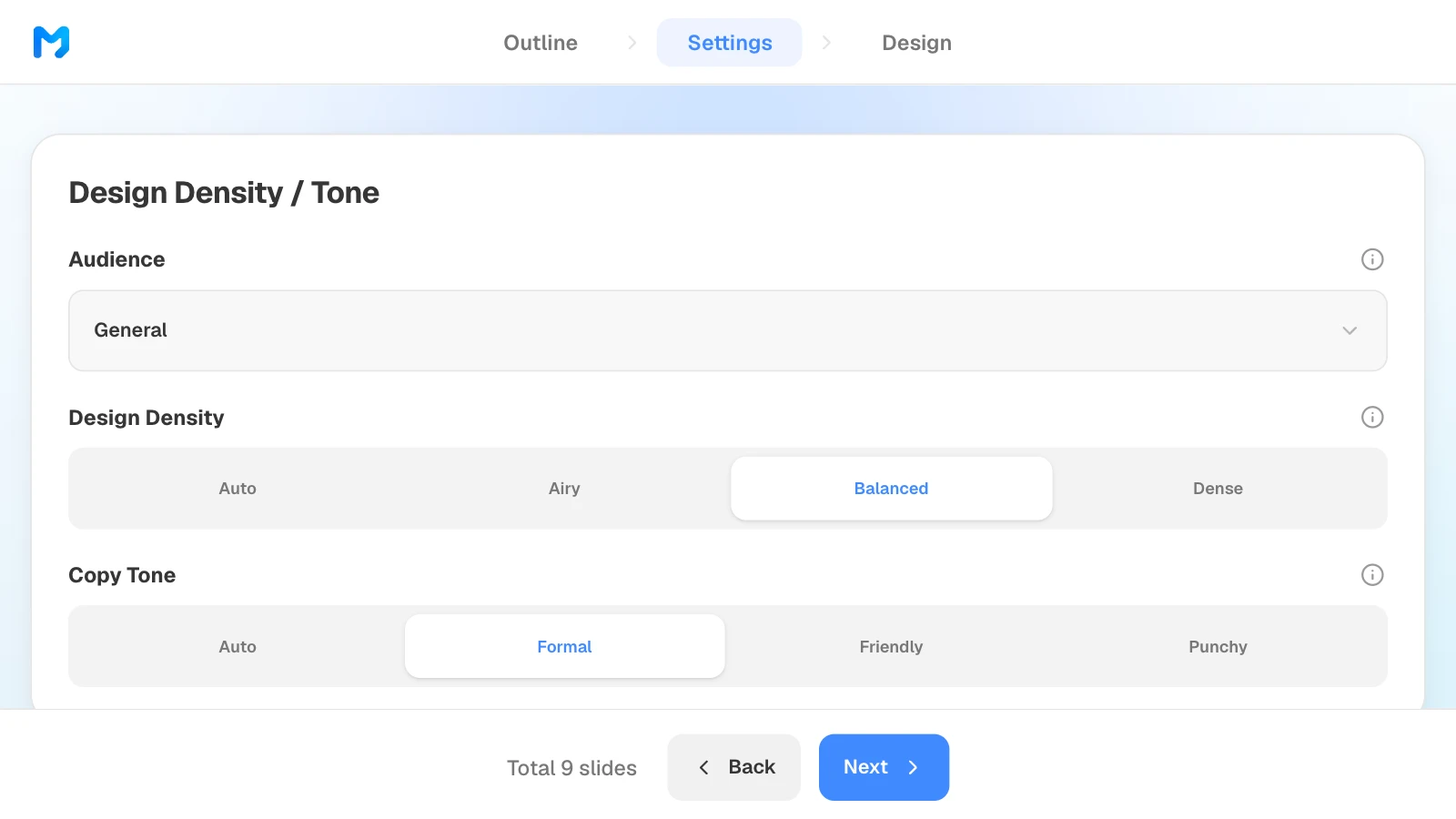
3. Set the audience and tone
In settings, choose the audience, design density, and copy tone. There is no "hiring manager" option: choose "General" or "Technical" for a working-level panel and "Executive" for an executive round.
4. Pick a portfolio design
Narrow the document type to "Brand / Introduction" to see portfolio styles. Open "Preview" for sample slides, then pick one.
5. Check the numbers and fix only what is wrong
Compare every number with your results file, one slide at a time. To fix one, select the slide and ask in the AI panel on the left, or edit it on the canvas.
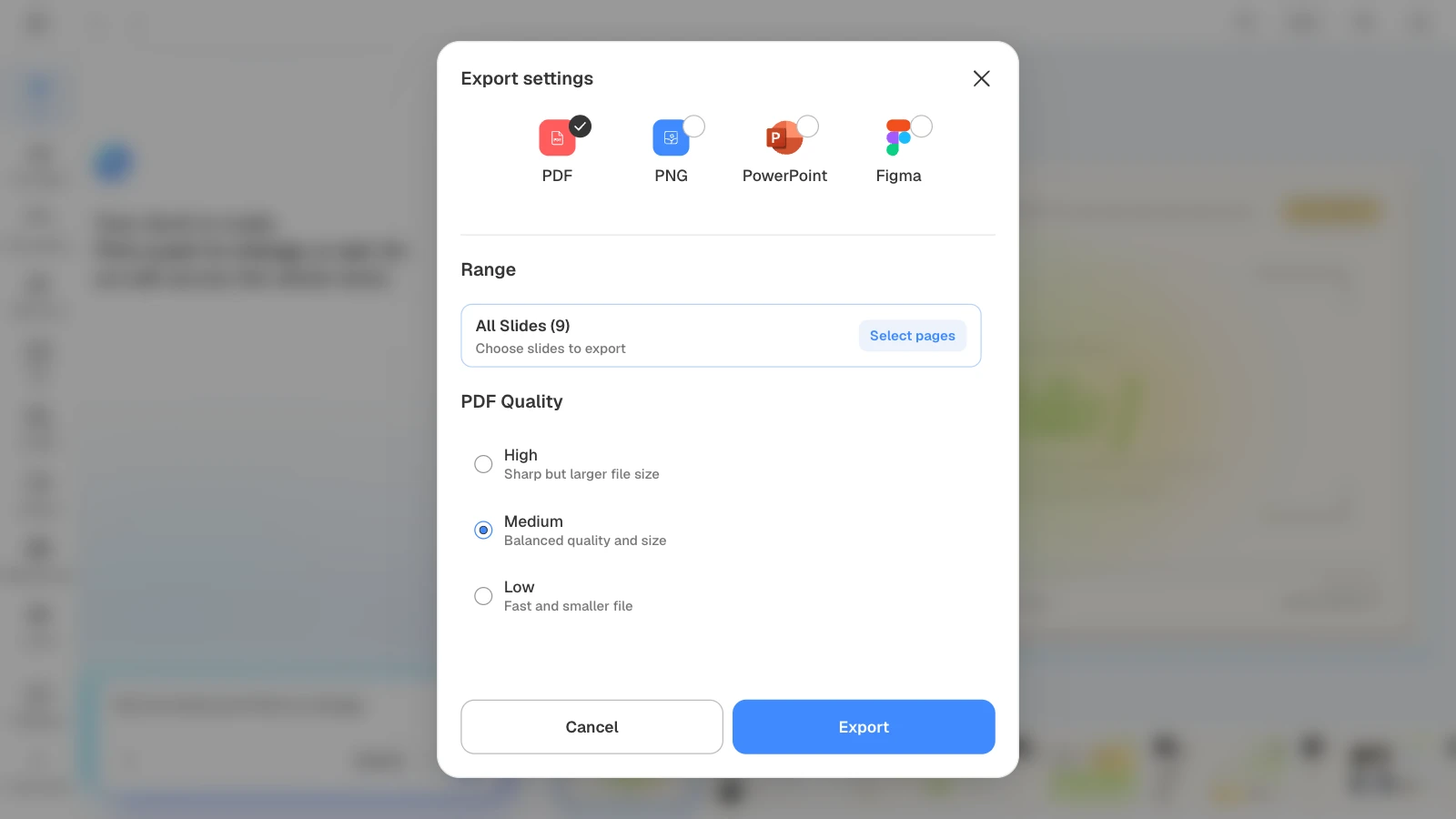
6. Export a PDF
Choose PDF for applications. If the upload has a size limit, lower the PDF quality to "Medium" or "Low," then open the file and check for clipped text and working links.
Portfolio templates by role
These MOVO templates match the prompts above and are written in English for global hiring. The people, companies, and figures in them are fictional. On a template's page, "Start from this deck" (sign-in required) copies it into your projects so you can replace the content.
| Role | Template | Slides | Best for |
|---|---|---|---|
| Product manager | PM Portfolio · Warm Tone | 10 | One flagship case in depth |
| Marketer | Global Content Marketer Portfolio | 9 | A case study plus range |
| UX/product designer | Acid Flash Portfolio | 6 | A short visual portfolio with one case |
| Software engineer | Web Performance Optimization Experiment Report | 8 | One technical deep dive |
| New grad engineer | Engineering Capstone Final Presentation | 9 | A capstone or senior project |
| Researcher or PhD | Academic Symposium Presentation | 6 | A short talk on one paper |
Frequently asked questions
How long should a portfolio prompt be?
Facts matter more than length. A short prompt works if it names the role and reader, gives each project's problem, your role, your actions, and the result, sets the slide order, and lists what the AI must not add. Put long career history in an attached resume or notes file instead of the prompt.
What if I don't have metrics?
Don't invent them. Describe what you did and what you produced. If the result was never measured, say which metric would show it and why. Delete or replace every sample figure that comes with a template.
How do I show team projects?
Separate the team's result from your part. Put the team and your role in the prompt and ask the AI to write your actions with "I." Fix any sentence that makes shared work sound like yours alone at the outline step.
Can I show work covered by an NDA?
Check what you are allowed to share first. Nielsen Norman Group suggests showing process images, redacting or blurring confidential details, or recreating the design in a generic style.
Can I use an AI-built deck in an interview?
Rules vary by employer, so ask your recruiter. Meta's product design guide, for example, asks candidates not to use AI tools such as ChatGPT during the interview itself. Either way, every slide should be true, and you should be able to explain each one without help.
Can I build a portfolio deck for free?
Yes, with limits. The Free plan builds up to 5 slides per deck and exports PDF and PNG with a MOVO watermark. For watermark-free files or PPTX, you need a paid plan.
Summary
A good AI portfolio prompt names the role and reader, lists each project's problem, your role, your actions, and the result, sets the slide order, and says what the AI must not invent. PMs go deep on one case, marketers show campaigns with defined metrics, designers explain research and decisions, engineers walk through architecture and measurements, and researchers fit one paper to the time they have. Swap in your own facts, paste the prompt into MOVO, and start by checking the outline.