How to Export Slides to PowerPoint and Figma
Export a MOVO deck as a PDF, PNG images, an editable PowerPoint file, or Figma frames. What each format gives you, which plans include it, what to check, and how to export from Figma Slides.
The deck is done, and everyone wants a different file. Finance wants the PowerPoint so they can edit the numbers, the client portal only takes PDF, the social team wants images, and your designer works in Figma.
In the MOVO editor, the Export button at the top right opens one dialog for all four formats: PDF, PNG, PowerPoint, and Figma. You can export the whole deck or only the slides you pick. PDF and PNG are available on every plan; PPTX and Figma are on paid plans. This guide covers how to choose a format, what each export gives you, how to continue in Figma, and how to export from Figma Slides if your deck already lives there.

Which format should you export?
Choose by what the recipient will do with the file. Reading only: PDF. Posting or pasting images: PNG. Editing: PowerPoint. Continuing the design: Figma.
| Format | What you get | Use it when | Plan |
|---|---|---|---|
| One .pdf file, one page per slide | Emailing, uploading to a portal, printing | Every plan (watermark on Free) | |
| PNG | A .zip of one image per slide | Social posts, docs, chat, slide previews | Every plan (watermark on Free) |
| PowerPoint | An editable .pptx file | The recipient needs to edit in PowerPoint | Paid plans |
| Figma | A .movo file you import with a Figma plugin | A designer will refine the slides in Figma | Paid plans |
If the recipient has asked for a specific format, use that one. On the Free plan, choosing PowerPoint or Figma locks the options and shows a "See Pro plans" prompt.
What do PDF and PNG exports give you?
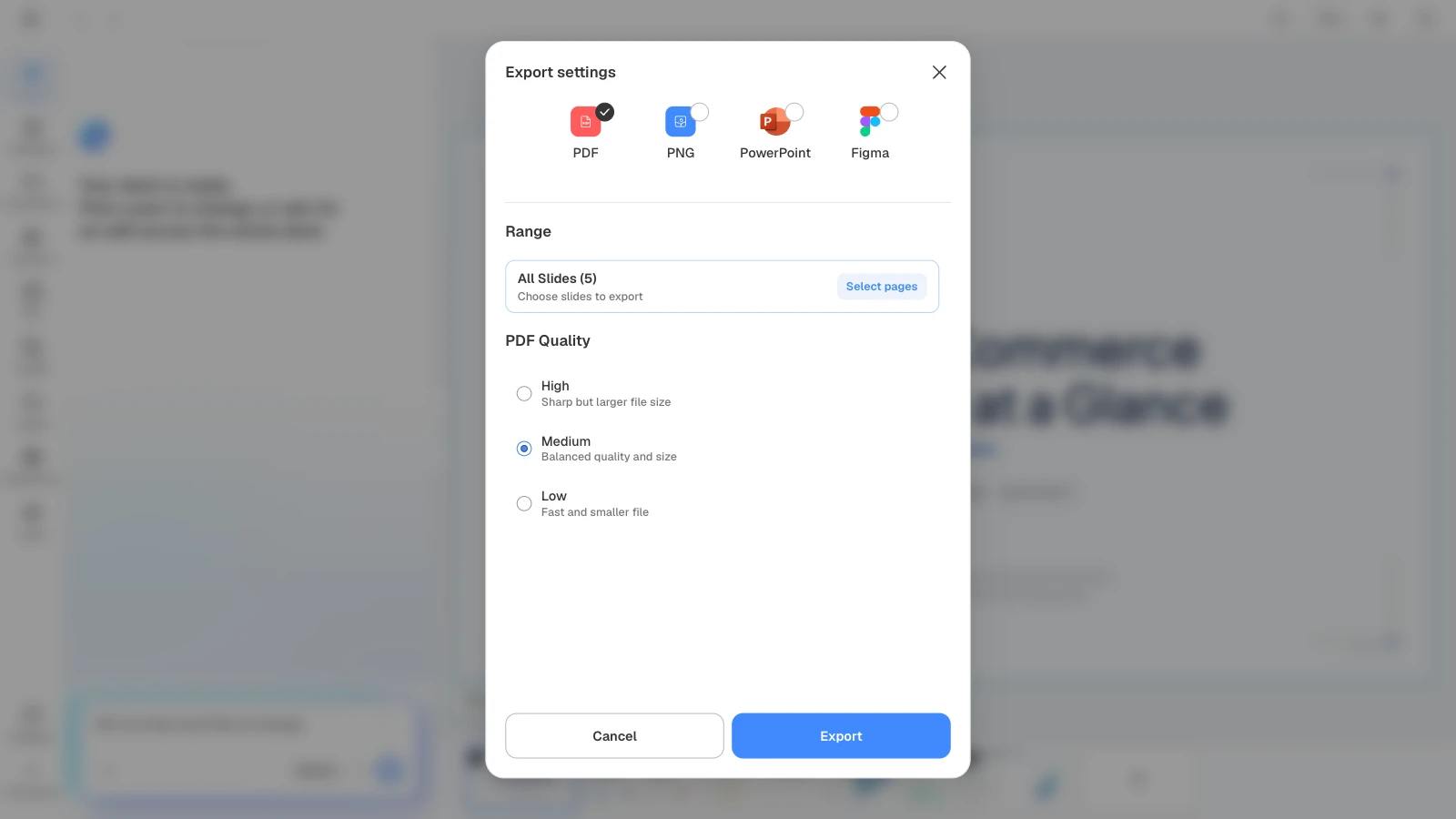
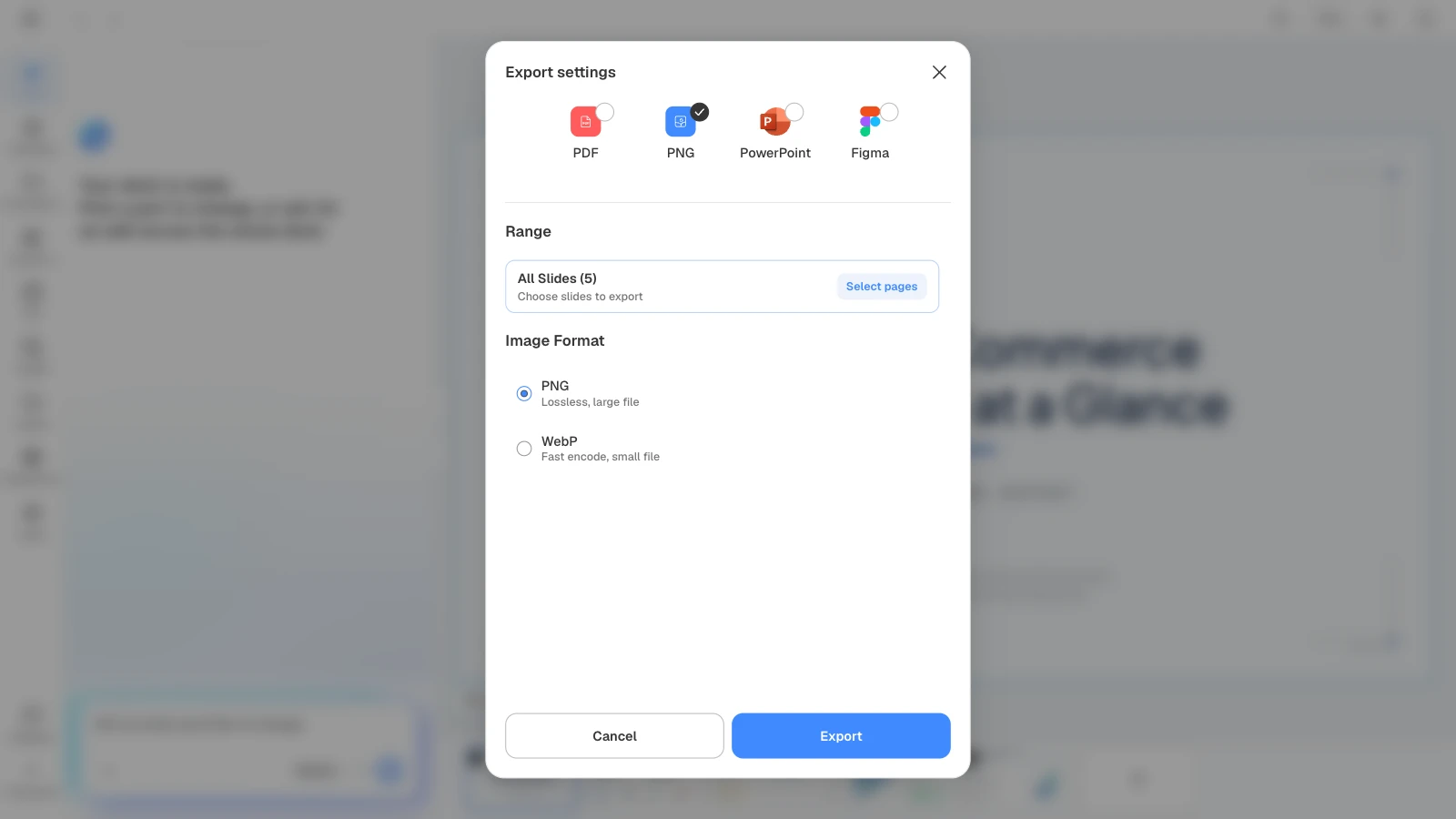
A PDF puts every slide into one file, in order. PNG creates one image per slide and downloads them together as a single ZIP file.
- PDF quality: choose High, Medium, or Low. Medium is the default; higher quality is sharper but makes a larger file.
- Text in the PDF: MOVO's PDF stores each slide as an image, so you can't select, copy, or search the text in it. If someone needs to edit or reuse the text, send PowerPoint.
- The PNG bundle: the ZIP holds one image per slide plus a preview image that shows all the slides on one sheet. Choose WebP when you need smaller files.
- Slide shape: MOVO slides are 16:9 landscape, so PNG exports are landscape images too. For square or vertical social posts, place the image on a canvas of that size.
- Watermark: PDF and PNG exports on the Free plan include a MOVO watermark. Paid plans export without it.
What can you edit after exporting to PowerPoint?
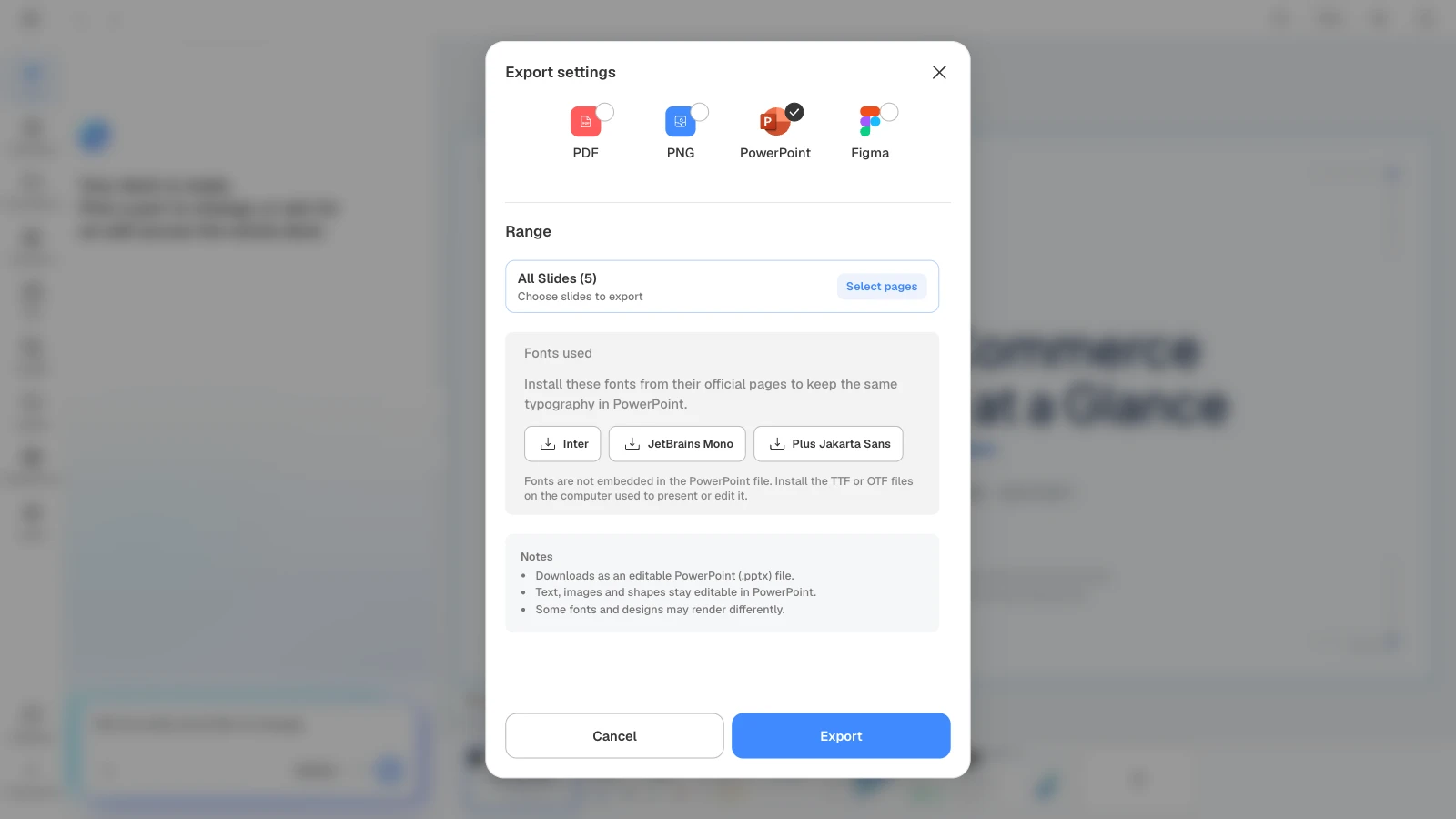
A PPTX from MOVO keeps text, images, and shapes editable in PowerPoint. Fonts aren't embedded in the file, though, so install the same fonts on the computer you present or edit from to see the slides as they looked in MOVO.
- Install the fonts: each button under "Fonts used" opens the font's official page. Download and install the TTF or OTF files. The list covers only the slides you are exporting.
- Check what can shift: as the dialog notes, some fonts and designs may render differently in PowerPoint. Open the file on the presenting computer and check line breaks and positions.
- Send it to someone else: once the fonts are installed, you can embed them in PowerPoint for Windows under File > Options > Save by selecting "Embed fonts in the file." Microsoft recommends embedding all characters if others will edit the file. Some fonts can't be embedded because their creators don't allow it (Microsoft Support).
How do you move a MOVO deck into Figma?
Choosing Figma downloads a .movo file for Figma conversion. Upload it to the MOVO AI plugin in Figma, and every slide becomes a Figma frame you can keep editing.
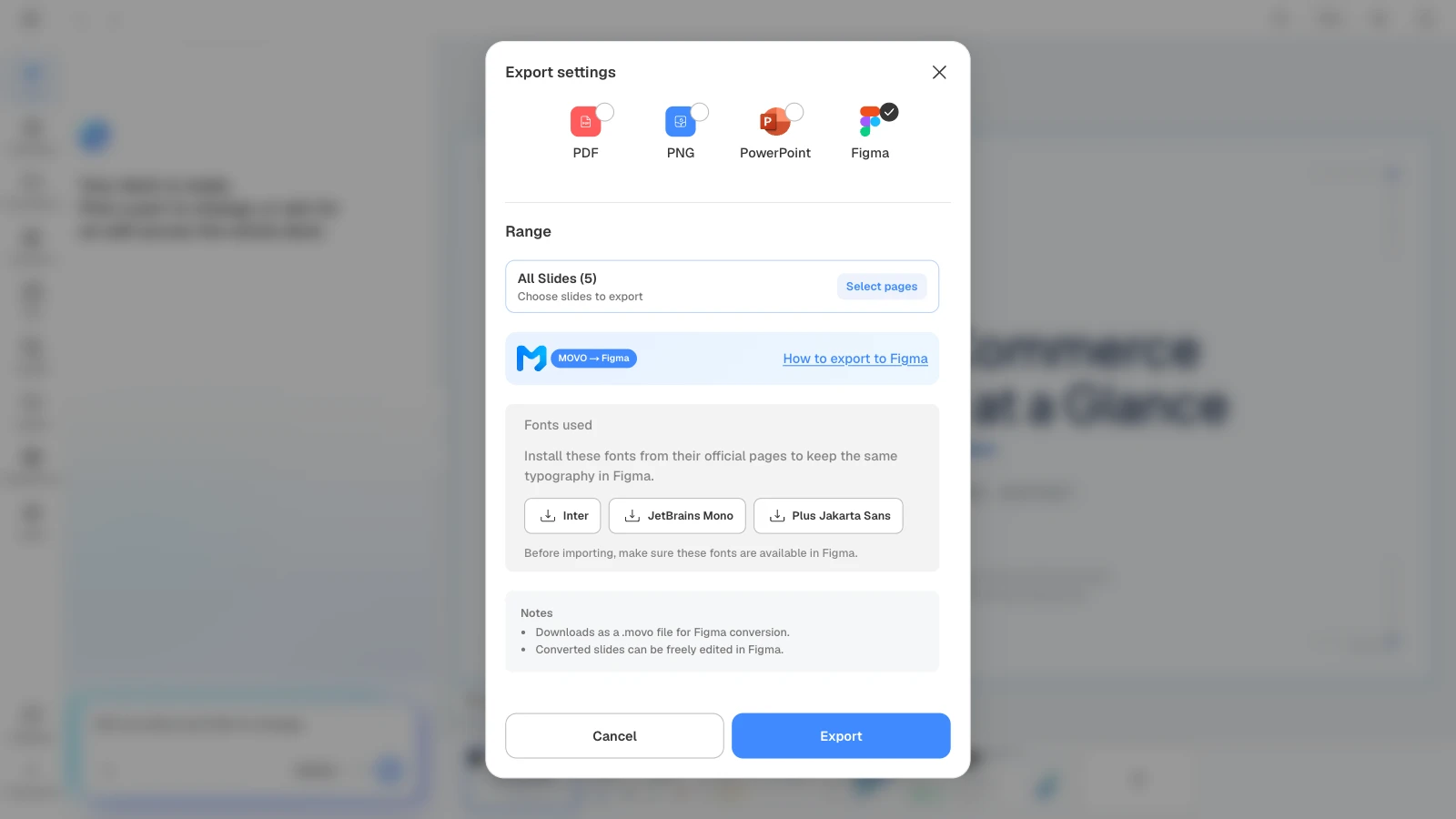
- In MOVO's export dialog, choose Figma and click Export to download the .movo file.
- In Figma, go to Plugins > MOVO AI. If you don't have the plugin, search for "MOVO AI" in the Figma Community (MOVO AI · Slide Importer).
- Click "Upload .movo file" in the plugin and choose the downloaded file.
- When the slides arrive as Figma frames, continue editing.
The instructions open automatically after a Figma export until you check "Don't show again." Before importing, make sure the fonts listed under "Fonts used" are available in Figma.
Already working in Figma Slides? How to export PowerPoint or PDF
In Figma Slides, open the main menu, go to File > Export slides to, and choose PPTX or PDF as the file type (Figma Help Center, as of September 2026). For social images designed in Figma, select the frames and export them as PNG or JPG.
| You want to | In Figma |
|---|---|
| Export Figma Slides to PowerPoint | File > Export slides to, then PPTX. Choose whether to convert objects to editable PPTX equivalents or flatten shapes and images into a bitmap |
| Export Figma Slides to PDF | The same menu, then PDF. Choose the color profile (sRGB or Display P3), quality, and all or selected slides |
| Turn a Figma Design deck into PowerPoint | Select top-level frames between 4:3 and 16:9, click Copy to Figma Slides in the right sidebar, then export PPTX as above (Figma Help Center) |
| Export frames as images | Select the frames, click + in the Export section of the right sidebar, pick a format, and click Export. For many frames at once, use File > Export (Shift+Command+E on Mac, Shift+Ctrl+E on Windows) (Figma Help Center) |
- What changes in PPTX: fonts that PowerPoint doesn't have switch to its default font, live interactions and code blocks become static images, and gradient fills become solid fills (per Figma's help).
- Images with text: Figma notes that JPG compression can hurt text readability and suggests PNG or SVG for images with text (Figma Help Center). Square or vertical social frames fall outside the 4:3 to 16:9 range, so Copy to Figma Slides doesn't appear for them.
If the deck was made in MOVO, you don't need the Figma route to get a PowerPoint file: export PPTX from MOVO directly.
What does MOVO change when you export?
- Four formats, one dialog: PDF, PNG, PowerPoint, and Figma. PDF and PNG on every plan (with a MOVO watermark on Free); PPTX and Figma on paid plans.
- Only the slides you need: "Select pages" exports just the slides you pick, in their original order.
- Fonts before you send: choosing PowerPoint or Figma lists the fonts in the slides you are exporting, with links to their official pages.
- A way into Figma: the .movo file and the MOVO AI plugin turn your slides into Figma frames.
- Checks before export: Check layout finds overlapping or spilling text, and you can ask the AI to fix only that slide.
How to export slides from MOVO
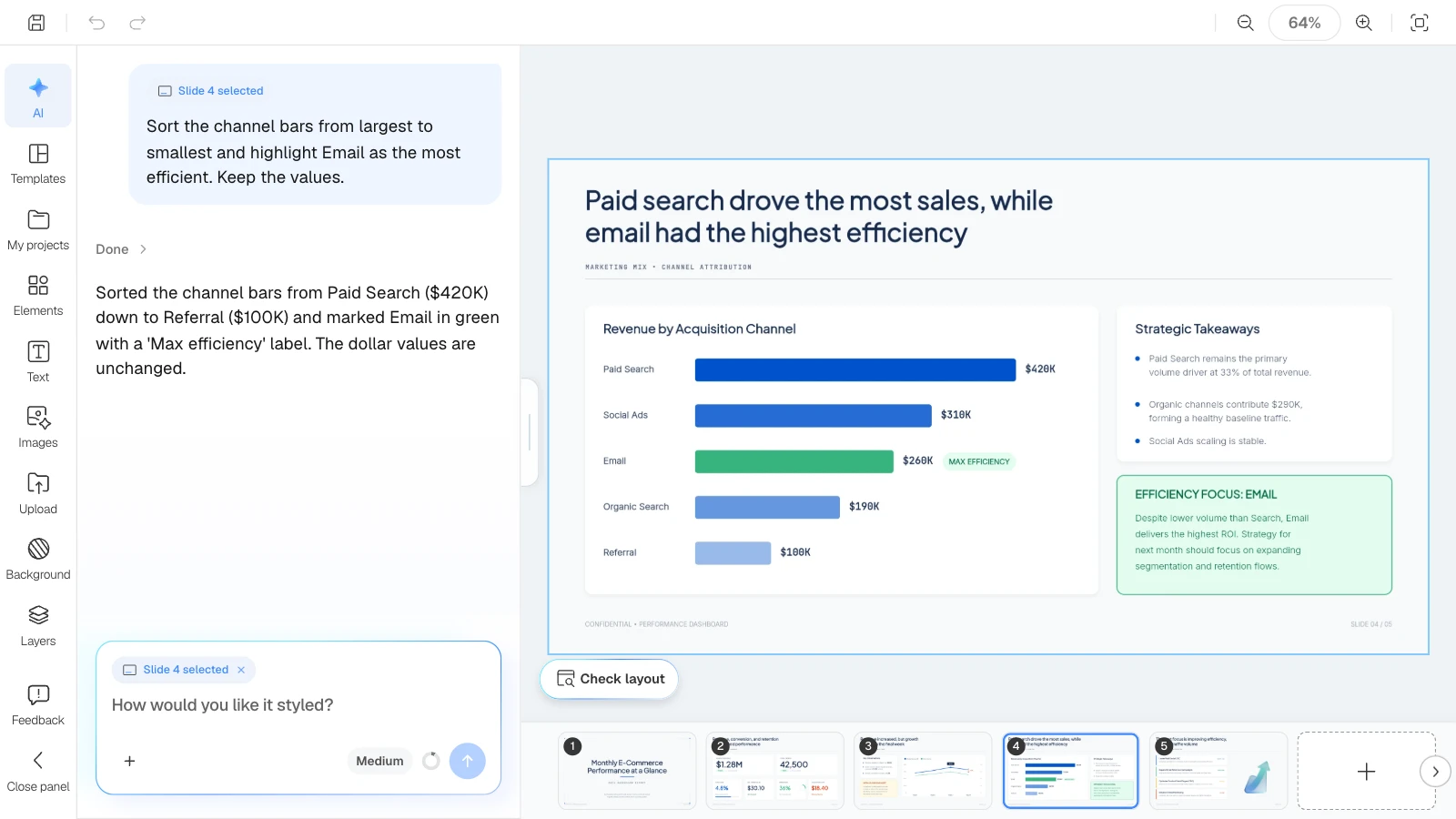
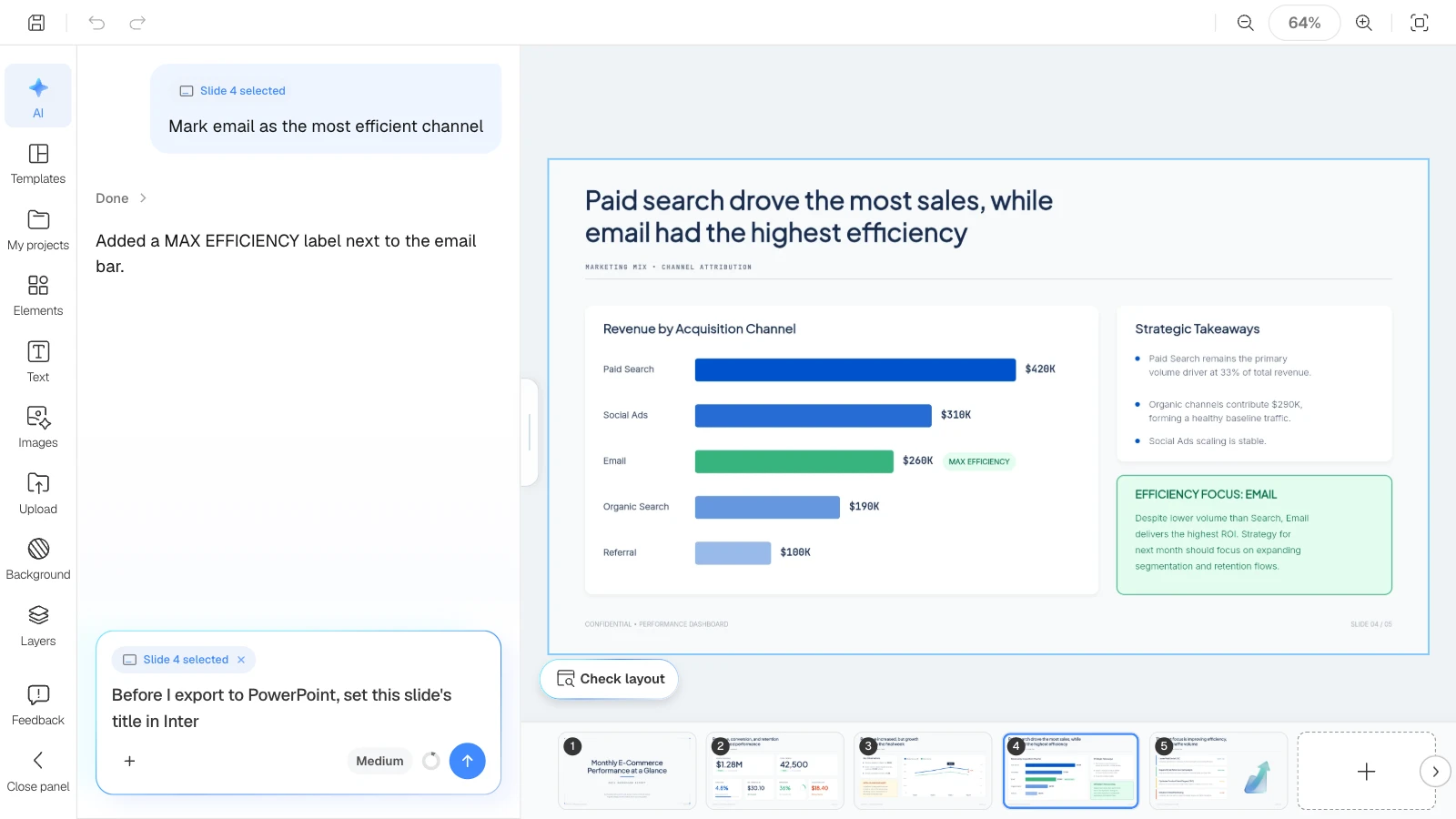
The pictures below show MOVO's screens filled with this article's example deck, the Monthly E-commerce Sales Dashboard template. They illustrate the steps; they are not a recording of a real session.
1. Find overlaps before you export
Click "Check layout" below the canvas. MOVO marks overlapping or spilling spots on the current slide in red, and "Fix with AI" asks the AI to tidy that part.

2. Ask the AI to fix the slide
Select a slide and make a request in the AI panel on the left; only that slide changes. If the deck is going out as PowerPoint, using fewer fonts means fewer fonts for the recipient to install.
3. Click Export and choose a format
The Export button at the top right of the editor opens the dialog with PDF selected. Click the PDF, PNG, PowerPoint, or Figma icon to switch formats.
4. Choose the slides
Under "Range," click "Select pages" to open the slide list. Check the slides you want and click "Done." Use it to leave out an appendix or internal slides. The Export button stays disabled until at least one slide is selected.
5. Check the options and export
Pick the quality for PDF or the image format for PNG. For PowerPoint and Figma, review "Fonts used," then click Export. PDF, PNG, and PowerPoint exports show a progress window while the file is prepared.
6. Open the file you received
For a PDF, check page order and anything cut off. For PNG, open the images in the ZIP. For a PPTX, check fonts and line breaks in PowerPoint on the presenting computer. For Figma, check the frames the plugin imported.
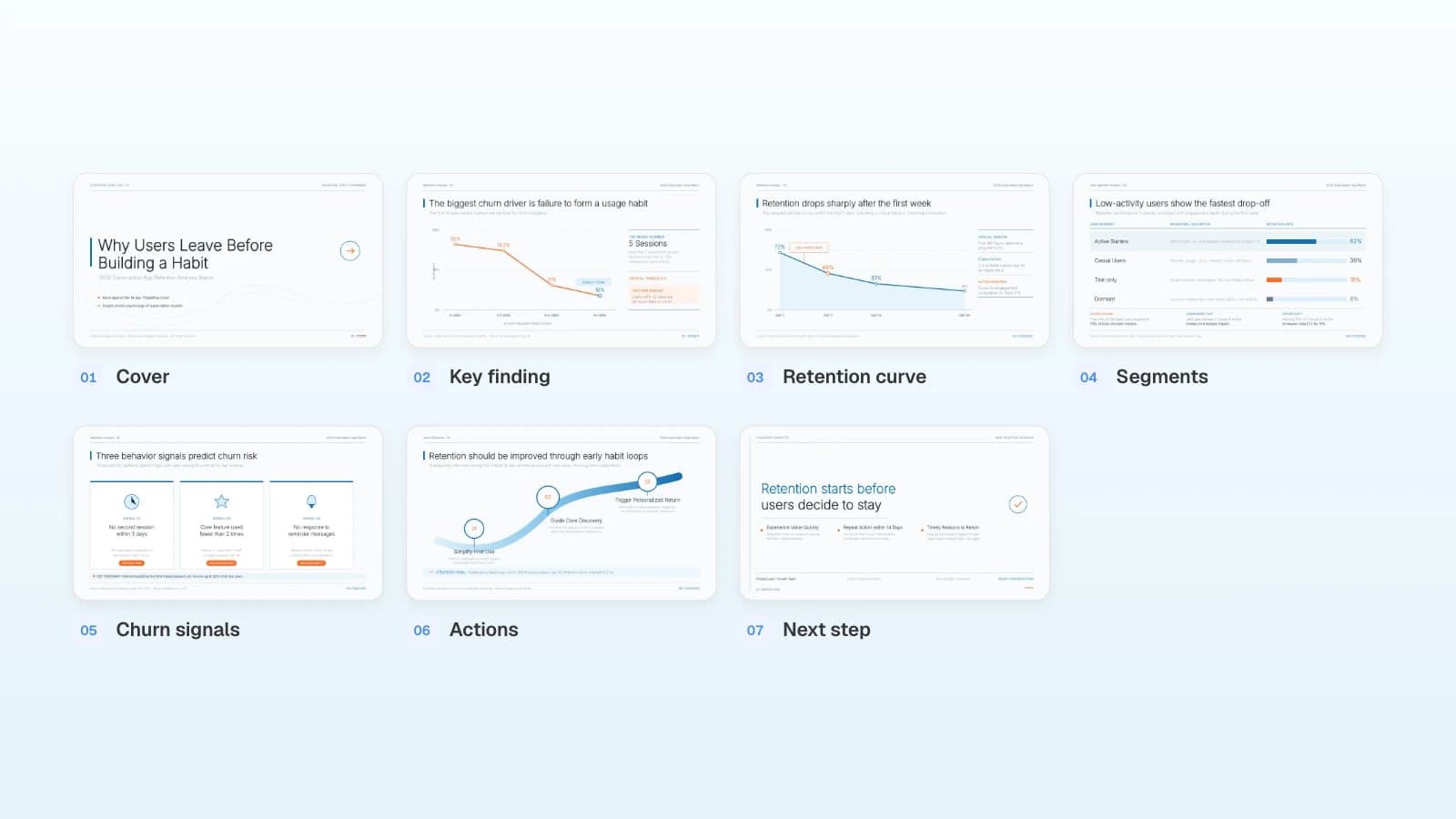
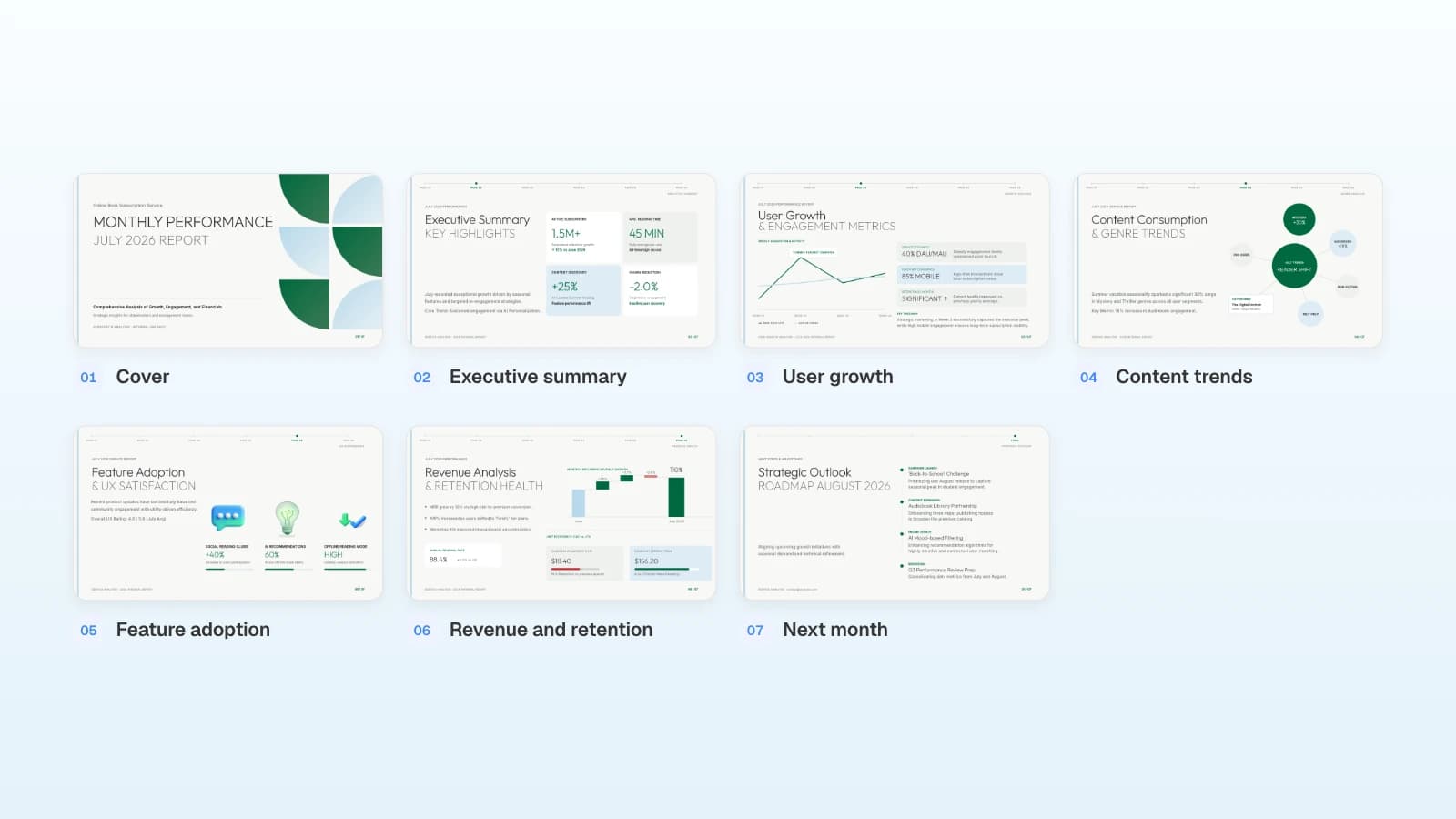
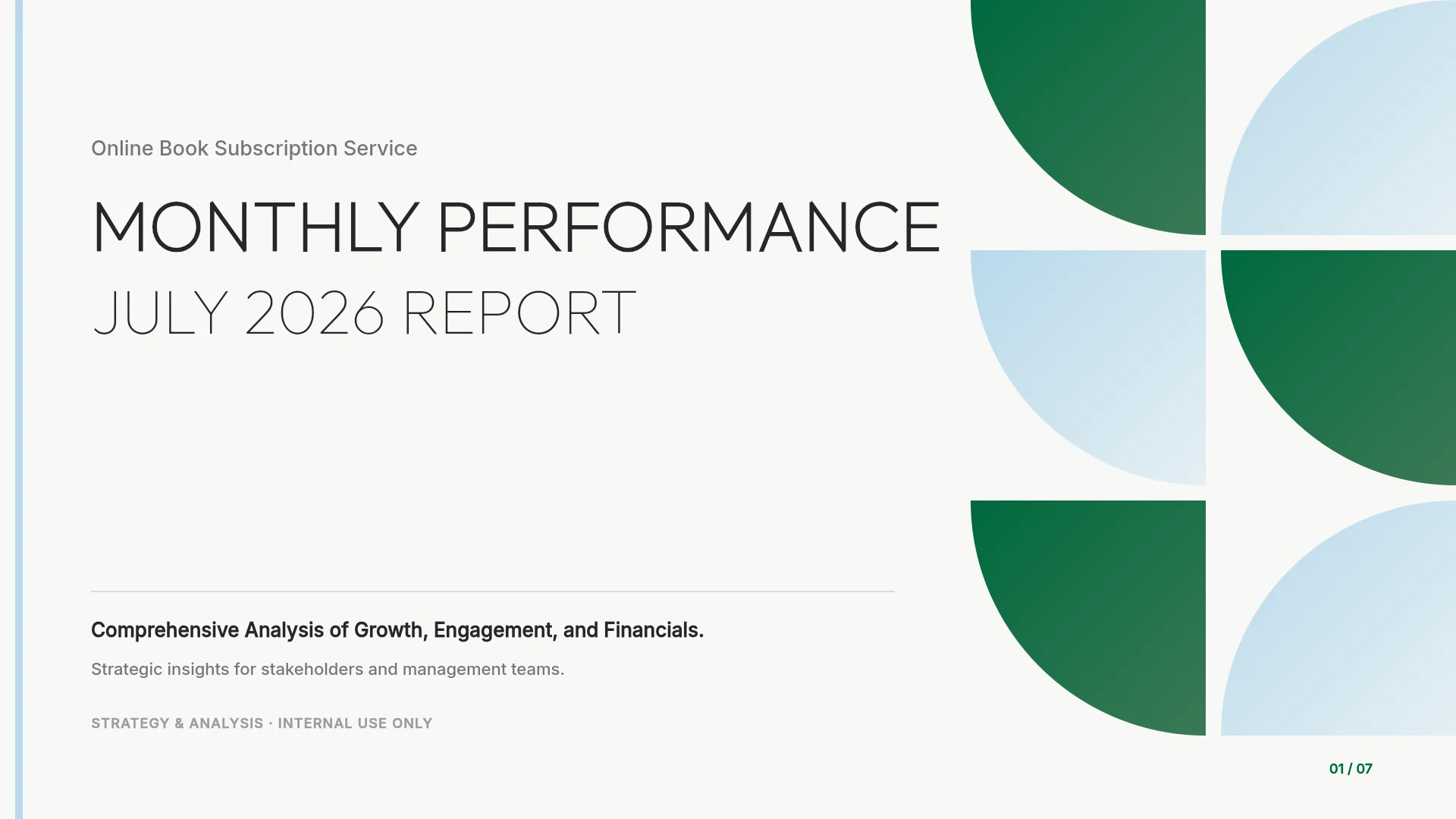
Four templates, one for each format
These MOVO templates are written for a global audience. The companies and numbers in them are fictional and show structure only. Copy one into your projects, replace the content, and export it in the format you need.
1. Monthly E-commerce Sales Dashboard (5 slides) · share as PDF
A monthly e-commerce report with headline findings on every slide: KPIs at a glance, the sales trend, channel attribution, and next month's focus. A read-only update for leadership travels well as a PDF.

View the Monthly E-commerce Sales Dashboard template
2. Digital Marketing Agency Pitch Deck (7 slides) · share as PNG
An agency pitch covering who the agency is, its services, partner ecosystem, results, and why to work with it. Individual slides work well as PNG images in a proposal email, a case study page, or a social post.

View the Digital Marketing Agency Pitch Deck template
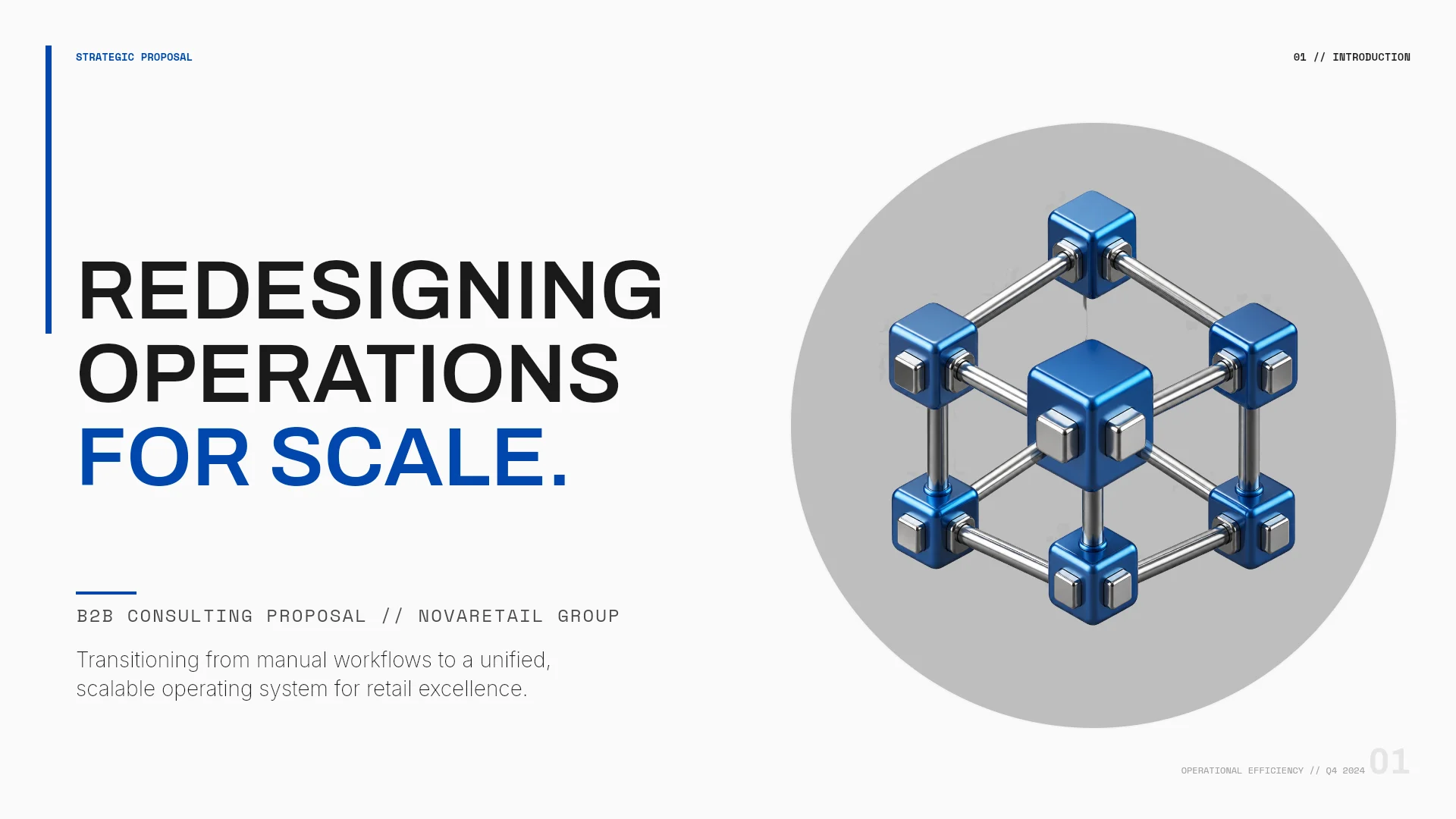
3. Retail Operations Consulting Proposal (7 slides) · send as PowerPoint
A B2B consulting proposal: the client challenge, objectives, phased approach, scope, and expected outcomes. A proposal the client will mark up and edit is best sent as a PPTX.
View the Retail Operations Consulting Proposal template
4. Indigo Studio System (6 slides) · continue in Figma
A brand identity presentation with lavender type on near-black and open editorial layouts. A designer who will fine-tune type and spacing can pick it up in Figma.

View the Indigo Studio System template
Frequently asked questions
Can I export PowerPoint on the Free plan?
No. The Free plan exports PDF and PNG with a MOVO watermark. PowerPoint and Figma exports are available on paid plans.
Can I copy text from a PDF exported from MOVO?
No. MOVO's PDF stores each slide as an image, so the text can't be selected or searched. Export PowerPoint if you need to edit or reuse the text.
Can I export only some of the slides?
Yes. In the export dialog, click "Select pages" under "Range" and check the slides you want. It works for every format, and the slides keep their original order.
Why do the fonts look different in PowerPoint?
MOVO's PPTX doesn't embed fonts. Install the fonts listed under "Fonts used" in the export dialog, then reopen the file. If you will send the file to someone else, turn on font embedding in PowerPoint before you save.
How do I export Figma Slides to PowerPoint?
In Figma Slides, open the main menu and choose File > Export slides to, then pick PPTX. Fonts that PowerPoint doesn't have switch to its default font, and gradient fills become solid colors.
Summary
Pick the format by what the recipient will do: PDF to read, PNG for images, PowerPoint to edit, Figma to keep designing. Before you export, run Check layout and fix what it finds, choose only the slides you need, then open the file you received. For PowerPoint, install the listed fonts; for decks already in Figma Slides, use File > Export slides to.