Gamma vs Genspark vs Skywork in 2026
Gamma vs Genspark vs Skywork, compared on inputs, editing, design, export formats, and prices from each vendor's own pricing and help pages in September 2026, plus who each tool fits and where MOVO fits.
Your manager wants next week's business review "done with AI," and three names keep coming up: Gamma, Genspark, and Skywork. All three turn a few sentences into slides, but they differ in what you can feed them, how you fix the draft, which files you can download, and how they bill. Each one prices in its own credits, so the pricing pages alone won't settle it.
Here is the short answer. Pick Gamma if you also want to share the work as a doc or web page, or need a PPTX on a free plan. Pick Genspark if you want the AI to research the topic, check the numbers against sources, and write speaker notes. Pick Skywork if your material lives in Google Workspace, Microsoft 365, or OneDrive and you want to connect it directly. Pick MOVO if you already have a report, spreadsheet, or PDF, want to approve a slide-by-slide outline before anything is designed, and need to fix individual slides before handing off a PowerPoint file. This is a desk review of each vendor's own pricing and help pages, checked on September 27, 2026. We did not run the same material through all four tools, so it does not rank output quality or speed.

MOVO starts from what you already have. Attach a report PDF, a metrics spreadsheet, or a Word brief, and MOVO shows a slide-by-slide outline first. Edit the outline, choose the audience, tone, colors, fonts, and a design, and the slides are built. If a number is wrong, select that slide and fix only that part. This guide covers a side-by-side table, a real screen with strengths and drawbacks for each tool, prices, what to check in an exported PPTX, the MOVO workflow, and templates to start from.
Gamma, Genspark, or Skywork: which should you choose?
Choose by what you need to deliver and what you are starting from. The table is based on the features each vendor documents on its own pages as of September 2026.
| If you want to… | Pick | What the vendor documents |
|---|---|---|
| Share the work as a doc or web page too, and get a PPTX on a free plan | Gamma | PDF, PPTX, and PNG export on the Free plan; custom domains from Pro |
| Start from a topic, let the AI research it, then verify numbers and get speaker notes | Genspark | AI Slides researches, structures, and designs the deck; content verification and speaker notes |
| Build from files in Google Workspace, Microsoft 365, or OneDrive | Skywork | Connect those services before you submit the request |
| Turn an existing report or spreadsheet into a business deck, approve the outline, and fix slides one by one | MOVO | Outline step, per-slide AI edits, Check layout, PDF/PNG/PPTX/Figma export |
Sources: Gamma pricing, Genspark AI Slides help, Skywork Slides tutorial.
How do the four tools compare on the same criteria?
The biggest differences are what you can feed each tool and which files you get on a free plan. All four let you ask the AI for changes in plain language and edit elements on the slide by hand.
| Criteria | Gamma | Genspark | Skywork | MOVO |
|---|---|---|---|---|
| Input | PPTX, Word, PDF, CSV; Google Drive, Notion; pasted text and links | PDF, Word, Excel, and PPT files; AI-generated or web images | Local files, knowledge base, links and text, connected Google or Microsoft accounts | PDF (up to 100 pages), Word, Excel (up to 20 sheets), CSV, TXT, images |
| Editing after generation | Select an element, ask the AI, compare before and after | Click an element to ask, or mark several spots and send them together | Regenerate or rewrite a page, edit elements directly, version history | Select a slide and ask the AI, edit on the canvas, Check layout |
| Design | Themes; custom branding from Pro | Professional and Creative modes; 100+ built-in skills | Styles (Auto, Creative, Deep Research); upload your own PPTX or PDF template | Style presets filtered by document type and mood; audience, density, tone, colors, fonts |
| Export formats | PDF, PPTX, PNG; Google Slides by uploading the PPTX | PDF, PPTX, Google Slides | PPTX, Google Slides | PDF, PNG, PPTX, Figma |
| Files on a free plan | PDF, PPTX, PNG, with a "Made by Gamma" badge on PDF and PPTX | Export requires a paid membership | Not stated in public docs | PDF and PNG with a watermark |
Sources: Gamma help on importing, AI editing, and exporting; Genspark AI Slides help; Skywork's Slides tutorial and Slides agent page.
What is Gamma best for?
Gamma makes it easy to get files on a free plan and to share the same content as a doc or web page.
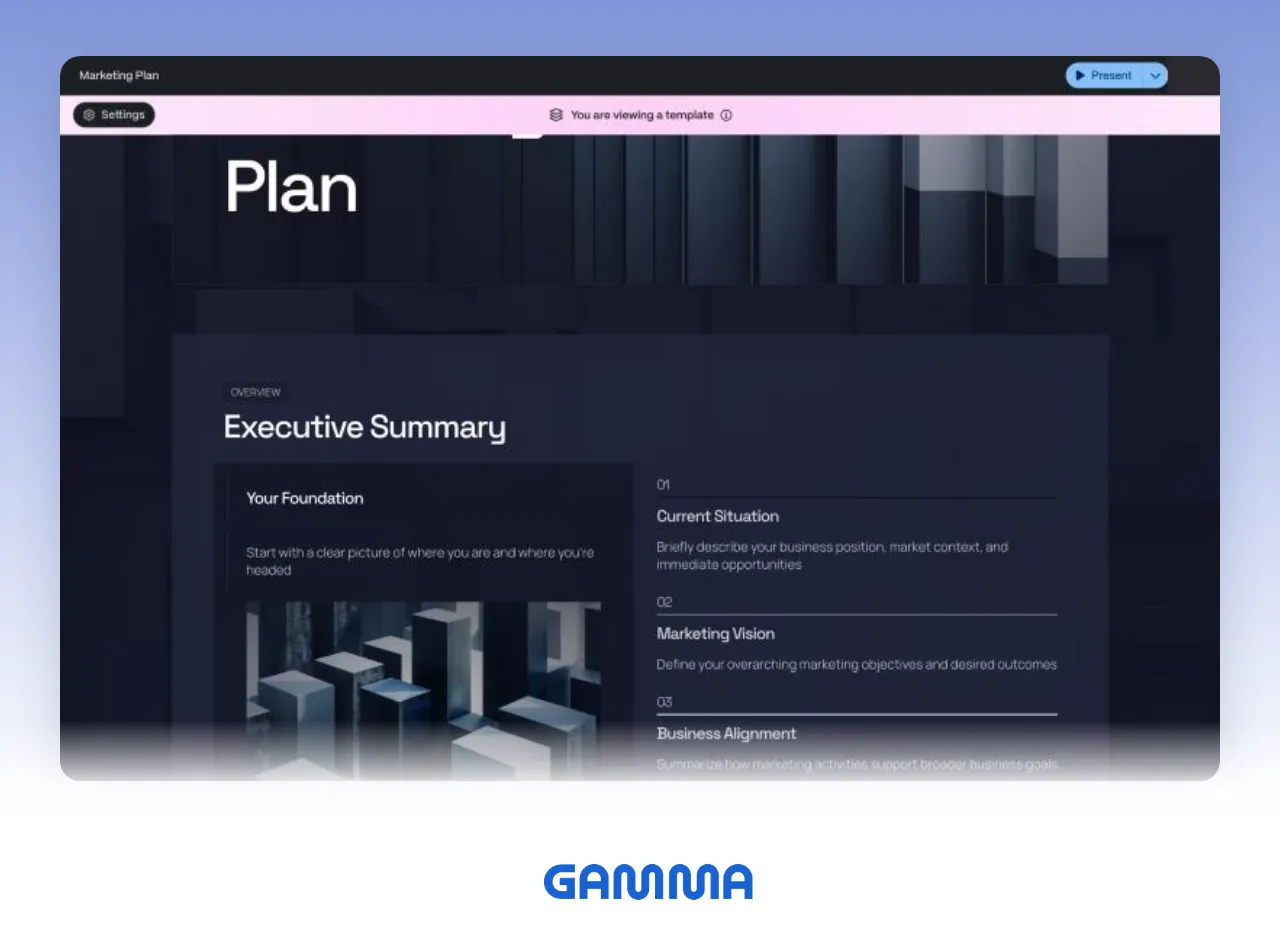
- What you put in: PPTX, Word, PDF, and CSV files, Google Drive, Notion, and pasted text or links. Imported files can keep their original layouts or be restyled.
- Editing and checks: select an element, ask the AI, then compare the original and modified versions and accept or restore. You can also ask the AI to search the web and cite sources.
- Design: pick a theme; custom branding starts on Pro.
- Files and presenting: PDF, PPTX, and PNG export on every plan, with speaker notes included in PPTX. Tables export as editable tables, and theme heading and body fonts are embedded. Google Slides opens the uploaded PPTX.
- Drawbacks: PDF and PPTX files from the Free plan carry a "Made by Gamma" badge, removed from Plus up. The PPTX slide master is left blank, and the credits an action uses vary with the task, model, and length.
- Best for: getting a PPTX on a free plan, importing an existing PowerPoint deck and keeping its layouts, or sharing the same content as a doc or web page.
Sources: Gamma pricing; Gamma help on importing, AI editing, and exporting.
What is Genspark best for?
Genspark is an agent-style tool that takes a topic and handles research, structure, design, and fact-checking.
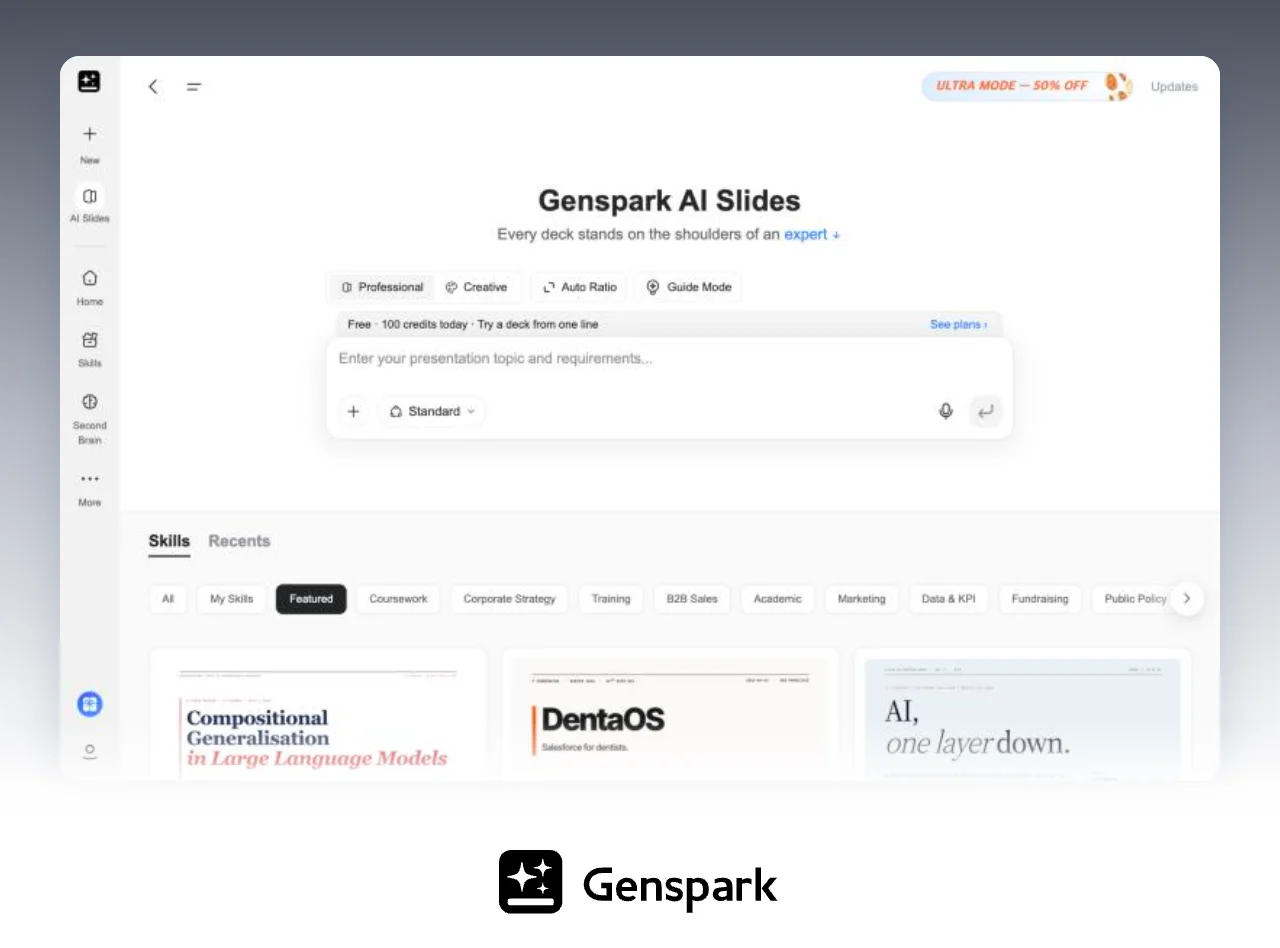
- What you put in: a topic is enough; it researches first. It can use PDF, Word, Excel, and PPT files plus AI-generated or web images, and Guide mode agrees on an outline with you before building.
- Editing and checks: click an element to ask, or mark several spots and send them in one batch. Fix Layout detects overlap and overflow, and content verification checks facts and numbers against the web or your files and leaves reference links. The manual editor works in Professional mode, and manual edits don't use credits.
- Design: Professional and Creative modes, with 100+ built-in skills.
- Files and presenting: PDF, PPTX, and Google Slides, plus AI-written speaker notes and a presenter view.
- Drawbacks: exporting files requires a Plus or higher membership, so you can't download on the free plan. Complex tables and charts can become images or shapes that aren't editable as native chart data in PowerPoint.
- Best for: starting from only a topic, checking claims and numbers against sources, or needing speaker notes and a presenter view.
Sources: Genspark AI Slides help and AI Slides FAQ.
What is Skywork best for?
Skywork builds from material in connected Google Workspace, Microsoft 365, or OneDrive accounts and lets you refine a deck page by page.
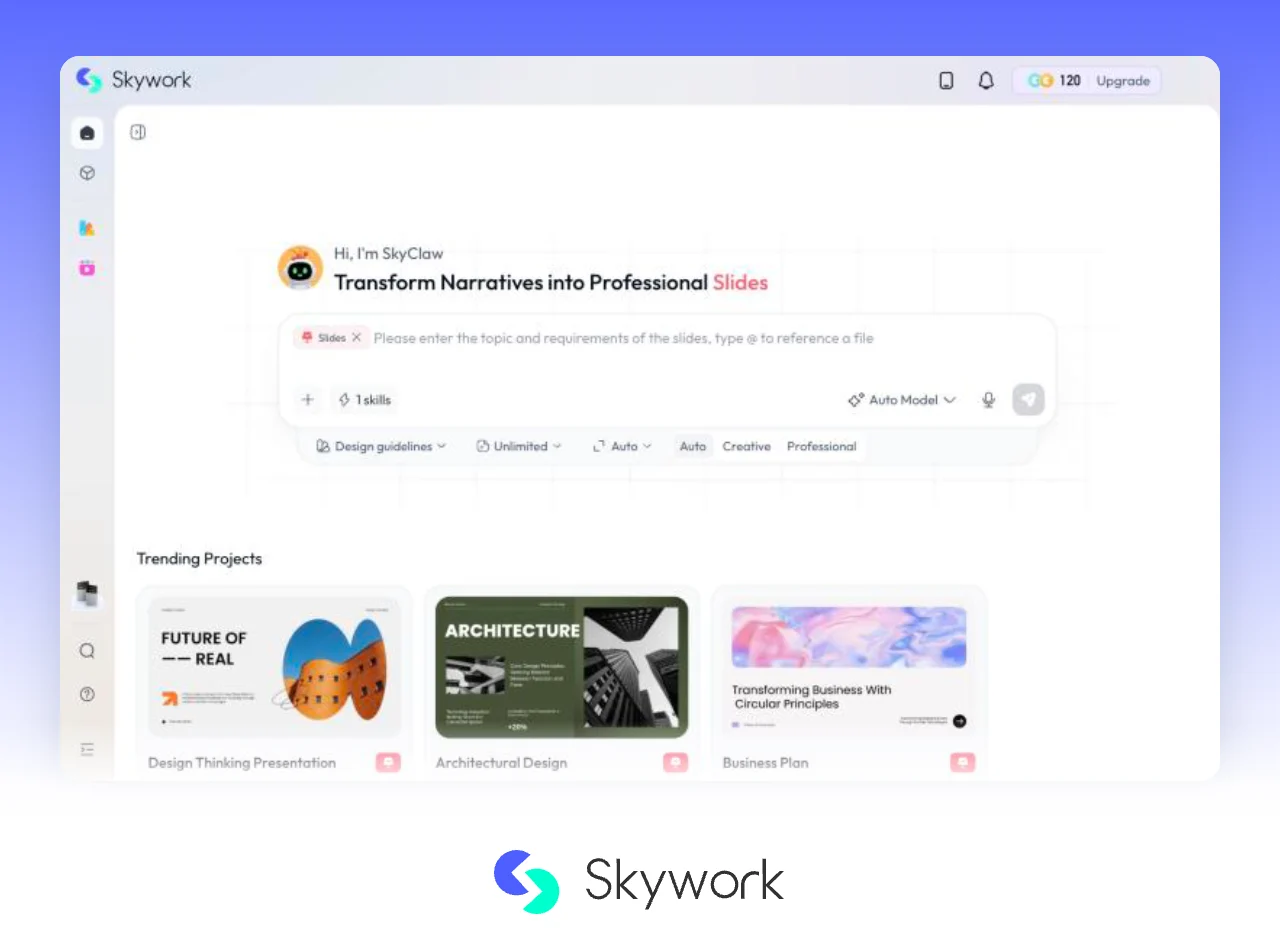
- What you put in: turn on the Slides skill, pick a style (Auto, Creative, or Deep Research) and a length (for example Unlimited, Within 5 Pages, or 6–10 Pages), then send the request. Connect Google Workspace, Microsoft 365, or OneDrive, or add files from your knowledge base, your computer, or links.
- Editing and checks: regenerate a page or give it a custom rewrite; click a text box or image to change font, size, color, alignment, and layer order. There is a 16:9 page ratio check and a version history.
- Design: pick a style, or upload your own PPTX or PDF template.
- Files and presenting: use Download at the top right of the canvas; Skywork's Slides agent page says decks export to PPTX or Google Slides.
- Drawbacks: the pricing page opens only after you sign in, and the public help center lists only monthly credits per plan. Public docs don't say which files the free plan can download.
- Best for: material spread across Google Drive or OneDrive, and a page-by-page way of refining. If a free PPTX or sharing as a doc or site matters more, Gamma fits better.
Sources: Skywork Slides tutorial, Skywork Slides agent page, Skywork plans.
Gamma vs Genspark: what's the difference?
Gamma makes it easy to try exports for free and to share work as a doc or site. Genspark makes it easy to hand off research and fact-checking. On monthly billing, the lowest paid tier is Gamma Plus at $12 per seat and Genspark Plus at $24.99.
| Gamma | Genspark | |
|---|---|---|
| Starting point | Import a file faithfully with its original layouts, or restyle it on import | Give it a topic and it researches first; Guide mode agrees on an outline with you before building |
| Fixing the draft | Select what to change, then compare the original and modified versions and accept or restore | Click an element or mark several spots and send them in one batch; Fix Layout detects overlap and overflow |
| Research and checks | Ask the AI to search the web and cite sources | Content verification checks facts and numbers against the web or your files and leaves reference links |
| Presenting | Speaker notes are included in PPTX exports | AI-written speaker notes and a presenter view |
| PPTX export | On every plan; tables export as editable tables, and theme heading and body fonts are embedded | Plus and above; complex tables and charts can become images or shapes |
Sources: Gamma help on AI editing and exporting; Genspark AI Slides help and AI Slides FAQ.
How much do they cost? (as of September 27, 2026)
On monthly billing, the lowest paid tiers are Gamma Plus at $12, Genspark Plus at $24.99, and MOVO Pro at $19.99. Skywork's pricing page opens only after you sign in; its public help center lists monthly credits per plan.
| Tool | Free | Paid (billed monthly) | Billed annually | Notes |
|---|---|---|---|---|
| Gamma | 400 credits at sign-up; up to 10 slides per prompt | Plus $12, Pro $25, Ultra $100 per seat | Plus $108, Pro $216, Ultra $1,080 per seat per year | Monthly credits: Plus 1,000, Pro 4,000, Ultra 20,000 |
| Genspark | 100 credits a day until a lifetime cap | Plus $24.99, Pro $249.99 | Plus $239.99, Pro $2,399.99 per year | Monthly credits from 10,000 (Plus) and 125,000 (Pro) |
| Skywork | — | Shown after sign-in | — | Monthly credits: Basic 10,000, Plus 28,000, Ultra 150,000 |
| MOVO | PDF and PNG export with a watermark; up to 5 slides per deck | Pro $19.99, Max $99.99 | Annual billing available | Up to 30 (Pro) or 50 (Max) slides per deck |
Sources: Gamma pricing; Genspark membership page, plans and billing, and credits guide; Skywork plans; MOVO pricing.
- Taxes and fees: Gamma says prices may be subject to tax depending on your location. Genspark says sales tax (VAT/GST), currency conversion fees for non-USD payments, and foreign transaction fees can be added by tax authorities or your bank.
- Refund windows are short: outside the EU, UK, Turkey, and Korea, Genspark accepts refund requests within 24 hours of purchase for monthly plans and 72 hours for annual plans.
- Credits don't compare across tools: Genspark's Standard mode in AI Slides uses half the credits of Ultra (0.5× vs 1.0×), and Gamma says the credits an action uses vary with the task, the AI model, and the length or complexity of the generation.
What should you check in an exported PPTX?
Whether a tool "supports PPTX" matters less than what happens inside the file: fonts, tables, charts, and numbers on the computer you will present from. Start with what each vendor documents.
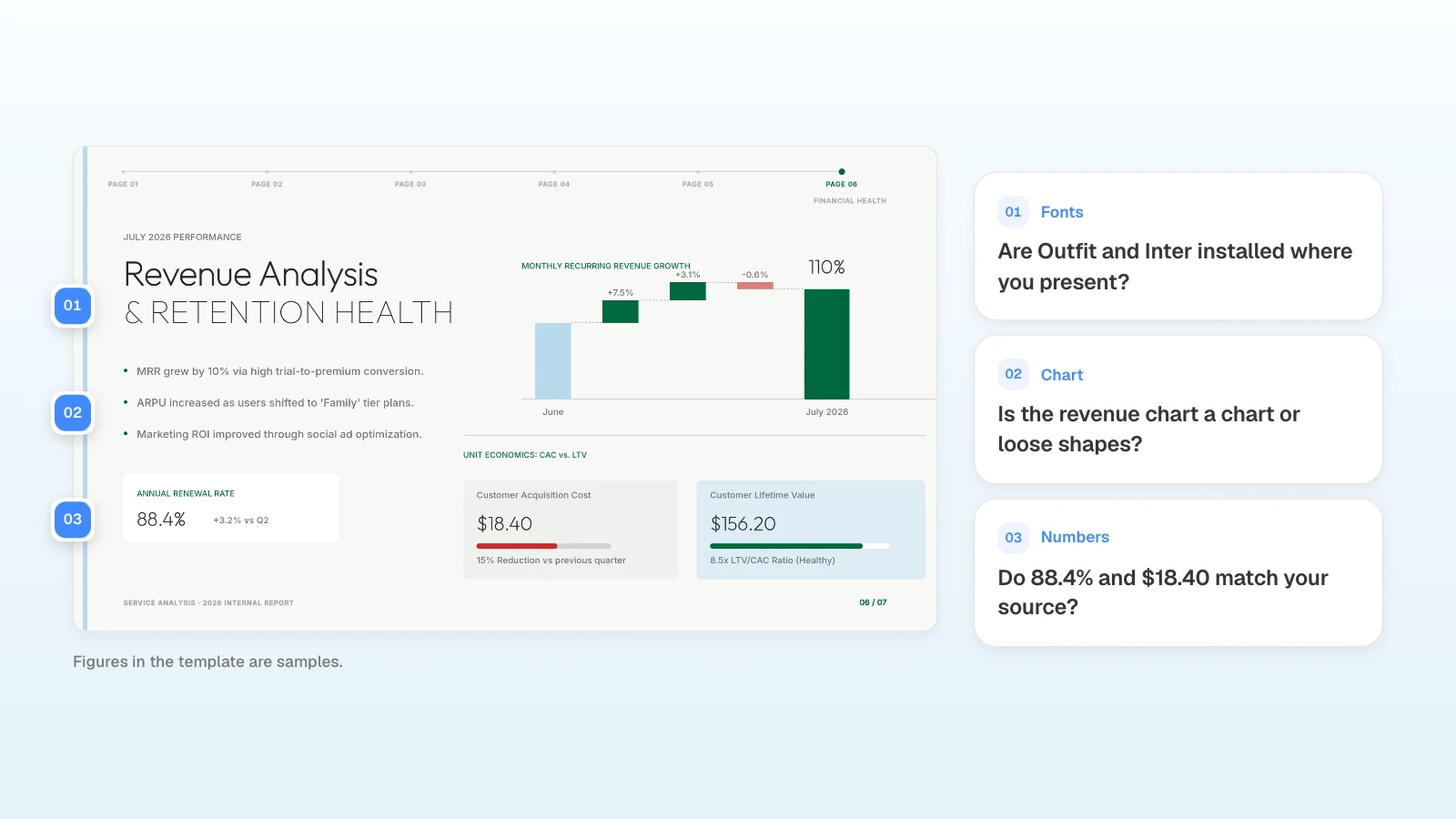
- Gamma: tables export as editable tables by default (PowerPoint has no rounded table corners, so corners turn square). Theme heading and body fonts, with bold weights, are embedded, but Google Slides ignores embedded fonts and substitutes its own. The slide master is left blank (Gamma export help).
- Genspark: complex tables and charts are converted to images or shapes to preserve their look, so they may not be editable as native chart data in PowerPoint. Content verification records are written to the slide notes (Genspark AI Slides FAQ, AI Slides help).
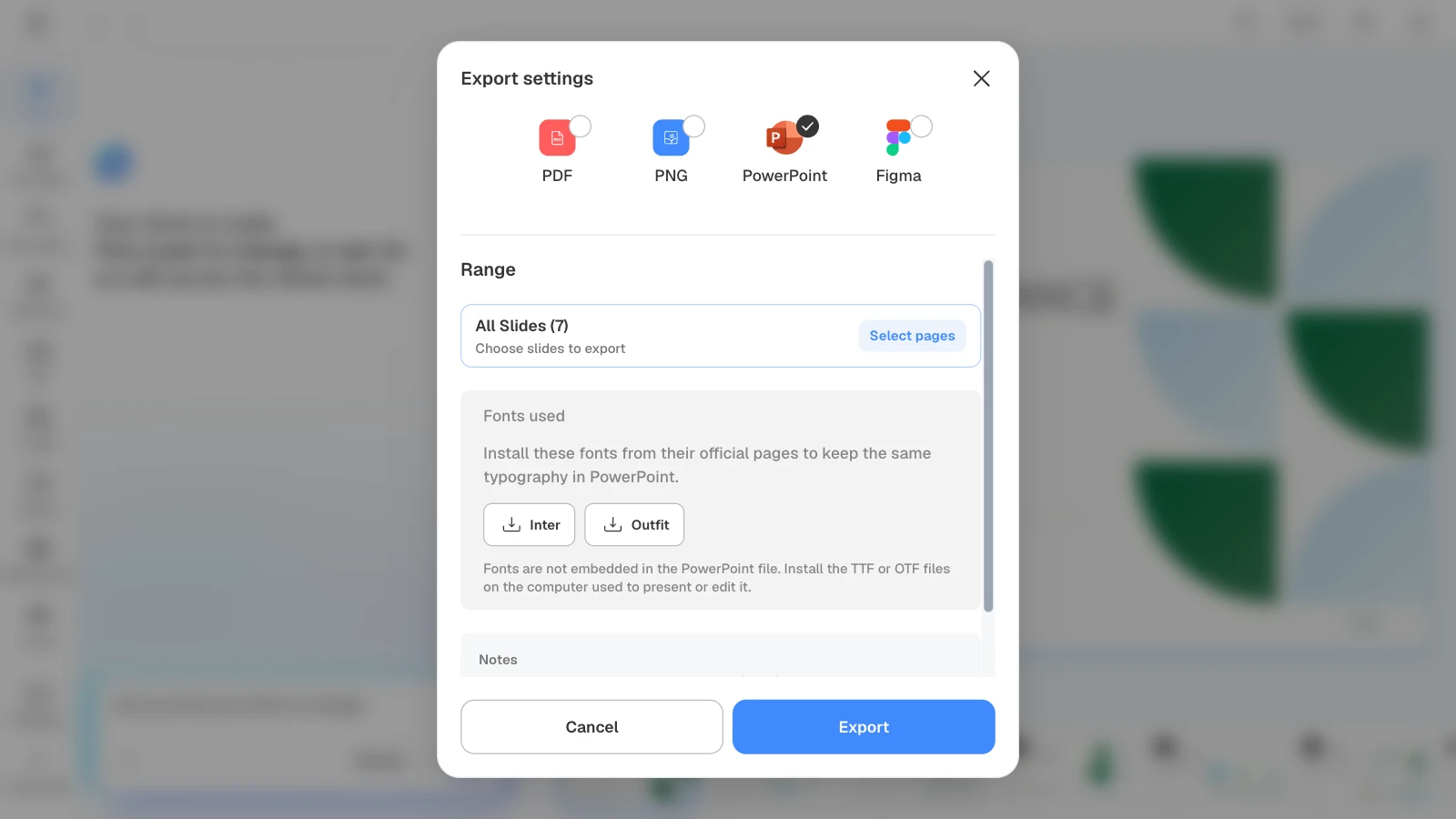
- MOVO: text, images, and shapes stay editable in PowerPoint, but fonts are not embedded in the file. Install the fonts listed in the export dialog on the presenting computer.
| Check | How |
|---|---|
| Fonts | Open the file on the presenting computer and confirm heading and body fonts didn't change |
| Tables and charts | Click a table cell to edit text; right-click a chart and see whether Edit Data is available |
| Numbers | Compare each slide with the source spreadsheet |
| Badges and watermarks | Note whether the file came from a free plan |
| Overlaps | Look again at slides where you edited numbers or lengthened sentences |
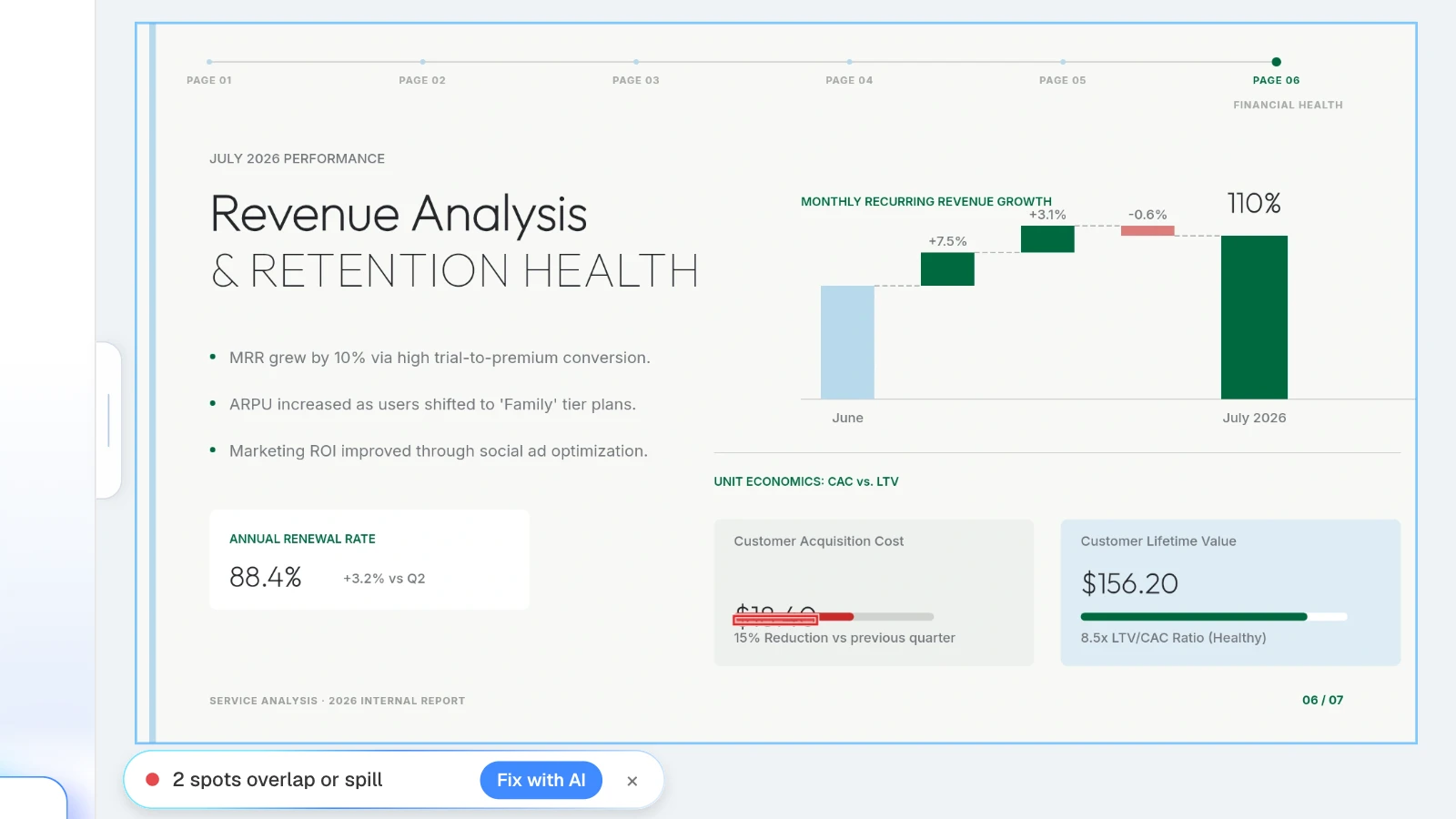
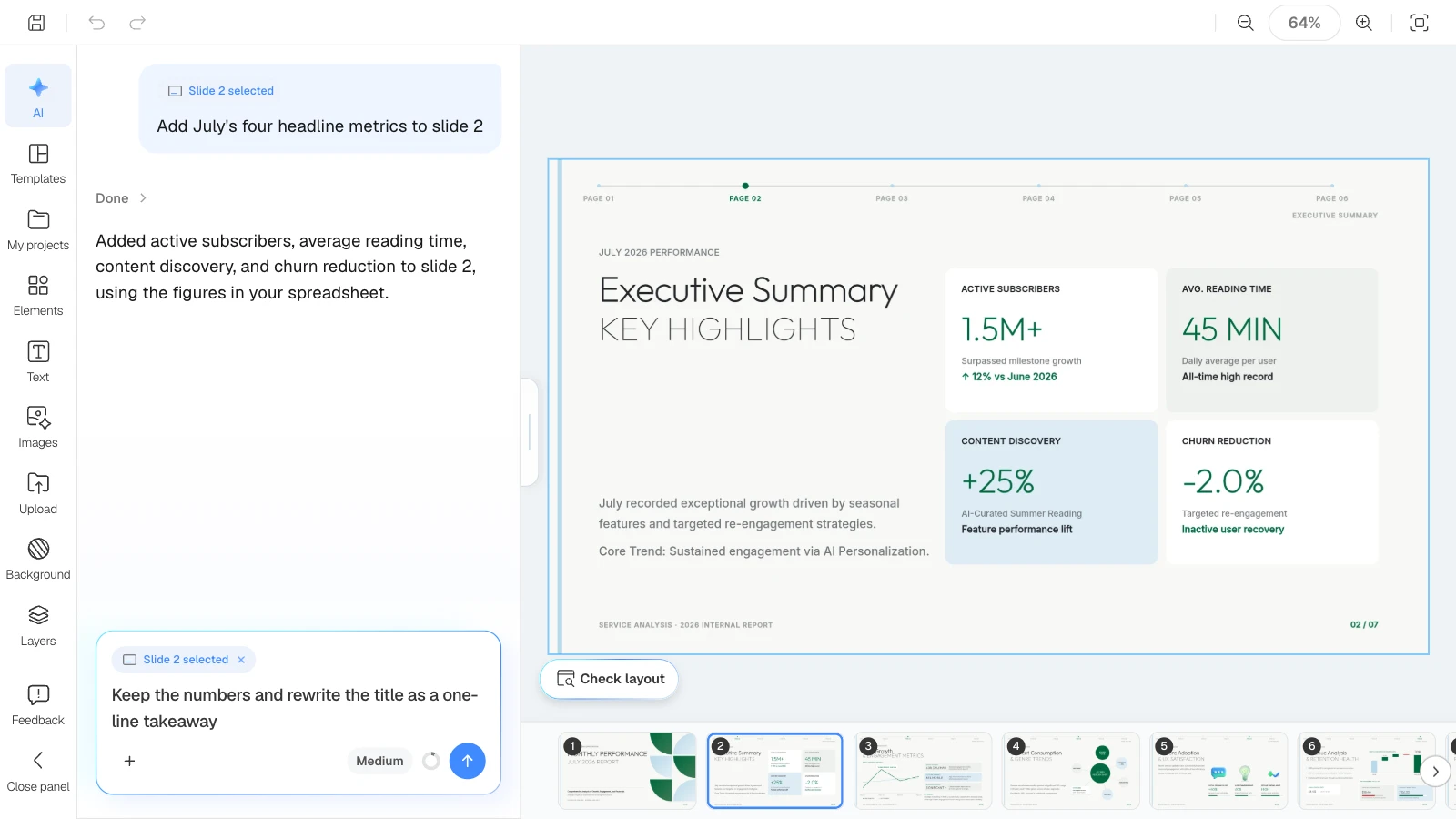
In the MOVO editor, click "Check layout" below the canvas: MOVO marks overlapping or spilling spots on the current slide in red, and "Fix with AI" asks the AI to tidy that part. Open the exported file once more before you send it.
What does MOVO change for building decks with AI?
MOVO turns the report, spreadsheet, or PDF you already have into a business deck, with an outline to approve first and slides you can fix one at a time.

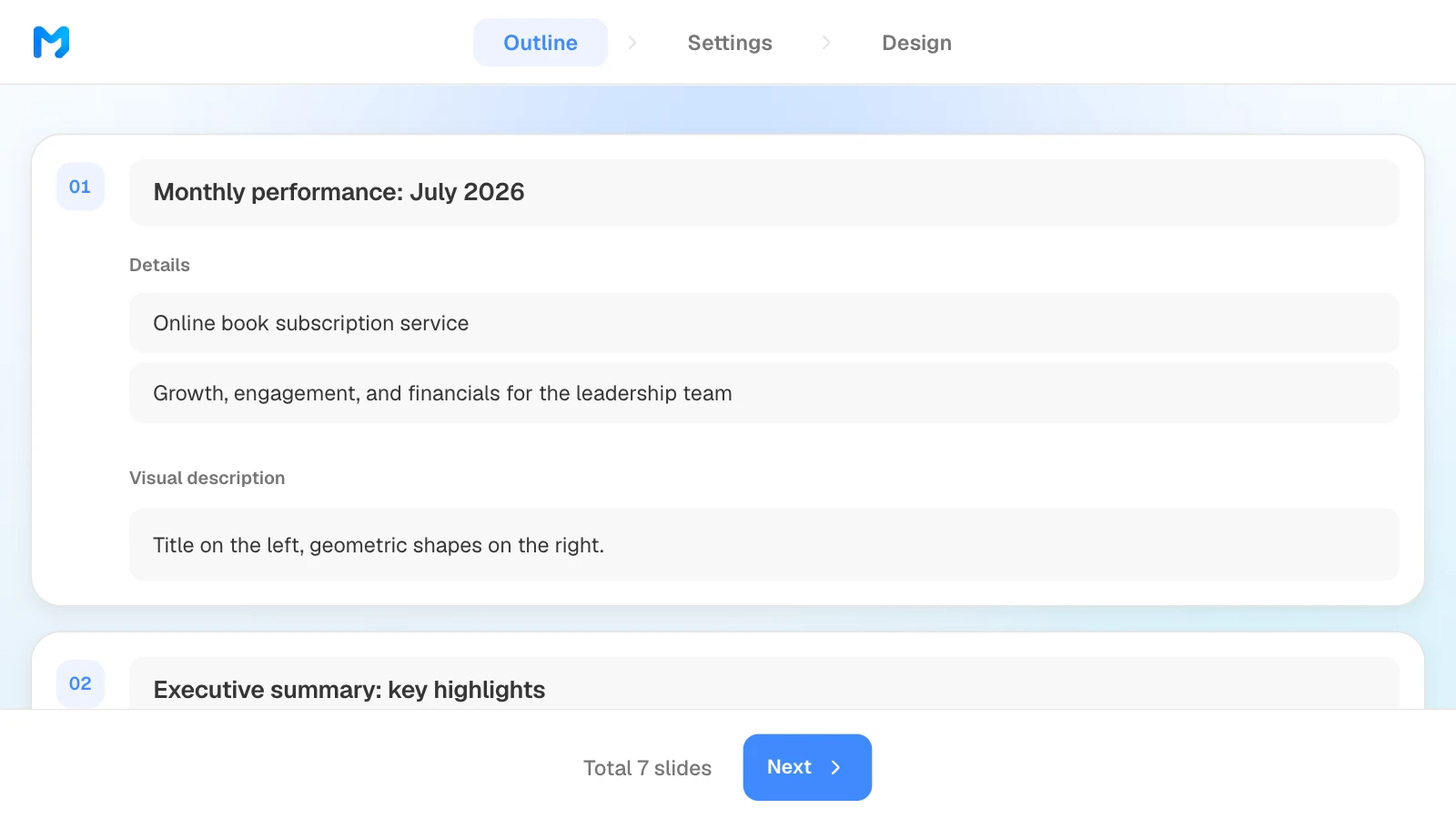
- What you put in: a PDF (up to 100 pages), Word, Excel (up to 20 sheets), CSV, TXT, or images. PPTX and HWP files aren't accepted, so save them as PDF first. Set the slide count in the dashboard input; before building, MOVO shows every slide's title, details, and visual description, and what you edit there becomes the slides.
- Editing and checks: select a slide and ask, for example, "keep the numbers, turn the title into a one-line takeaway"; only that slide changes. Edit on the canvas, and use Check layout to find overlapping text boxes.
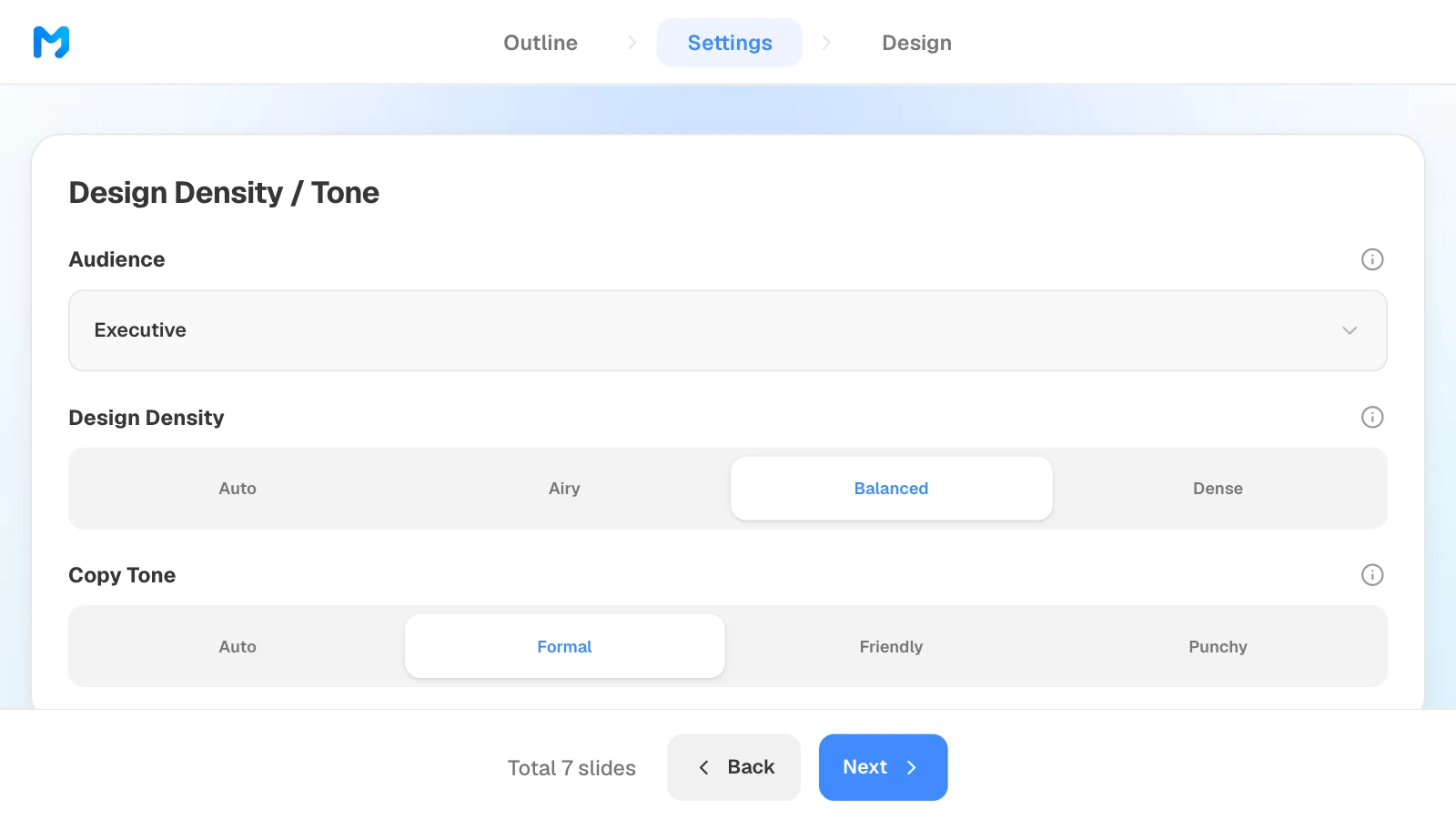
- Design: choose the audience (Executive, Investor, and more), design density, copy tone, background and brand colors, and fonts, then pick a style narrowed by document type, such as Report / Analysis.
- Files and presenting: PDF and PNG on every plan (with a watermark on Free); PPTX and Figma on paid plans.
- Drawbacks: fonts aren't embedded in the PPTX, so install them on the presenting computer. You can't import an existing PowerPoint file and keep its layouts, and the free plan doesn't export PPTX.
- Best for: turning an existing report or spreadsheet into a business deck when you want to approve the outline first, fix slides one by one, and hand off a PowerPoint file.
How to build a report deck in MOVO
The pictures below show MOVO's screens filled with this article's example, a seven-slide monthly performance review for a book subscription service. They illustrate the steps; they are not a recording of a real session.
1. Attach your material and describe the deck
In the dashboard input, say who the deck is for and what the AI must not change, then attach your metrics and notes. Set the slide count here too.
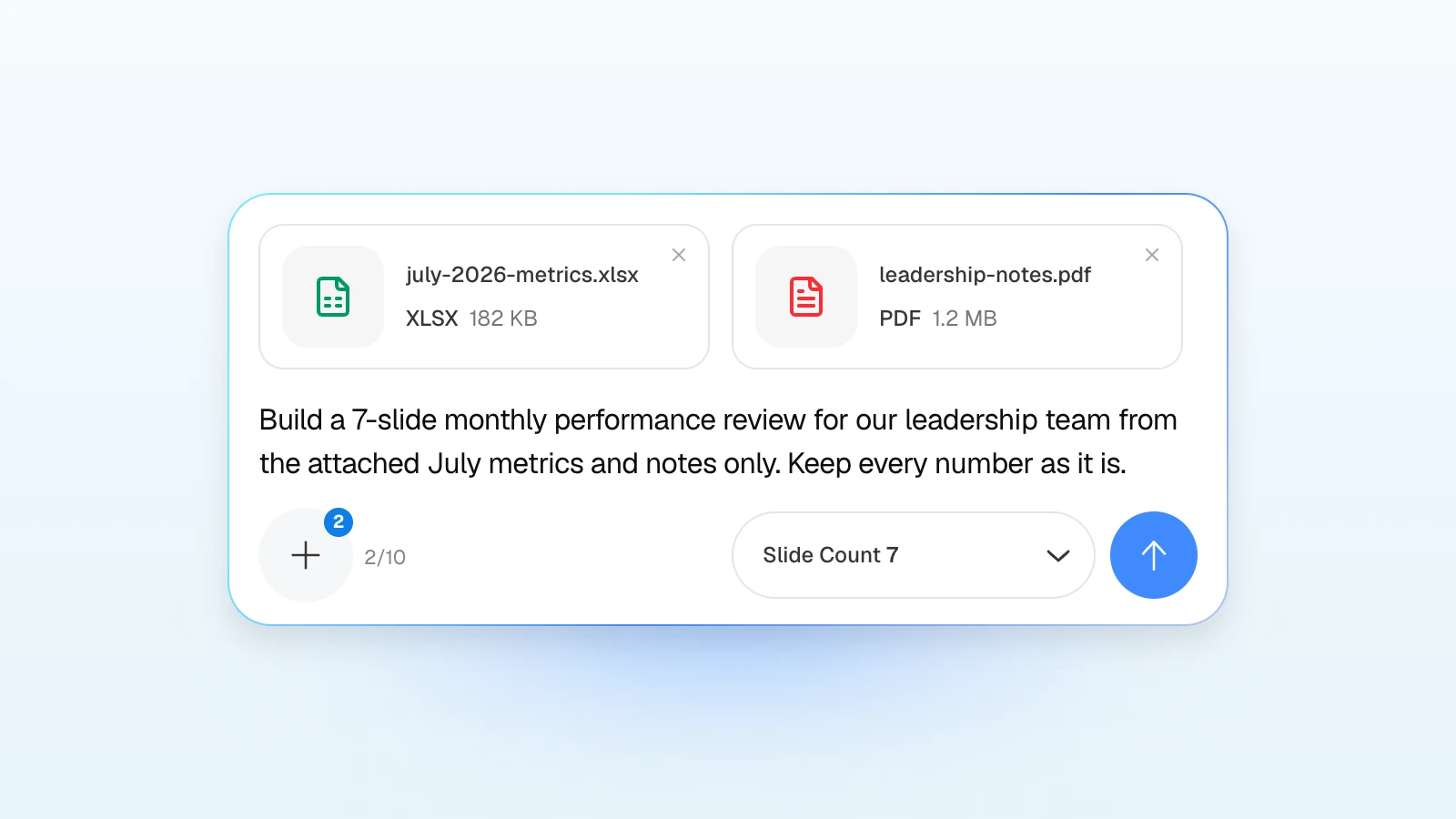
Try a request like this:
Build a 7-slide monthly performance review for our leadership team from the attached July metrics and notes only. Order: cover, executive summary, user growth, content trends, feature adoption, revenue and retention, August outlook. Keep every number exactly as it appears in the spreadsheet, and don't add causes or competitor data I haven't given you.
2. Fix the outline
Review the title and details MOVO suggests for each slide. Rewrite titles as the takeaway you want leadership to remember, and drag slides to reorder them. What you change here is what gets built.
3. Set the audience and tone
In settings, choose "Executive" as the audience, then set design density and copy tone. Scroll down to set background and brand colors and fonts.
4. Pick a design
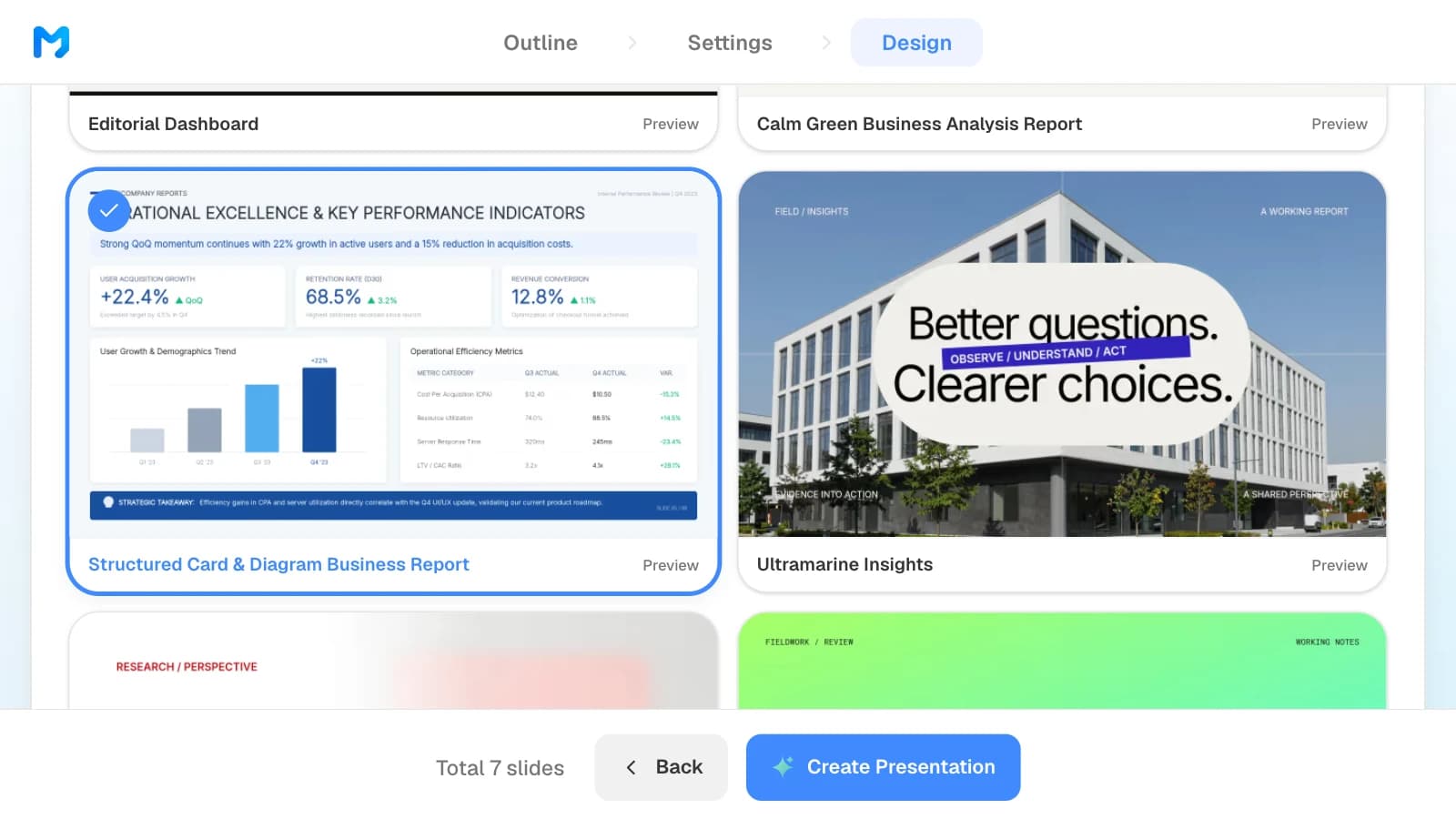
Choose "Report / Analysis" as the document type to see only report styles. Open "Preview" to see sample slides, then pick one. Styles marked "Pro" are available on paid plans.
5. Check the numbers and fix only what is wrong
Compare the metrics in the finished slides with your spreadsheet. To fix one, select the slide and ask in the AI panel on the left, or edit it on the canvas.
6. Export the file
Send a PDF when the deck is for reading, and a PPTX when the recipient needs to edit it. When you choose PowerPoint, MOVO lists the fonts the deck uses so you can install them on the presenting computer.
Three report and proposal templates to start from
These are MOVO templates written for a global audience. The companies and numbers in them are fictional and show structure only. Copy one into your projects and replace the content.
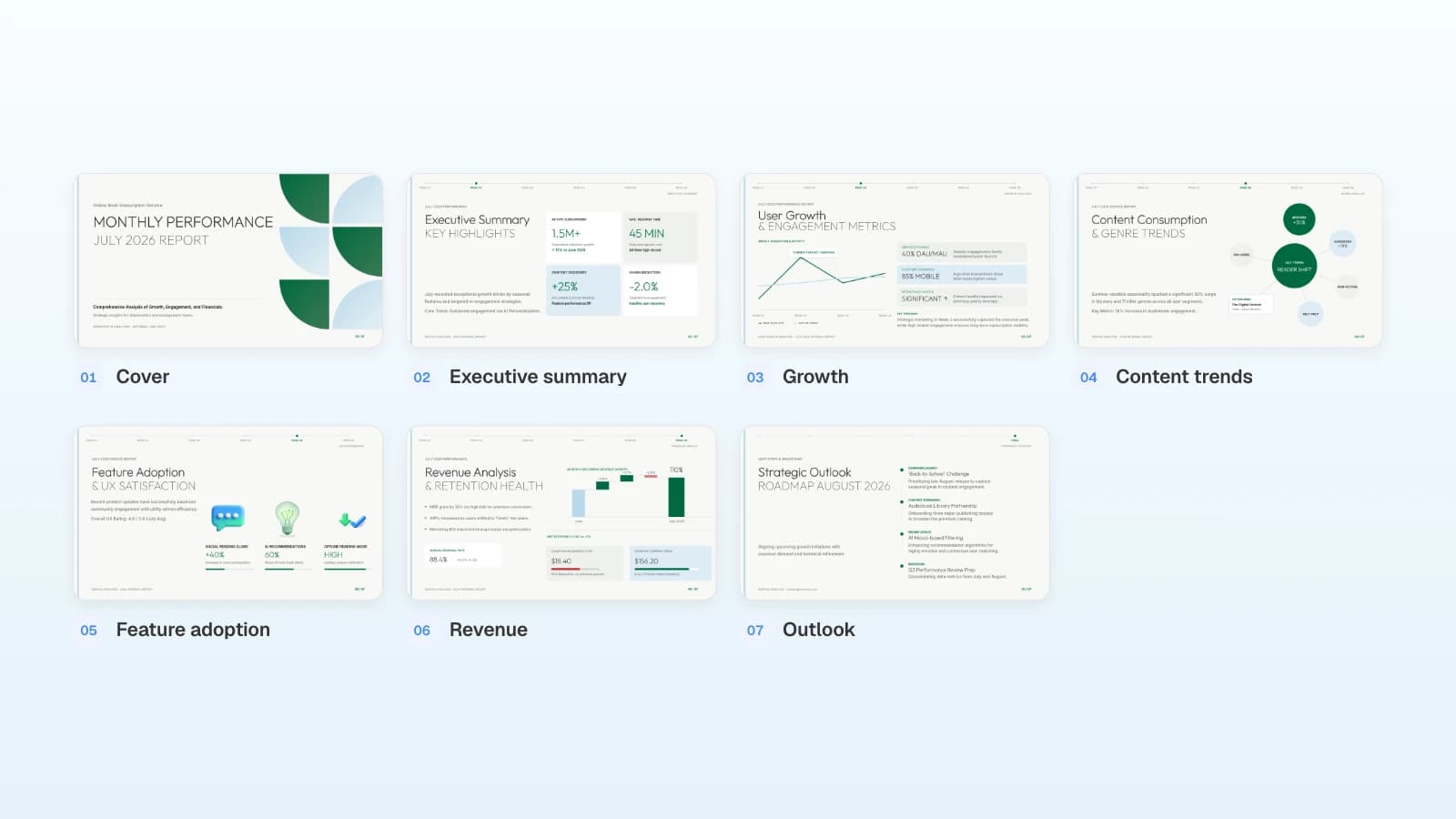
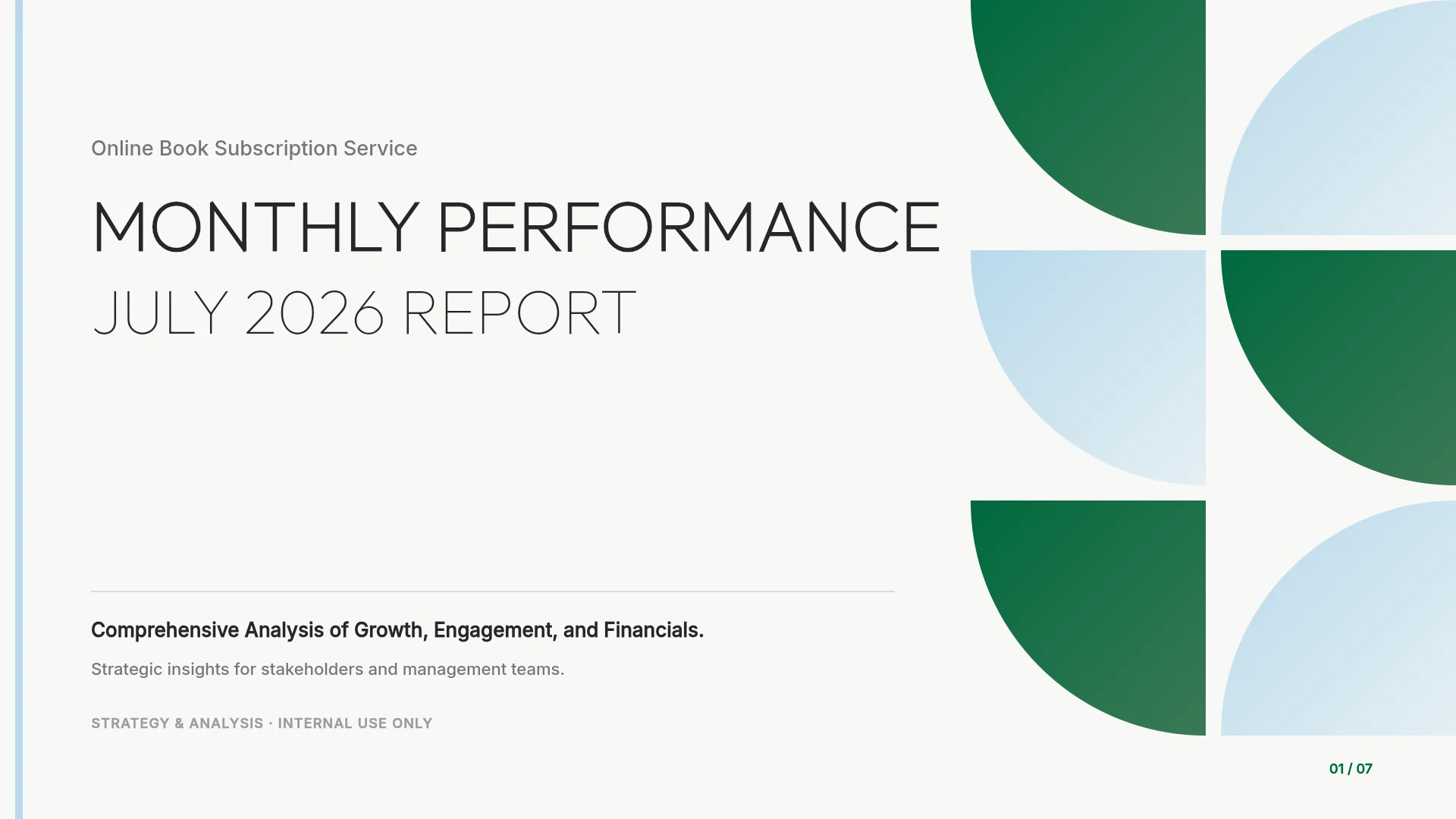
1. Monthly Performance Report (7 slides)
A monthly review for a subscription business: executive summary, user growth, content trends, feature adoption, revenue and retention, and next month's outlook. Fits teams that report metrics to leadership every month.
View the Monthly Performance Report template
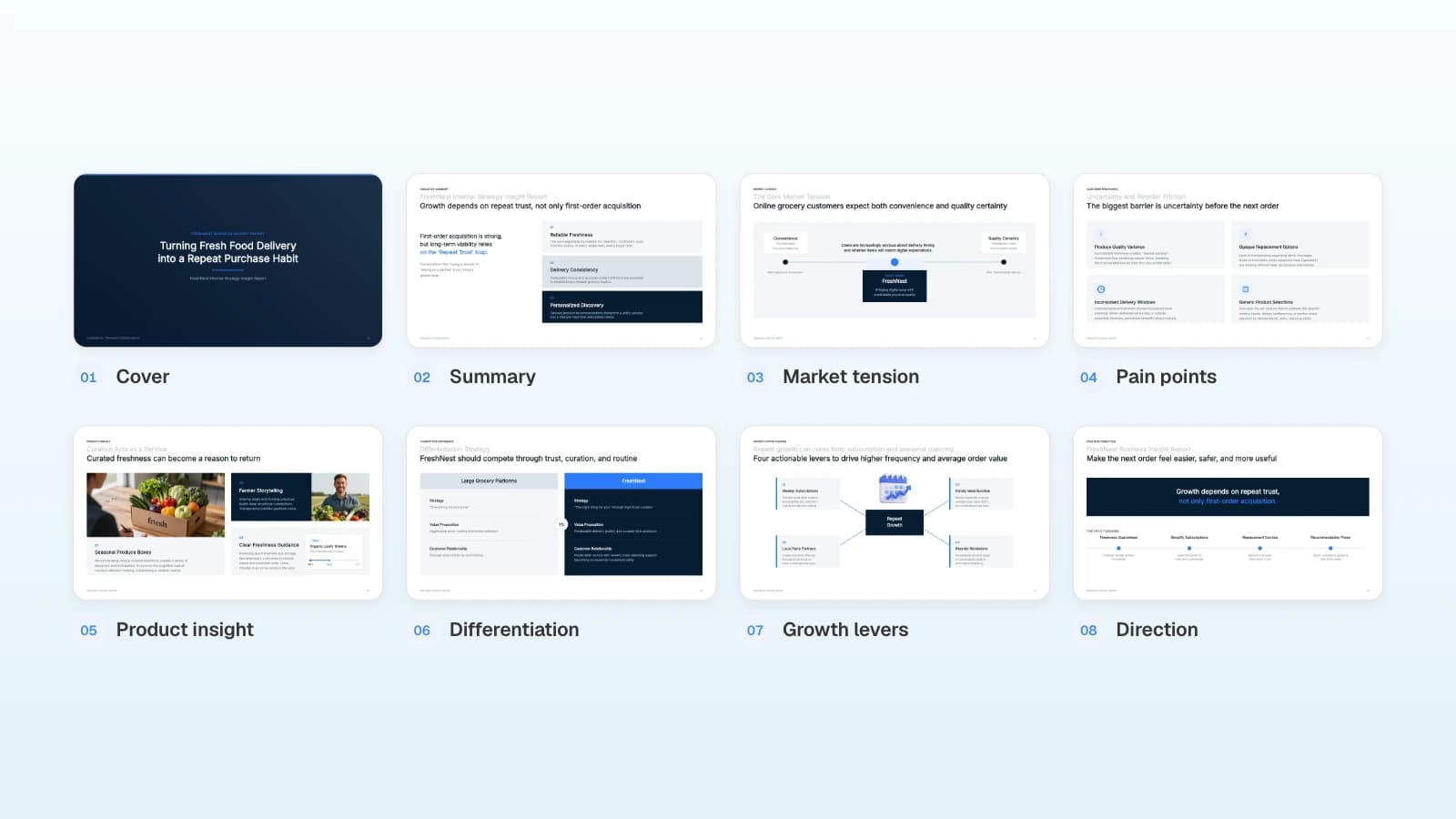
2. B2B Strategic Proposal (7 slides)
A client proposal that moves from problem diagnosis to a solution framework, value pillars, an implementation roadmap, proof points, and next steps. Fits consultants and B2B teams pitching an operational improvement.

View the B2B Strategic Proposal template
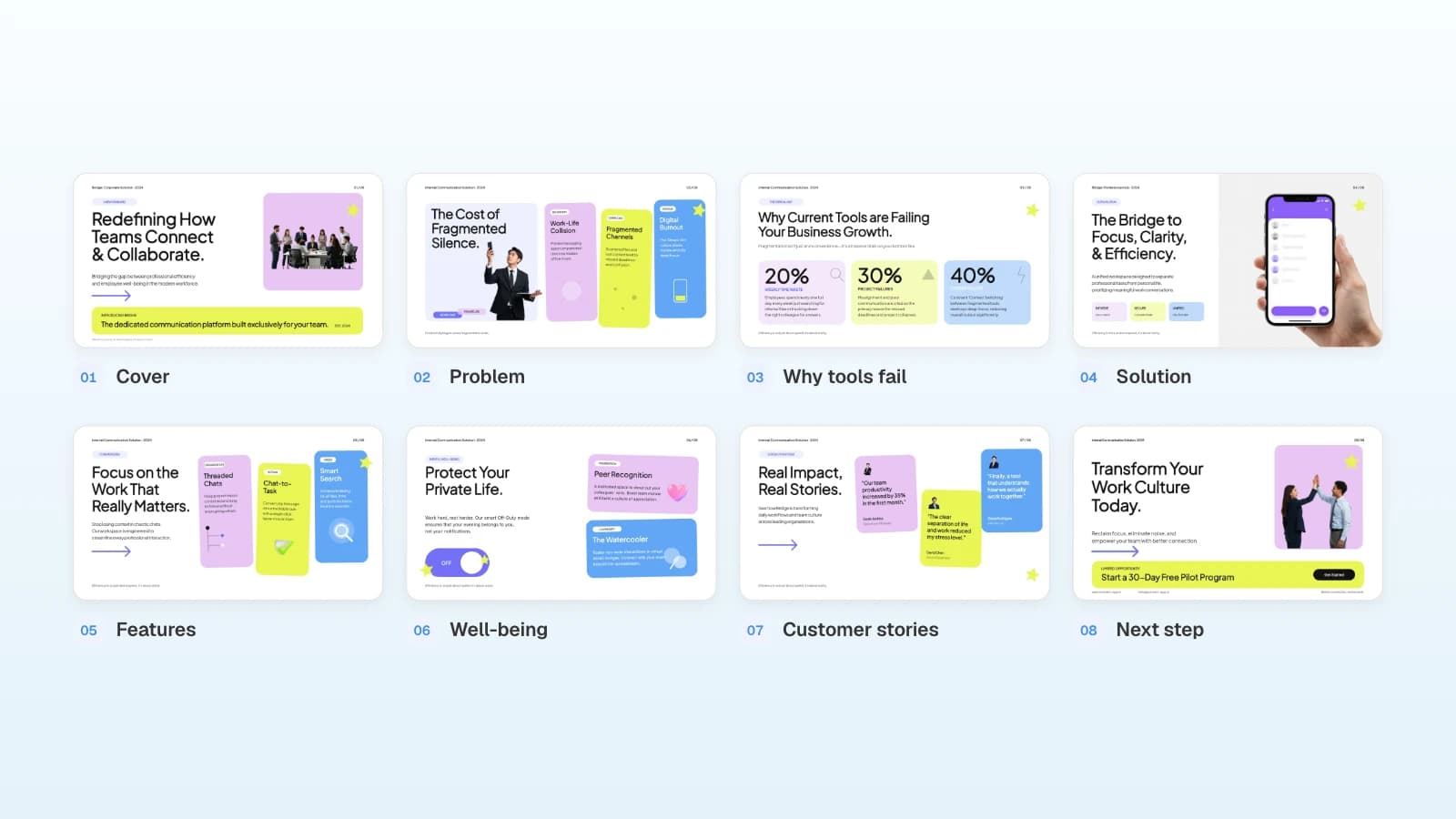
3. Team Collaboration Platform Proposal (8 slides)
A sales proposal for a workplace communication tool, with headline-style titles such as "Why Current Tools are Failing Your Business Growth," a feature walkthrough, customer quotes, and a pilot offer. Fits SaaS teams writing a product pitch for buyers.

View the Team Collaboration Platform Proposal template
Frequently asked questions
Did you test all four tools with the same material?
No. This is a desk review of each vendor's pricing and help pages as they appeared on September 27, 2026. We did not generate the same deck in each tool, so we don't rank quality or speed. To choose, build one real deck in two or three tools and open each exported file on the computer you will present from.
Can you export PPTX on Gamma's free plan?
Yes. As of September 2026, Gamma's Free plan includes export to PDF, PPTX, PNG, and Google Slides. PDF and PPTX files exported on the Free plan carry a "Made by Gamma" badge; any paid plan (Plus, Pro, or Ultra) removes it from future exports.
Does Genspark add a watermark to slides?
Genspark's help center lists PDF, PPTX, and Google Slides export as a feature for Plus, Pro, Team, and Enterprise members, and it doesn't describe a watermark policy. If you need files, plan on a paid membership and check the export on your own plan.
Which gives the most editable PowerPoint file?
We didn't compare exported files. By each vendor's docs, Gamma exports editable tables and embeds theme fonts; Genspark may turn complex tables and charts into images or shapes; MOVO keeps text, images, and shapes editable but doesn't embed fonts. Export one real deck and try the edits your recipient will need.
Genspark vs Skywork: which should I choose?
Choose Genspark if you want public pricing, research, content verification, and speaker notes in one place. Choose Skywork if you want to connect Google Workspace, Microsoft 365, or OneDrive and refine the deck page by page. Check Skywork's prices after signing in.
Can MOVO import an existing PowerPoint file?
Not as an attachment for a new deck: MOVO doesn't accept PPTX or HWP files there. Save the deck as a PDF and attach it, and MOVO builds a new deck from its content. If you want to import a PowerPoint file and keep its layouts, Gamma documents a faithful PPTX import.
Summary
Gamma is the easy pick for free PPTX exports and sharing as a doc or site, Genspark for research, verification, and speaker notes, and Skywork for building from connected cloud accounts. If you already have a report or spreadsheet, want to approve the outline first, and need to fix slides one by one before sending a PowerPoint file, MOVO fits. Prices and features change often, so recheck each pricing page before you pay, and build one real deck before you commit.